AI agent for catering managers
Venue Site Visit Constraints Agent
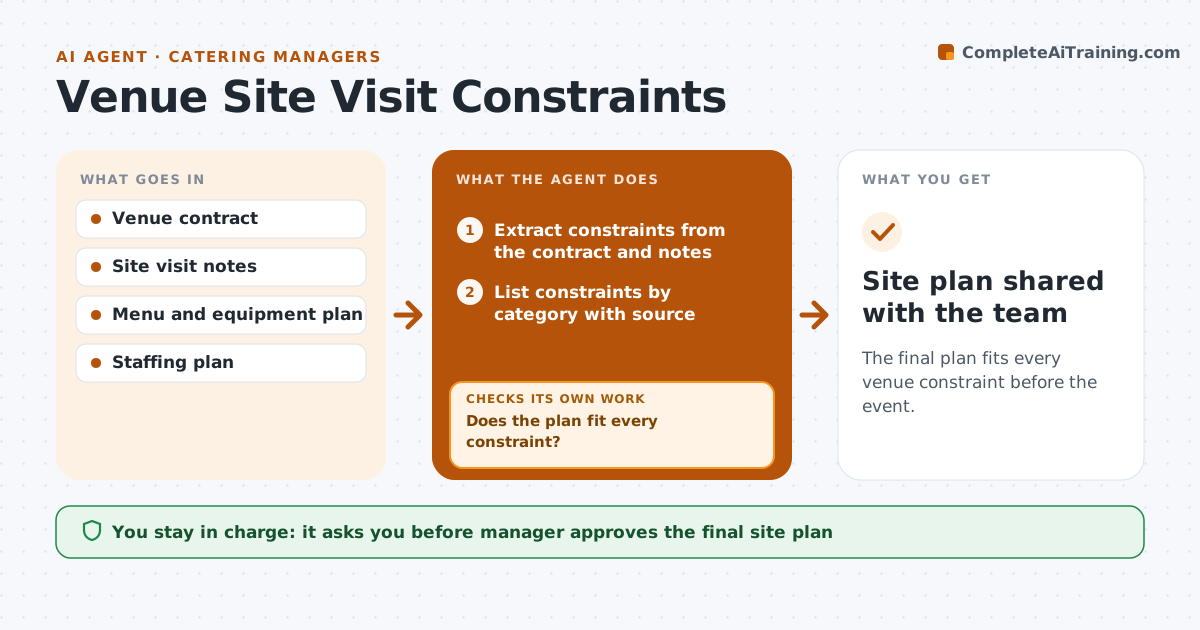
The final plan fits every venue constraint before the event.
What it does
On event day the caterer finds the loading dock closes at 4 PM and there are only two outlets for a menu that needs eight. This agent extracts constraints from the venue contract and the site visit notes: power, water, kitchen type, loading windows, elevators, noise curfews and open flame rules. It then tests the menu and equipment plan against each constraint and flags conflicts. When a conflict is resolved, for example by renting a generator, it reruns the check on the changed plan, since a fix can create a new problem. It produces a site plan with every constraint and its answer. The manager approves the final site plan. Edge case: the contract says no open flame, but the menu has a flambe dessert.
How it works
Follow the arrows from top to bottom. The orange dashed arrow is the loop: when a check fails, the agent goes back and tries again.
Read the steps as a list
- Venue contract or site notes added
- Extract constraints from the contract and notes
- List constraints by category with source
- Load the menu, equipment and staffing plan
- Does the plan fit every constraint?If not: list the conflicts and propose options such as changed menu items, rentals or timing. Back to step 4.
- Ask the venue to confirm anything unclear in writing
- Update the plan with the chosen fixes
- Does the updated plan still fit all constraints?If not: identify the new conflict and repeat. Back to step 4.
- Build the site plan with loading, power and setup timings
- Manager approves the final site planThe agent waits here for your OK.
- Site plan shared with the team
How it decides
It marks a constraint as a conflict when the plan needs something the venue does not allow or provide, and clears it only after a written answer.
- Treat a written venue answer as the only way to clear a conflict.
- Recheck the whole plan after any change.
- Flag power need over 80 percent of the stated supply.
- Put load-in timing against the dock hours.
Make it yours
Every agent is a starting point. You choose these settings for your own situation.
- Constraint categories
- Power safety margin (default 80 percent)
- Plan documents used
- Who receives the site plan
What keeps you in control
It always asks you first
- Manager approves the final site plan
Hard limits
- Do not assume permission the contract does not give
- Keep every constraint linked to its source
It stops when
- Done: plan fits all constraints and is approved.
- Stop: a conflict cannot be solved, so the manager chooses between changes.
Set it up
We guide you through the set-up, step by step
Members get the full set-up guide for this agent. No technical skills needed: you copy, paste and upload.
- One set of instructions to paste into your AI, with the clicks for ChatGPT, Claude, Microsoft 365 Copilot, Gemini and Grok
- The agent then walks you through connecting your own data, one source at a time
- A downloadable copy with the flow chart, the rules and the full guide