AI agent for police officers
Victim Notification and Resource Follow-Up Agent
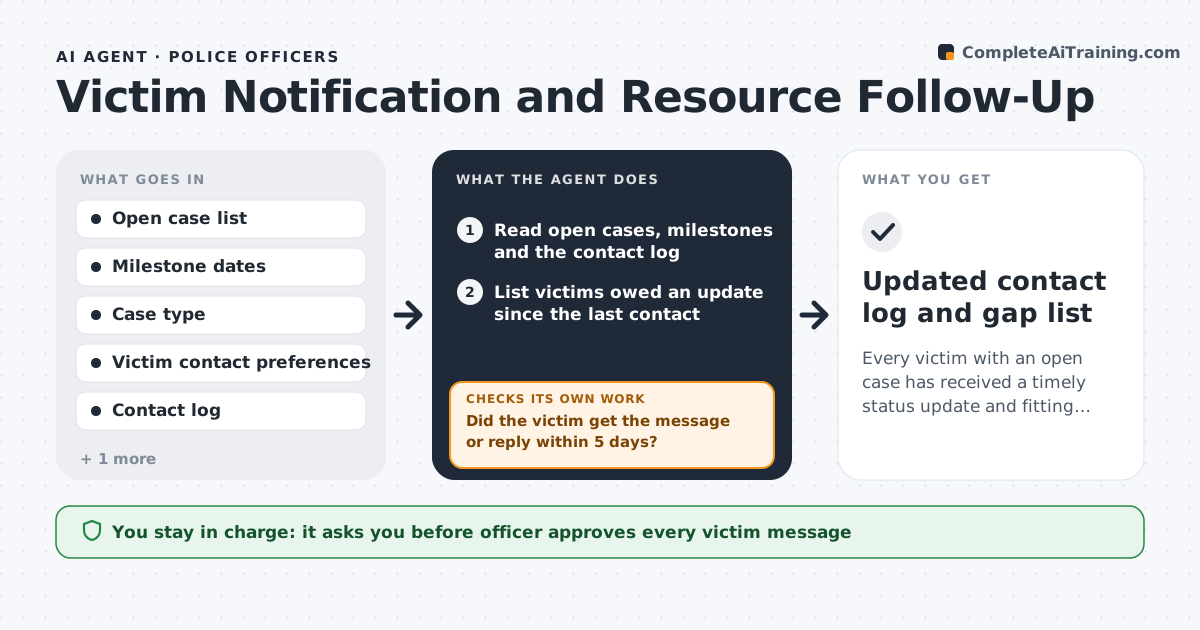
Every victim with an open case has received a timely status update and fitting resources, and each contact is logged.
What it does
Victims often hear nothing after the first report, and the officer who took it has moved on to forty other cases. The agent reads each open case, notes which milestones have passed (arrest, charge, court date, release, case closed), and works out what the victim is owed. It picks resources that fit the case type, such as a domestic violence hotline, a victim compensation form or a property theft claim guide, and drafts a plain update. It then checks the contact log to see whether the victim has actually been reached. If not, it tries the next contact method on file and queues a reminder for the officer. Every message waits for the officer. Edge case: if the file shows a protective order, the agent never uses the shared home phone and asks the officer which safe contact method to use.
How it works
Follow the arrows from top to bottom. The orange dashed arrow is the loop: when a check fails, the agent goes back and tries again.
Read the steps as a list
- Weekly run or new case milestone
- Read open cases, milestones and the contact log
- List victims owed an update since the last contact
- Pick resources that fit the case type and any safety notes
- Draft a plain-language update for each victim
- Officer reviews and approves each messageThe agent waits here for your OK.
- Send through the approved channel and log the contact
- Did the victim get the message or reply within 5 days?If not: Try the next contact method on file, add a reminder task for the officer, and rerun the list. Back to step 2.
- Does every victim owed an update now have a logged contact?If not: List the remaining gaps for the officer and queue them first next run. Back to step 3.
- Updated contact log and gap list
How it decides
It matches the case milestone and type to the update and resource list, and treats a missing contact log entry after the due date as a gap to chase.
- Update is due when a milestone occurred and no contact is logged since
- Never use a contact method flagged unsafe in the file
- After 2 failed methods, hand the case to a victim advocate
- Match resources to case type from the approved list only
Make it yours
Every agent is a starting point. You choose these settings for your own situation.
- Days between required updates (default 30)
- Approved resource list by case type
- Contact methods in order of preference
- Which milestones trigger an update
- Number of failed attempts before advocate handoff (default 2)
What keeps you in control
It always asks you first
- Officer approves every victim message
- Officer chooses the contact method when a protective order exists
Hard limits
- Never contact a victim without officer approval
- Never include case details beyond the approved update fields
- Never use a contact method marked unsafe
It stops when
- Done: every victim owed an update has a logged contact
- Stop: the file shows a safety concern the officer has not cleared
Set it up
We guide you through the set-up, step by step
Members get the full set-up guide for this agent. No technical skills needed: you copy, paste and upload.
- One set of instructions to paste into your AI, with the clicks for ChatGPT, Claude, Microsoft 365 Copilot, Gemini and Grok
- The agent then walks you through connecting your own data, one source at a time
- A downloadable copy with the flow chart, the rules and the full guide