AI agent for receptionists
Visitor Pre-Registration Agent
Every external guest on the calendar has completed pre-registration before arriving, and the visitor list matches the hosts' calendars.
What it does
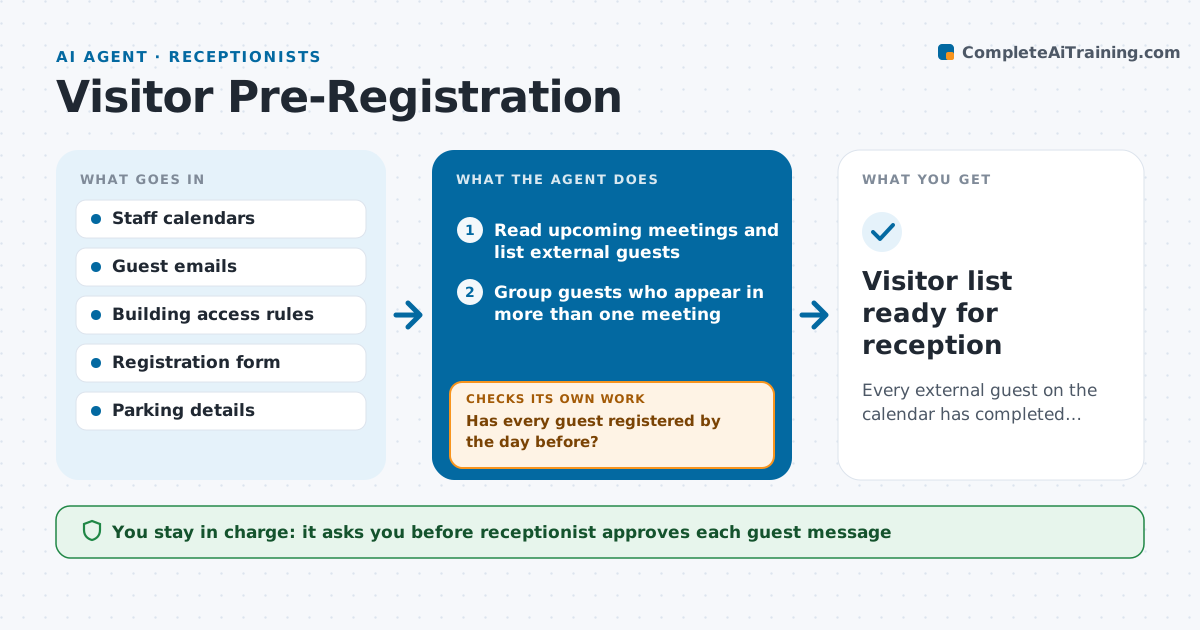
Visitors often turn up at reception with no pre-registration, so badges, parking and host alerts are done in a rush. The agent reads upcoming meetings on the shared calendars and finds guests who are external. For each guest it drafts a registration request with arrival time, address, parking and ID needs, which the receptionist approves before sending. It tracks replies, chases missing ones the day before, and compares the final visitor list with each host's calendar to catch changed times or cancelled meetings. If a meeting moves, it updates the guest request again. Edge case: a guest invited by two hosts for two meetings that day, who must get one message with both times.
How it works
Follow the arrows from top to bottom. The orange dashed arrow is the loop: when a check fails, the agent goes back and tries again.
Read the steps as a list
- Meeting with an external guest is booked
- Read upcoming meetings and list external guests
- Group guests who appear in more than one meeting
- Draft a registration request with arrival details
- Receptionist approves each message before it is sentThe agent waits here for your OK.
- Send the requests and track replies
- Has every guest registered by the day before?If not: Draft a reminder and flag the host if still missing. Back to step 4.
- Compare the visitor list with the hosts' current calendars
- Do times, hosts and rooms still match?If not: Update the registration details and send a corrected message after approval. Back to step 4.
- Prepare the visitor list and badge print queue
- Visitor list ready for reception
How it decides
It treats any attendee outside the company email domain as an external guest, and counts a guest as ready only when the registration form is complete.
- External guest means an email domain outside the company
- Send one chase only, the day before the meeting
- Merge several meetings for one guest into one message
- Flag guests with no reply by 10 am to the host
Make it yours
Every agent is a starting point. You choose these settings for your own situation.
- How far ahead to run (default next business day)
- What counts as external
- Information requested from guests
- When to chase (default 1 day before)
- Format of the visitor list
What keeps you in control
It always asks you first
- Receptionist approves each guest message
- Receptionist approves corrected messages after a meeting changes
Hard limits
- Never send a message without approval
- Do not share other guests' names
It stops when
- Done: all guests registered and the list matches calendars
- Stop: a host or room is unknown and the receptionist must confirm
Set it up
We guide you through the set-up, step by step
Members get the full set-up guide for this agent. No technical skills needed: you copy, paste and upload.
- One set of instructions to paste into your AI, with the clicks for ChatGPT, Claude, Microsoft 365 Copilot, Gemini and Grok
- The agent then walks you through connecting your own data, one source at a time
- A downloadable copy with the flow chart, the rules and the full guide