AI agent for nurses
Vital Sign Deterioration Watch Agent
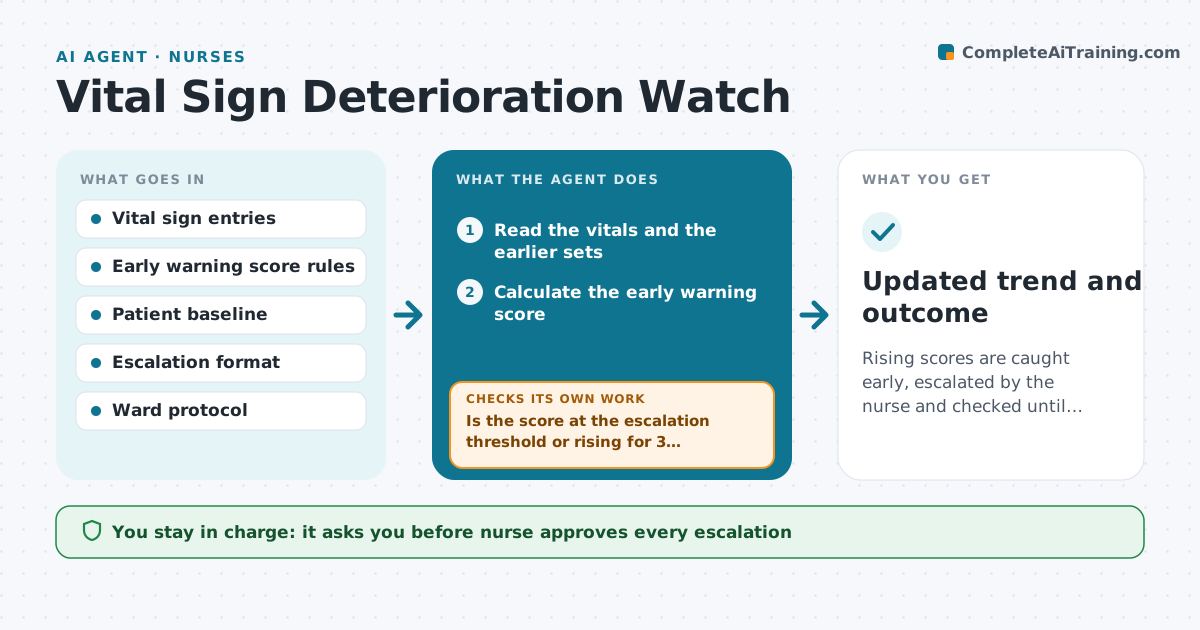
Rising scores are caught early, escalated by the nurse and checked until stable.
What it does
Patients can worsen between rounds, and a single set of vitals may look fine while the trend is not. Each time a new set of observations is entered, the agent reads it, calculates the early warning score and compares it with the patient's previous sets. It flags a rising trend even if the score is below the call threshold, for example three sets in a row increasing. It drafts an escalation note with the trend and the numbers in the format the ward uses. If the score keeps rising, the agent drafts the note and then checks the next set before closing. The nurse approves every escalation and the nurse decides the response. Edge case: a score at or above the emergency threshold prompts the nurse at once to call for help, before any note.
How it works
Follow the arrows from top to bottom. The orange dashed arrow is the loop: when a check fails, the agent goes back and tries again.
Read the steps as a list
- New observations entered
- Read the vitals and the earlier sets
- Calculate the early warning score
- Compare with the last three sets for a trend
- Is the score at the escalation threshold or rising for 3 sets?If not: Record the score and wait for the next set. Back to step 3.
- Draft an escalation note with the trend
- Nurse reviews and decides the escalationThe agent waits here for your OK.
- Send the note through the ward process
- Read the next set of observations
- Has the score fallen or stabilized?If not: Draft an updated note with the new numbers and prompt the nurse to escalate further. Back to step 5.
- Updated trend and outcome
How it decides
It scores each set and compares the trend over recent sets, treating a steady rise as a flag even below the threshold.
- Emergency threshold prompts a call for help at once
- Three rising sets is a flag even under the threshold
- Recheck at the interval set by the ward
- Always show the numbers behind the score
Make it yours
Every agent is a starting point. You choose these settings for your own situation.
- Scoring system and thresholds
- Trend rule
- Recheck interval
- Note format
- Who is notified
What keeps you in control
It always asks you first
- Nurse approves every escalation
- Nurse decides the response and any call
Hard limits
- Never replace the nurse's judgment
- Never delay an emergency alert
- Never send a note without the nurse's approval
It stops when
- Done: score is stable or the care team has taken over
- Stop: the patient is transferred or discharged
Set it up
We guide you through the set-up, step by step
Members get the full set-up guide for this agent. No technical skills needed: you copy, paste and upload.
- One set of instructions to paste into your AI, with the clicks for ChatGPT, Claude, Microsoft 365 Copilot, Gemini and Grok
- The agent then walks you through connecting your own data, one source at a time
- A downloadable copy with the flow chart, the rules and the full guide