AI agent for vocal artists
Vocal Practice Progress Agent
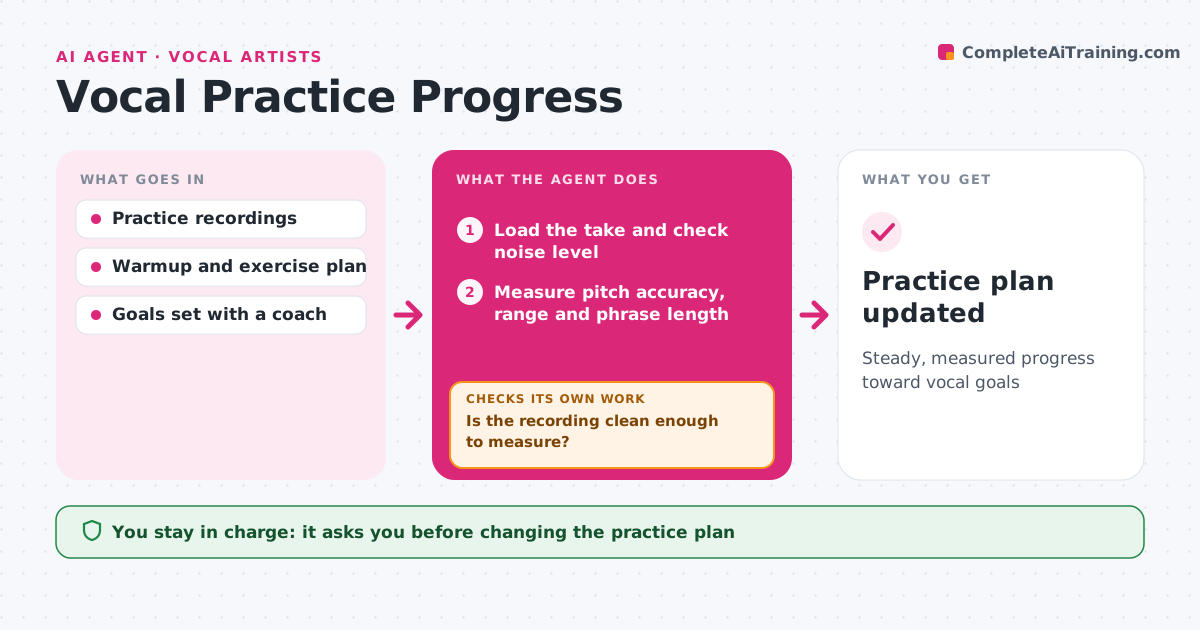
Steady, measured progress toward vocal goals
What it does
Singers practice often but rarely track whether they are improving. After each recorded practice take, this agent first checks that the recording is clean enough to measure. Then it measures pitch accuracy on target notes, comfortable range and phrase length, and compares the results with recent weeks and your goals. When an area stays below target for two weeks, it suggests a focused exercise from your coach's approved list and measures the next takes to see if it helps. If the exercise is not working after the set time, it flags it for the coach instead of piling on more. It keeps a weekly progress note you can share with your coach. You or your coach approve plan changes. Edge case: a recording too noisy to measure gets a request for a cleaner take, not a false drop.
How it works
Follow the arrows from top to bottom. The orange dashed arrow is the loop: when a check fails, the agent goes back and tries again.
Read the steps as a list
- Practice take is uploaded
- Load the take and check noise level
- Is the recording clean enough to measure?If not: ask for a cleaner take. Back to step 2.
- Measure pitch accuracy, range and phrase length
- Compare with recent weeks and goals
- Is each area on track?If not: suggest a focus exercise and measure the next takes. Back to step 4.
- Write the weekly progress note
- Artist or coach approves plan changesThe agent waits here for your OK.
- Practice plan updated
How it decides
It flags an area when accuracy stays under target for two weeks, and suggests only exercises from the approved list.
- Flag areas below target for two weeks
- Suggest exercises only from the coach-approved list
- Ask for a new take when noise blocks measurement
Make it yours
Every agent is a starting point. You choose these settings for your own situation.
- Accuracy targets
- Exercise list
- Summary day
- Notes to measure
What keeps you in control
It always asks you first
- Changing the practice plan
Hard limits
- Gives no medical advice and suggests seeing a professional for pain or hoarseness
- Uses only approved exercises
It stops when
- Done: weekly note delivered
- Stop: recordings too noisy; ask for new takes
Set it up
We guide you through the set-up, step by step
Members get the full set-up guide for this agent. No technical skills needed: you copy, paste and upload.
- One set of instructions to paste into your AI, with the clicks for ChatGPT, Claude, Microsoft 365 Copilot, Gemini and Grok
- The agent then walks you through connecting your own data, one source at a time
- A downloadable copy with the flow chart, the rules and the full guide