AI agent for voice actors
Voiceover Pickup Session Agent
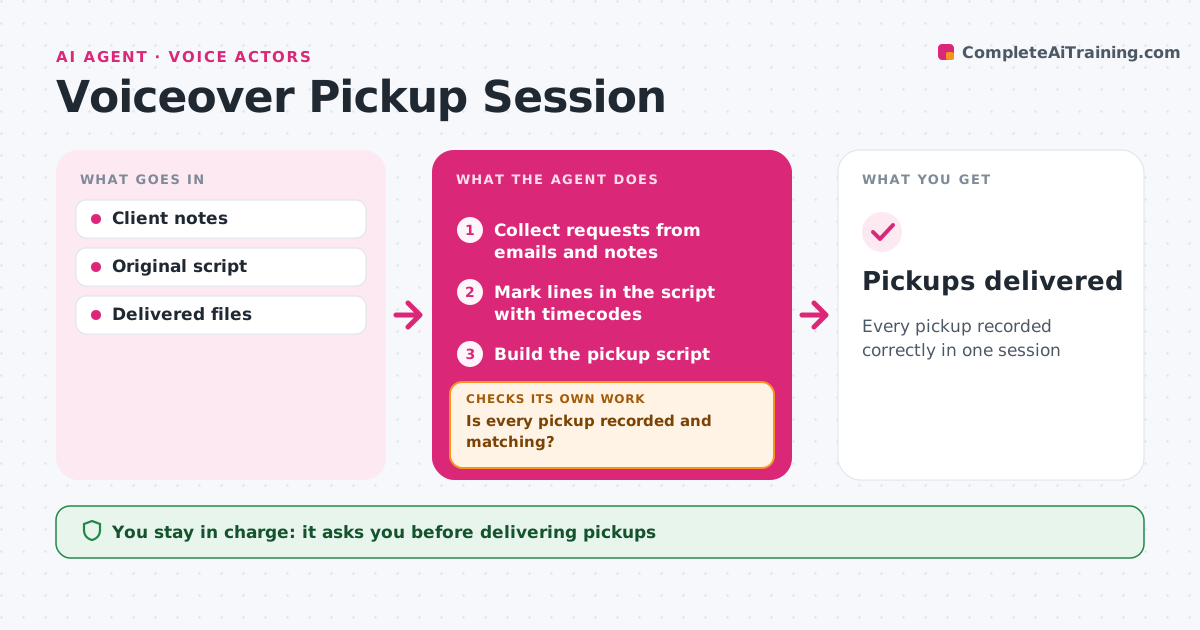
Every pickup recorded correctly in one session
What it does
After delivery, voiceover clients often send pickups: lines to re-read, wrong words or new tags. Requests arrive scattered across emails and review notes. This agent collects every request and marks each line in the script with the original take, timecode and requested change. It builds a pickup script in script order so the session goes quickly. After the actor records, it compares each new take with its request, checking that the words match and that level and tone match the original session. If anything is missing or does not match, it lists it for a quick rerecord and checks again. The actor approves the delivery before it goes to the client. Edge case: a request that changes the meaning of the script, not just a word, is flagged as a possible new session with its own fee.
How it works
Follow the arrows from top to bottom. The orange dashed arrow is the loop: when a check fails, the agent goes back and tries again.
Read the steps as a list
- Pickup notes arrive
- Collect requests from emails and notes
- Mark lines in the script with timecodes
- Build the pickup script
- Compare new takes with requests and original levels
- Is every pickup recorded and matching?If not: list missing or mismatched lines for re-recording. Back to step 4.
- Actor approves deliveryThe agent waits here for your OK.
- Pickups delivered
How it decides
It matches each request to a line and checks new takes for exact wording and matching levels.
- Flag script changes as possible new fees
- Match levels to the original session
- Order pickups by script order
Make it yours
Every agent is a starting point. You choose these settings for your own situation.
- Included pickups before extra fees
- Level tolerance (default 1 dB)
- Script format
- Delivery format
What keeps you in control
It always asks you first
- Delivering pickups
- Billing extra fees
Hard limits
- Never sends without approval
It stops when
- Done: pickups delivered
- Stop: original files missing; ask
Set it up
We guide you through the set-up, step by step
Members get the full set-up guide for this agent. No technical skills needed: you copy, paste and upload.
- One set of instructions to paste into your AI, with the clicks for ChatGPT, Claude, Microsoft 365 Copilot, Gemini and Grok
- The agent then walks you through connecting your own data, one source at a time
- A downloadable copy with the flow chart, the rules and the full guide