AI agent for volunteer coordinators
Volunteer Compliance Renewal Agent
Keep every active volunteer's required certifications and waivers current.
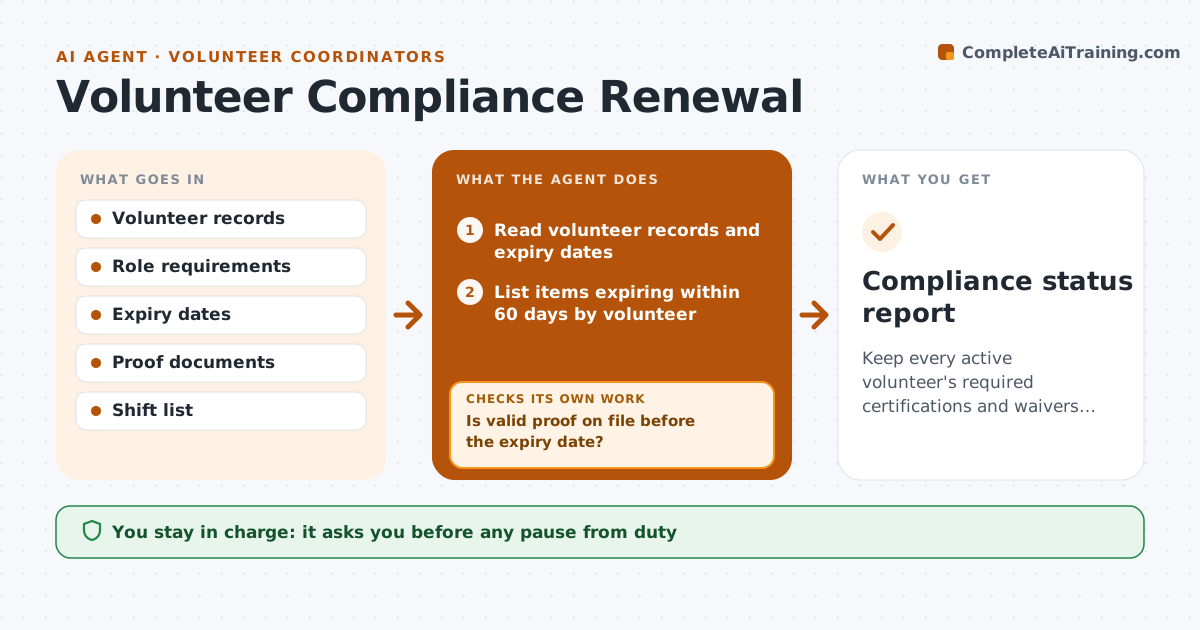
What it does
Volunteers need renewed first aid, background checks and signed waivers. They expire quietly, and the problem shows up after an incident or an audit. This agent scans the volunteer records for items expiring soon, sends renewal requests, tracks returned proof, and updates a draft record. If proof is missing at the deadline, it flags the volunteer for the next shift list. It rechecks after each reply and only treats a volunteer as cleared once the new proof is accepted and the record shows a later expiry date. Reminders go out at 60, 30 and 7 days. The coordinator approves any pause from duty. Edge case: an expired item for a role that does not need it is recorded but not enforced.
How it works
Follow the arrows from top to bottom. The orange dashed arrow is the loop: when a check fails, the agent goes back and tries again.
Read the steps as a list
- Weekly compliance scan begins
- Read volunteer records and expiry dates
- List items expiring within 60 days by volunteer
- Send renewal requests and links
- Read the proof returned
- Is valid proof on file before the expiry date?If not: Send a reminder at 30 and 7 days, then flag the volunteer. Back to step 4.
- Update the draft record
- Mark volunteers with expired required items for the next shift list
- Coordinator approves any pause from dutyThe agent waits here for your OK.
- Is the volunteer cleared after the new proof?If not: Keep the volunteer paused until proof is accepted. Back to step 5.
- Compliance status report
How it decides
Compares expiry dates with role requirements and marks a volunteer as not cleared when a required item has expired.
- Alerts at 60, 30 and 7 days
- Expired required item means not cleared for shifts
- Proof must show name and date
- Items not required for the role are recorded only
Make it yours
Every agent is a starting point. You choose these settings for your own situation.
- Alert timing (default 60, 30, 7 days)
- Items by role
- Proof rules
- Scan frequency
- Who approves pauses
What keeps you in control
It always asks you first
- Any pause from duty
- Acceptance of proof that is unclear
- Any change in role requirements
Hard limits
- Never remove a volunteer itself
- Never accept proof that cannot be verified
It stops when
- Done: all volunteers cleared
- Stop: volunteer leaves
- Stop: role requirements change
Set it up
We guide you through the set-up, step by step
Members get the full set-up guide for this agent. No technical skills needed: you copy, paste and upload.
- One set of instructions to paste into your AI, with the clicks for ChatGPT, Claude, Microsoft 365 Copilot, Gemini and Grok
- The agent then walks you through connecting your own data, one source at a time
- A downloadable copy with the flow chart, the rules and the full guide