AI agent for volunteer coordinators
Volunteer Reference Check Agent
Clear volunteers for roles only after complete, valid references and checks.
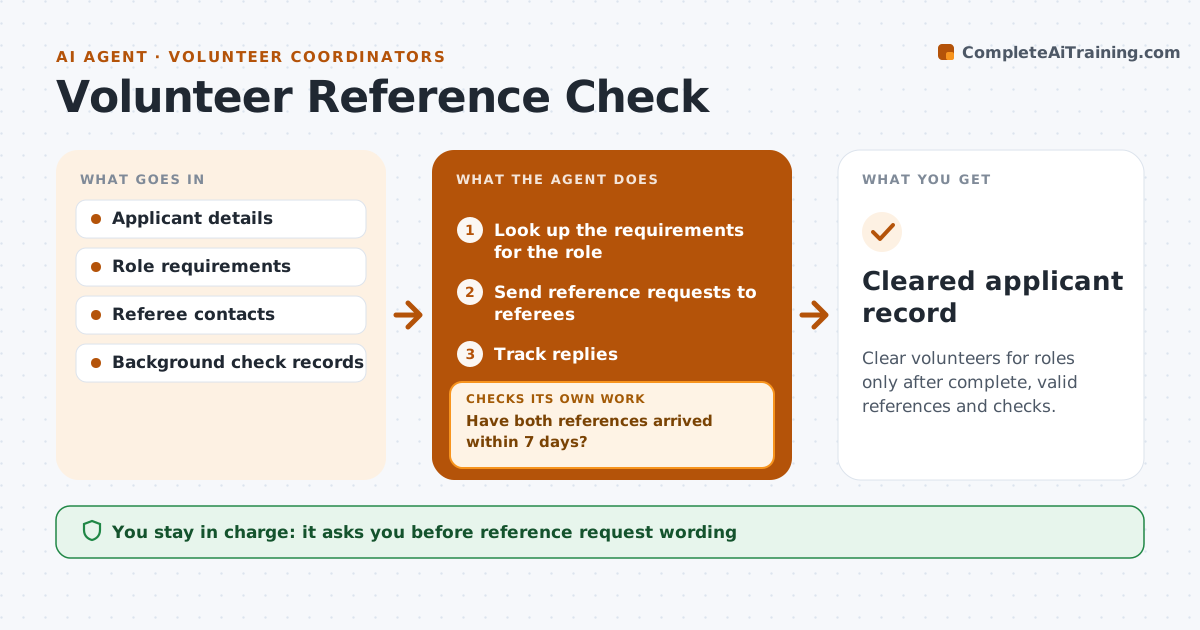
What it does
A volunteer who will work with children or elderly people needs references and a background check before they start. Coordinators have dozens of applicants at different stages and chase replies from memory. For each approved applicant, this agent sends reference requests, tracks replies, and checks them against the requirements of the role: two references, one not a relative, one from the last three years. It chases late responses on a schedule. Before any role is assigned, it confirms the background check status is on file. The coordinator approves each clearance. Edge case: a reference that arrives with concerns is not summarized by the agent. It goes to the coordinator at once.
How it works
Follow the arrows from top to bottom. The orange dashed arrow is the loop: when a check fails, the agent goes back and tries again.
Read the steps as a list
- Applicant is approved to proceed
- Look up the requirements for the role
- Send reference requests to referees
- Coordinator approves the request wordingThe agent waits here for your OK.
- Track replies
- Have both references arrived within 7 days?If not: Send a reminder, then contact the applicant for another referee after 14 days. Back to step 5.
- Check each reference meets the role rules
- Check background check status in the records
- Are all references valid and the background check on file?If not: List what is missing and request it. Back to step 5.
- Coordinator approves the clearanceThe agent waits here for your OK.
- Cleared applicant record
How it decides
Compares received references and checks to the role's requirements and treats a clearance as ready only when all items are present and valid.
- Two valid references needed for roles with vulnerable people
- A relative does not count as a reference
- References older than 3 years are not accepted
- Any reference with a concern goes straight to the coordinator
Make it yours
Every agent is a starting point. You choose these settings for your own situation.
- Number of references by role
- Reminder timing (default 7 and 14 days)
- Reference age limit
- Check types needed
- Request wording
What keeps you in control
It always asks you first
- Reference request wording
- Every clearance
- Any decision about a reference with concerns
Hard limits
- Never clear a volunteer itself
- Never summarize a concerning reference
It stops when
- Done: applicant cleared and logged
- Stop: applicant withdraws
- Stop: concern raised, coordinator decides
Set it up
We guide you through the set-up, step by step
Members get the full set-up guide for this agent. No technical skills needed: you copy, paste and upload.
- One set of instructions to paste into your AI, with the clicks for ChatGPT, Claude, Microsoft 365 Copilot, Gemini and Grok
- The agent then walks you through connecting your own data, one source at a time
- A downloadable copy with the flow chart, the rules and the full guide