AI agent for volunteer coordinators
Volunteer Shift No-Show Recovery Agent
Fill empty posts quickly and understand why they happen.
What it does
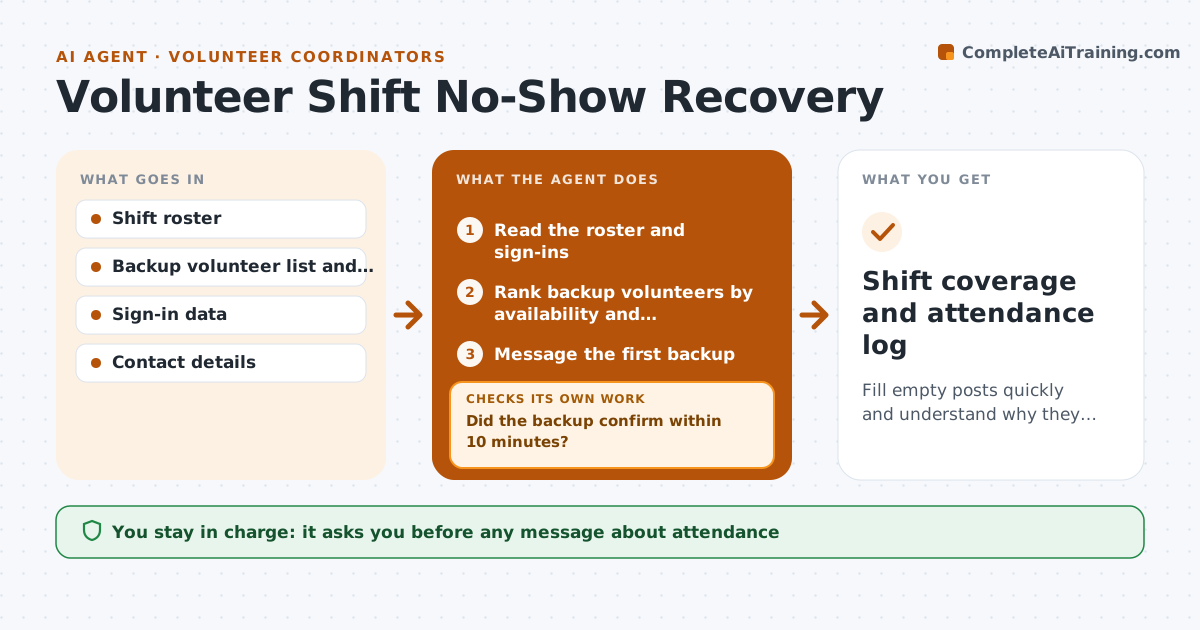
A shift starts short and the coordinator is on the phone trying to find someone while the post is empty. Afterward there is no record of who keeps missing. This agent watches shifts as they begin. When a post is empty it checks the roster, contacts backup volunteers in priority order, and rechecks coverage after each reply. It stops when the post is filled. Afterward it logs the no-show, notes patterns by person and shift, and drafts a check-in message. The coordinator approves any outreach about attendance. Edge case: a volunteer who called ahead to cancel is logged as a late cancel, not a no-show.
How it works
Follow the arrows from top to bottom. The orange dashed arrow is the loop: when a check fails, the agent goes back and tries again.
Read the steps as a list
- A shift starts short of its minimum
- Read the roster and sign-ins
- Rank backup volunteers by availability and qualification
- Message the first backup
- Did the backup confirm within 10 minutes?If not: Message the next backup in the list. Back to step 3.
- Update the roster
- Is the post filled to its minimum?If not: Escalate to the coordinator with the remaining gap. Back to step 3.
- After the shift, log the no-show and look for patterns
- Coordinator approves any check-in message about attendanceThe agent waits here for your OK.
- Shift coverage and attendance log
How it decides
Ranks backups by availability, qualification and recent shifts, and moves to the next if there is no reply in 10 minutes.
- Backup contacts go in priority order
- A confirmed late cancel is not a no-show
- Three no-shows in 60 days flags a pattern
- No contacting backups outside their allowed hours
Make it yours
Every agent is a starting point. You choose these settings for your own situation.
- Minutes before next backup (default 10)
- Contact hours
- Pattern threshold (default 3 in 60 days)
- Roles and qualifications
- Message wording
What keeps you in control
It always asks you first
- Any message about attendance
- Any change to a volunteer's status
- Any removal from the roster
Hard limits
- Never discipline a volunteer
- Never contact anyone outside their contact hours
It stops when
- Done: post filled
- Stop: shift cancelled
- Stop: coordinator takes over
Set it up
We guide you through the set-up, step by step
Members get the full set-up guide for this agent. No technical skills needed: you copy, paste and upload.
- One set of instructions to paste into your AI, with the clicks for ChatGPT, Claude, Microsoft 365 Copilot, Gemini and Grok
- The agent then walks you through connecting your own data, one source at a time
- A downloadable copy with the flow chart, the rules and the full guide