
AI agent for nonprofit program managers
Volunteer Shift Fill Agent
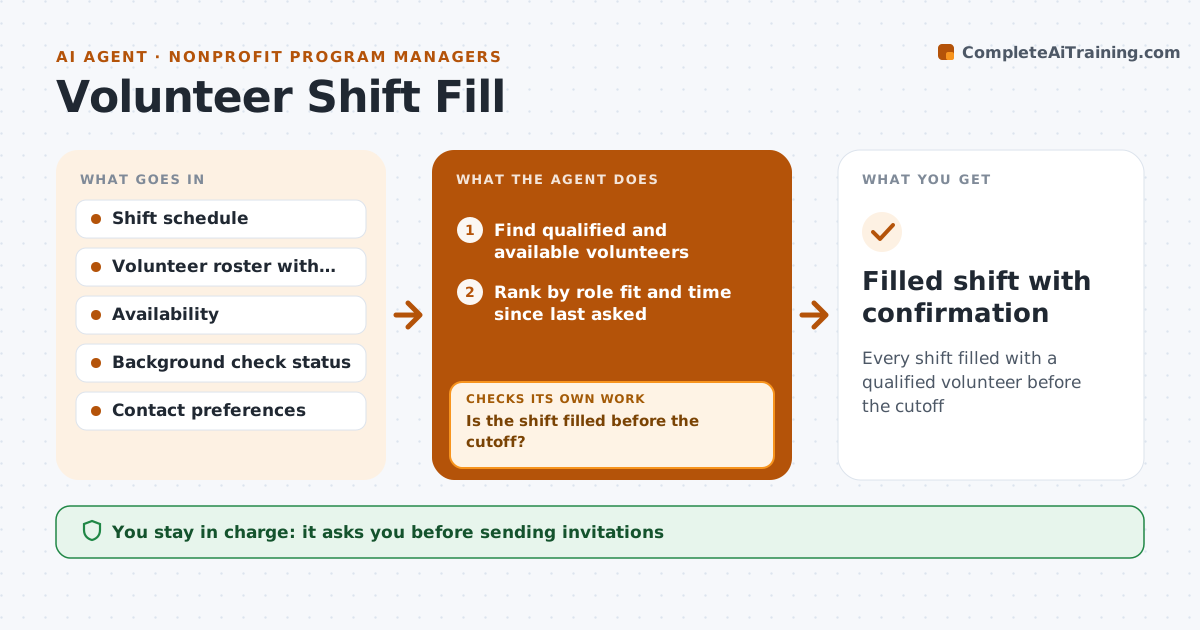
Every shift filled with a qualified volunteer before the cutoff
What it does
Programs fall apart when volunteer shifts go unfilled, and coordinators fill them by hand through texts and calls. This agent watches the shift schedule for open slots and cancellations. It finds volunteers trained for the role, available that day and not over their usual hours, and ranks them by fit and how recently they were asked. Roles with children need a cleared background check, so only cleared volunteers are considered. It drafts personal invitations in each person's preferred channel. It tracks replies and, if the shift is still open near the cutoff, invites the next people on the list. It confirms the person and sends a reminder with arrival details. The coordinator approves the invitation list and messages.
How it works
Follow the arrows from top to bottom. The orange dashed arrow is the loop: when a check fails, the agent goes back and tries again.
Read the steps as a list
- Open shift or cancellation detected
- Find qualified and available volunteers
- Rank by role fit and time since last asked
- Coordinator approves the invitation list and messageThe agent waits here for your OK.
- Send invitations and track replies
- Is the shift filled before the cutoff?If not: invite the next group on the ranked list. Back to step 5.
- Confirm the volunteer and schedule a reminder
- Filled shift with confirmation
How it decides
It asks only volunteers who are qualified and available, ranks them by role fit and fairness, and widens the list in rounds until the shift is filled.
- Roles with children or vulnerable adults need a cleared check
- Do not ask the same person more than twice a week
- Widen the list in groups of five
Make it yours
Every agent is a starting point. You choose these settings for your own situation.
- Invitation group size (default 5)
- Cutoff before shift
- Contact channels
- Weekly ask limit per volunteer
What keeps you in control
It always asks you first
- Sending invitations
- Assigning someone outside their usual role
Hard limits
- Never contacts volunteers who opted out of last-minute requests
- Never assigns uncleared volunteers to restricted roles
It stops when
- Done: shift confirmed
- Stop: cutoff passed with no volunteer; alert the coordinator to cover or cancel
Set it up
We guide you through the set-up, step by step
Members get the full set-up guide for this agent. No technical skills needed: you copy, paste and upload.
- One set of instructions to paste into your AI, with the clicks for ChatGPT, Claude, Microsoft 365 Copilot, Gemini and Grok
- The agent then walks you through connecting your own data, one source at a time
- A downloadable copy with the flow chart, the rules and the full guide



