AI agent for payroll administrators
Wage Garnishment Administration Agent
Every garnishment order set up correctly and on time
What it does
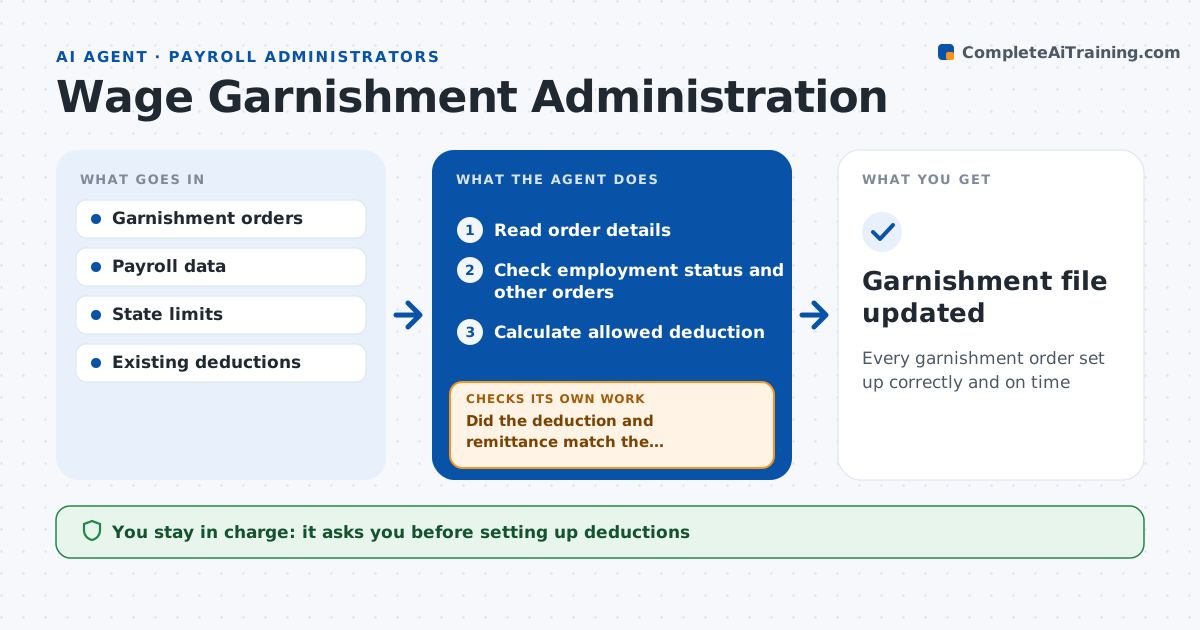
Garnishment orders carry legal deadlines and limits, and a wrong deduction can make the employer liable. When an order arrives, this agent reads it and pulls out the employee, issuer, type, amount or percent, start date and payee. It checks the employee is still employed and looks for other orders. It calculates the amount allowed under federal and state limits using disposable earnings and applies the priority rules, with support orders before creditor orders. If the order is unclear or the math hits a limit, it drafts a question or response to the issuer. It prepares the deduction setup for the administrator to approve. After the first payroll, it checks that the deduction and the payment to the payee matched the calculation and fixes the setup if not. Edge case: a child support order and a creditor order arrive the same month, so support goes first.
How it works
Follow the arrows from top to bottom. The orange dashed arrow is the loop: when a check fails, the agent goes back and tries again.
Read the steps as a list
- Garnishment order received
- Read order details
- Check employment status and other orders
- Calculate allowed deduction
- Administrator approves setup and issuer responseThe agent waits here for your OK.
- Review first payroll after setup
- Did the deduction and remittance match the calculation?If not: recalculate and prepare a correction. Back to step 4.
- Garnishment file updated
How it decides
It applies the order type priority and the lower of the order amount and the legal limit on disposable earnings.
- Employee not employed: draft response to issuer
- Support orders take priority over creditor orders
- Amount above legal limit: deduct the limit only
Make it yours
Every agent is a starting point. You choose these settings for your own situation.
- States covered
- Deadlines for issuer responses
- Who reviews new orders
- Notice to employee template
What keeps you in control
It always asks you first
- Setting up deductions
- Responding to issuers
Hard limits
- Never gives legal advice to employees
- Never sends responses without approval
It stops when
- Done: deduction running and remitted
- Stop: order unreadable or invalid
Set it up
We guide you through the set-up, step by step
Members get the full set-up guide for this agent. No technical skills needed: you copy, paste and upload.
- One set of instructions to paste into your AI, with the clicks for ChatGPT, Claude, Microsoft 365 Copilot, Gemini and Grok
- The agent then walks you through connecting your own data, one source at a time
- A downloadable copy with the flow chart, the rules and the full guide