AI agent for insurance agents
Insurance Renewal Retention Agent
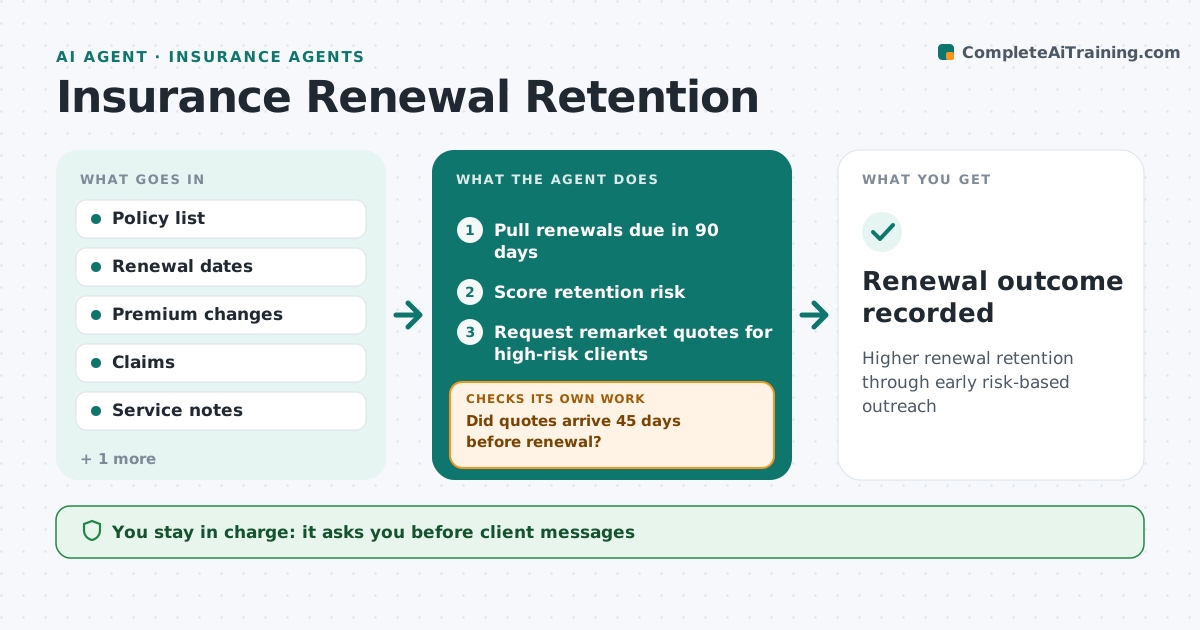
Higher renewal retention through early risk-based outreach
What it does
Agency income depends on renewing policies, and clients often leave quietly after a big premium increase. Each week this agent lists renewals due in 90 days and scores each for retention risk using premium increase, claims, service contacts and tenure. An increase over 15% raises risk, and clients with recent complaints get a call rather than an email. For high-risk clients it requests remarket quotes from other carriers. It checks whether quotes arrived by 45 days before renewal; if not, it chases the carriers and moves the client up the list. It then prepares a renewal review with options such as different deductibles or carriers. The account manager approves every client message and option. Edge case: a long-standing client faces a 40% increase after a large claim, so the agent schedules a call rather than sending an email.
How it works
Follow the arrows from top to bottom. The orange dashed arrow is the loop: when a check fails, the agent goes back and tries again.
Read the steps as a list
- Weekly renewal review
- Pull renewals due in 90 days
- Score retention risk
- Request remarket quotes for high-risk clients
- Did quotes arrive 45 days before renewal?If not: chase carriers and escalate the client. Back to step 4.
- Prepare renewal review and options
- Account manager approves client outreachThe agent waits here for your OK.
- Renewal outcome recorded
How it decides
It scores retention risk and starts earlier, more personal outreach for high scores.
- Premium increase over 15% raises risk
- Clients with recent complaints get a call
- Remarket for high-risk only
Make it yours
Every agent is a starting point. You choose these settings for your own situation.
- Risk factors and weights
- Days ahead
- Remarket triggers
- Outreach templates
What keeps you in control
It always asks you first
- Client messages
- Binding coverage
Hard limits
- Never binds or changes coverage
- Follows licensing rules for advice
It stops when
- Done: renewal decided
- Stop: client cancels
Set it up
We guide you through the set-up, step by step
Members get the full set-up guide for this agent. No technical skills needed: you copy, paste and upload.
- One set of instructions to paste into your AI, with the clicks for ChatGPT, Claude, Microsoft 365 Copilot, Gemini and Grok
- The agent then walks you through connecting your own data, one source at a time
- A downloadable copy with the flow chart, the rules and the full guide