AI agent for farmers
Water Allocation and Usage Log Agent
Season water use stays inside the allocation and the report is ready on time
What it does
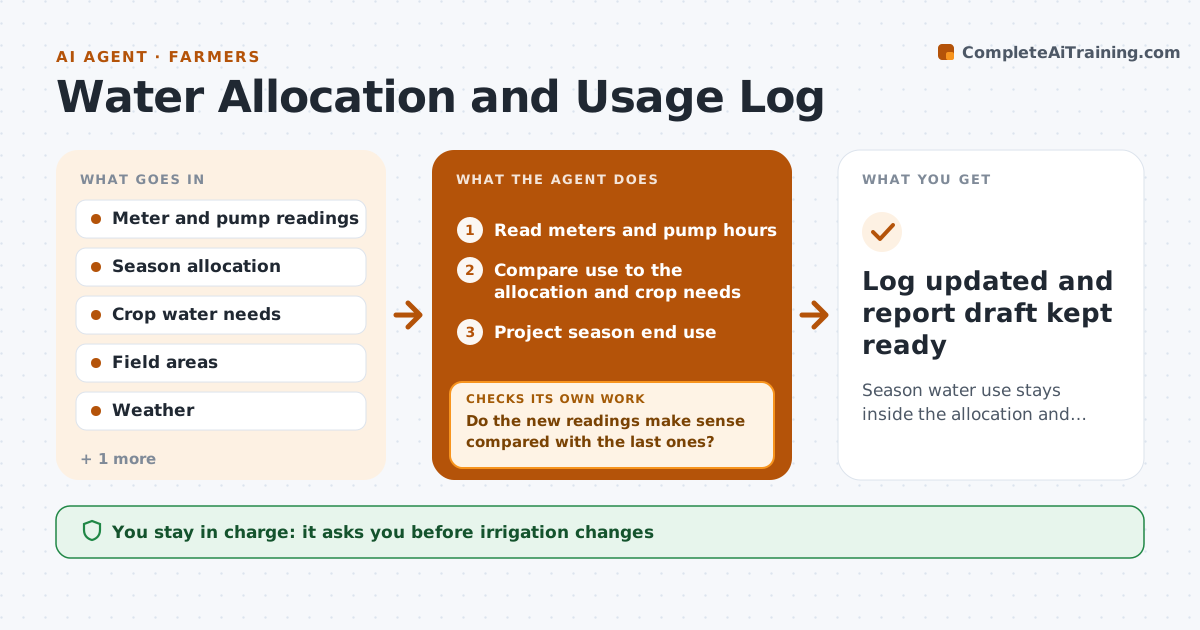
Water allocations are easy to exceed because use builds slowly and the farmer only sees the total at report time. This agent reads meter and pump readings every week and compares them with the season allocation and the crop's needs. It projects the end of season use. If the projection goes over the limit, it proposes irrigation changes such as shorter sets, moving water to higher value fields, or skipping a late irrigation, and then re-tests the projection with each change. It keeps the usage log in the format the water authority wants. The farmer approves any change and the final report. Edge case: a meter read shows a drop below the last reading, so the agent flags a reading error before projecting.
How it works
Follow the arrows from top to bottom. The orange dashed arrow is the loop: when a check fails, the agent goes back and tries again.
Read the steps as a list
- Weekly meter reading is entered
- Read meters and pump hours
- Do the new readings make sense compared with the last ones?If not: flag the reading, ask the farmer to recheck the meter, and wait for a corrected value. Back to step 2.
- Compare use to the allocation and crop needs
- Project season end use
- Is projected use below the allocation with the margin?If not: propose irrigation changes and rerun the projection with each. Back to step 5.
- Draft the weekly note and update the usage log
- Farmer approves irrigation changesThe agent waits here for your OK.
- Log updated and report draft kept ready
How it decides
A change is proposed only if the projected use after the change is below the allocation with a margin. A reading that goes backward is queried before any projection.
- Keep a 5 percent margin below the allocation
- Propose changes when projected use passes 95 percent
- Flag any meter reading lower than the last one
- Prefer cutting low value fields first
Make it yours
Every agent is a starting point. You choose these settings for your own situation.
- Allocation margin (default 5 percent)
- Alert level (default 95 percent)
- Fields in priority order
- Report format for the authority
What keeps you in control
It always asks you first
- Irrigation changes
- Final water report
Hard limits
- Never change pump settings
- Never report numbers it cannot trace to a reading
It stops when
- Done: projection inside allocation and report ready
- Stop: no meter readings for two weeks
Set it up
We guide you through the set-up, step by step
Members get the full set-up guide for this agent. No technical skills needed: you copy, paste and upload.
- One set of instructions to paste into your AI, with the clicks for ChatGPT, Claude, Microsoft 365 Copilot, Gemini and Grok
- The agent then walks you through connecting your own data, one source at a time
- A downloadable copy with the flow chart, the rules and the full guide