AI agent for environmental engineers
Water Quality Exceedance Agent
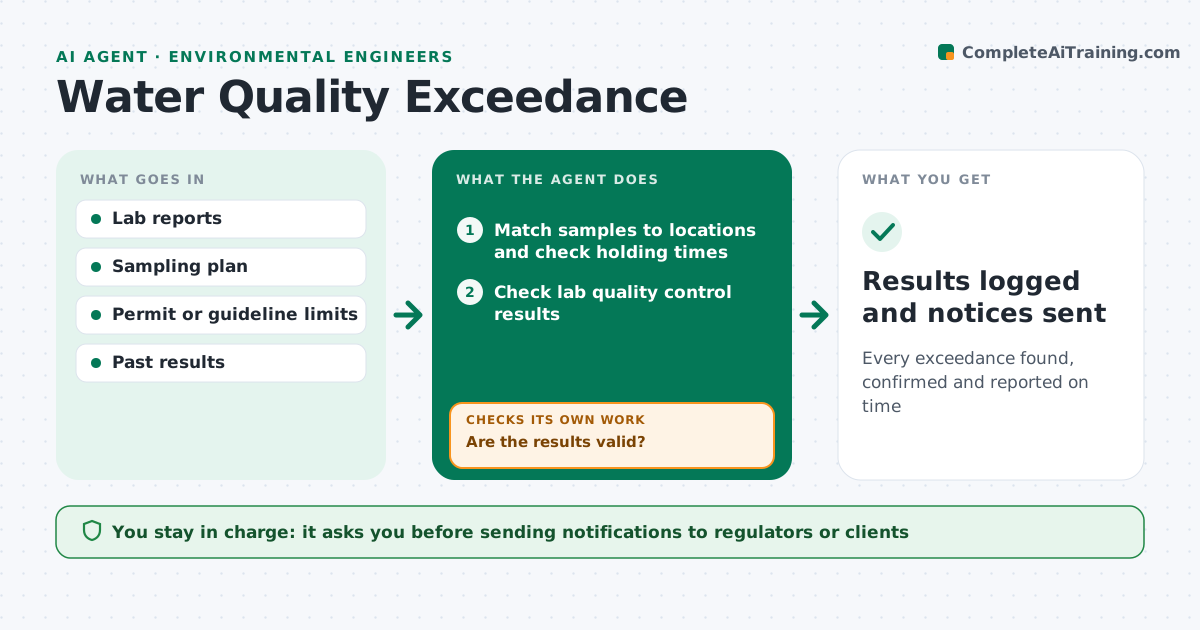
Every exceedance found, confirmed and reported on time
What it does
Water monitoring programs produce lab reports every week, and each result must be compared with the right permit or guideline limit. When a report arrives, this agent matches samples to locations by ID and date and checks holding times. It then checks lab quality control, such as blanks and duplicates, before trusting any result. Invalid samples are flagged and a resample is scheduled. Valid results are compared with the limit for that location and parameter, and with past trends and nearby locations. When a result is above a limit, it starts any notification clock required by the permit. It drafts the notification and a follow-up sampling plan. The engineer approves before anything goes to the regulator or client. Edge case: a sample past its holding time is flagged as invalid and resampled rather than reported.
How it works
Follow the arrows from top to bottom. The orange dashed arrow is the loop: when a check fails, the agent goes back and tries again.
Read the steps as a list
- Lab report arrives
- Match samples to locations and check holding times
- Check lab quality control results
- Are the results valid?If not: flag invalid samples and schedule resampling. Back to step 2.
- Compare results with limits and past trends
- Draft notification and follow-up plan for exceedances
- Engineer approves notificationsThe agent waits here for your OK.
- Results logged and notices sent
How it decides
It reports a result as an exceedance only when quality control passed, holding time was met, and the value is above the location's limit.
- Reject samples past holding time
- Check blanks and duplicates before trusting results
- Start notification clocks per permit rules
Make it yours
Every agent is a starting point. You choose these settings for your own situation.
- Limits per location
- Notification timelines
- Trend window
- Report format
What keeps you in control
It always asks you first
- Sending notifications to regulators or clients
- Scheduling extra sampling
Hard limits
- Never sends notices without approval
- Never edits lab data
It stops when
- Done: results logged
- Stop: lab report incomplete; ask the lab
Set it up
We guide you through the set-up, step by step
Members get the full set-up guide for this agent. No technical skills needed: you copy, paste and upload.
- One set of instructions to paste into your AI, with the clicks for ChatGPT, Claude, Microsoft 365 Copilot, Gemini and Grok
- The agent then walks you through connecting your own data, one source at a time
- A downloadable copy with the flow chart, the rules and the full guide