AI agent for graphic designers
Website Content Collection Agent
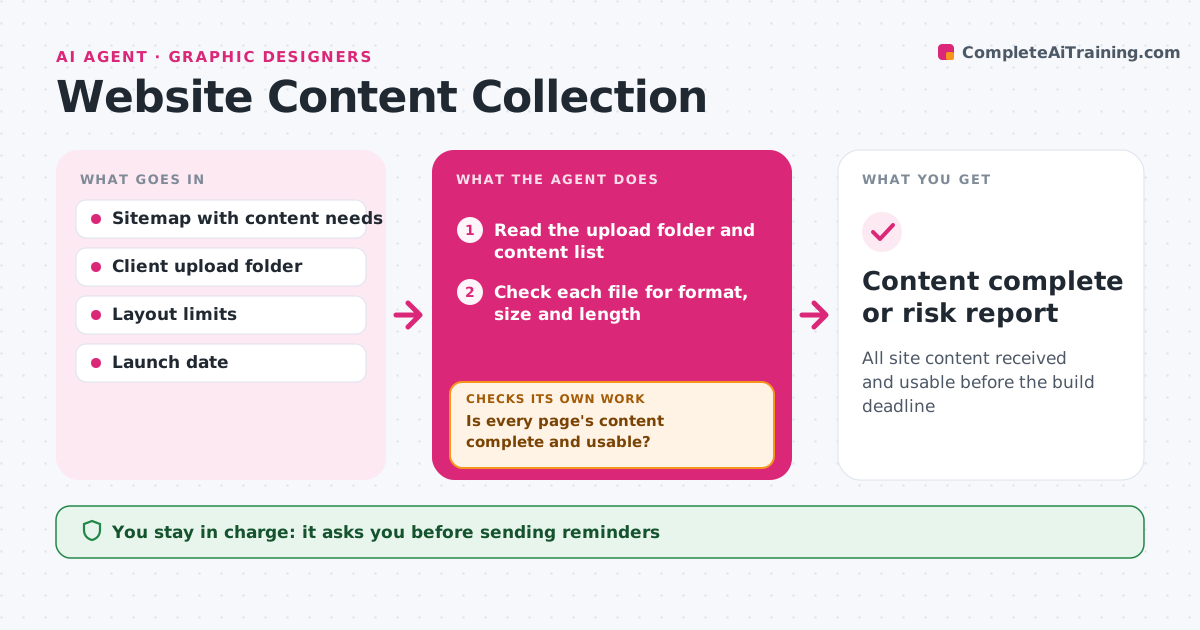
All site content received and usable before the build deadline
What it does
Waiting for client content is the most common cause of web project delays. This agent keeps a page-by-page list of what is needed: headings, body copy, images, alt text and legal pages. Every day it reads the upload folder and checks each new file for format, size, resolution and word count against the layout. Missing or unusable items are listed with the exact gap, such as an image too small or copy too long for its block. It drafts a friendly reminder naming only those gaps, and you approve reminders before they go. It updates the tracker and checks whether content is late enough to put the launch date at risk. If so, it drafts a risk note with the new likely date. Edge case: an image that looks like a watermarked stock photo is flagged instead of used.
How it works
Follow the arrows from top to bottom. The orange dashed arrow is the loop: when a check fails, the agent goes back and tries again.
Read the steps as a list
- Daily content check
- Read the upload folder and content list
- Check each file for format, size and length
- Is every page's content complete and usable?If not: list gaps and draft a reminder. Back to step 2.
- Designer approves remindersThe agent waits here for your OK.
- Update tracker with received items
- Is content on time for the launch date?If not: draft a launch risk note with the new likely date. Back to step 6.
- Prepare the weekly content status for the designer
- Content complete or risk report
How it decides
An item is complete when it is present and meets format, size and length limits. Reminders follow the set schedule.
- Flag images below the minimum resolution
- Flag copy longer than the layout allows
- Raise launch risk when content is late by the set days
Make it yours
Every agent is a starting point. You choose these settings for your own situation.
- Reminder frequency (default every 3 days)
- Image minimum size
- Word limits per block
- Launch risk cutoff
What keeps you in control
It always asks you first
- Sending reminders
- Moving the launch date
Hard limits
- Never edits client copy meaning
- Never sends reminders without approval
It stops when
- Done: all content received
- Stop: content late past the cutoff; tell designer to discuss timeline
Set it up
We guide you through the set-up, step by step
Members get the full set-up guide for this agent. No technical skills needed: you copy, paste and upload.
- One set of instructions to paste into your AI, with the clicks for ChatGPT, Claude, Microsoft 365 Copilot, Gemini and Grok
- The agent then walks you through connecting your own data, one source at a time
- A downloadable copy with the flow chart, the rules and the full guide