AI agent for web designers
Website Discovery Brief Gap Agent
A complete project brief before design starts
What it does
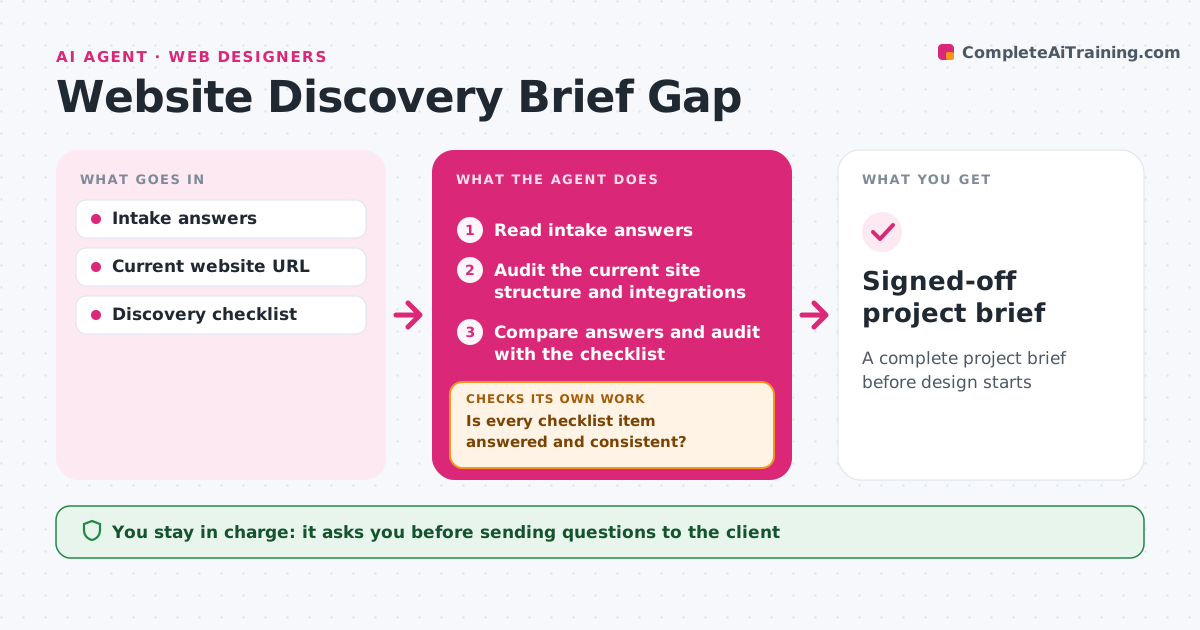
Client intake forms often leave out goals, content owners, integrations and access details, and those gaps surface halfway through the build. This agent reads the intake answers and audits the client's current site: page count, forms, plugins, analytics and hosting. It compares both with your discovery checklist and lists what is missing or contradictory. It drafts a short set of follow-up questions in plain, non-technical language, and you approve them before they go out. When answers come back, it compares them with the checklist again and keeps asking until every item is answered and consistent. It then drafts the final brief and checks that the scope in it matches what the audit found. You approve the final brief. Edge case: if the client says 'simple site' but the audit finds a shop with 400 products, it flags the gap clearly.
How it works
Follow the arrows from top to bottom. The orange dashed arrow is the loop: when a check fails, the agent goes back and tries again.
Read the steps as a list
- Intake form submitted
- Read intake answers
- Audit the current site structure and integrations
- Compare answers and audit with the checklist
- Is every checklist item answered and consistent?If not: draft follow-up questions and wait for answers. Back to step 4.
- Designer approves follow-up questionsThe agent waits here for your OK.
- Draft the final brief with scope and owners
- Does the brief scope match the audit findings?If not: add the missing items to the brief. Back to step 7.
- Designer approves the final briefThe agent waits here for your OK.
- Signed-off project brief
How it decides
It checks each checklist item for a clear answer and compares stated scope with what the audit finds.
- Flag scope gaps where the audit contradicts the brief
- Ask about content ownership if not stated
- Keep questions short and non-technical
Make it yours
Every agent is a starting point. You choose these settings for your own situation.
- Discovery checklist items
- Reminder timing
- Brief template
- Tone of questions
What keeps you in control
It always asks you first
- Sending questions to the client
- Finalizing the brief
Hard limits
- Never sends questions without approval
- Does not log into client systems
It stops when
- Done: brief complete and approved
- Stop: client does not reply after two reminders; pause project
Set it up
We guide you through the set-up, step by step
Members get the full set-up guide for this agent. No technical skills needed: you copy, paste and upload.
- One set of instructions to paste into your AI, with the clicks for ChatGPT, Claude, Microsoft 365 Copilot, Gemini and Grok
- The agent then walks you through connecting your own data, one source at a time
- A downloadable copy with the flow chart, the rules and the full guide