AI agent for photographers
Wedding and Event Timeline Day-Of Agent
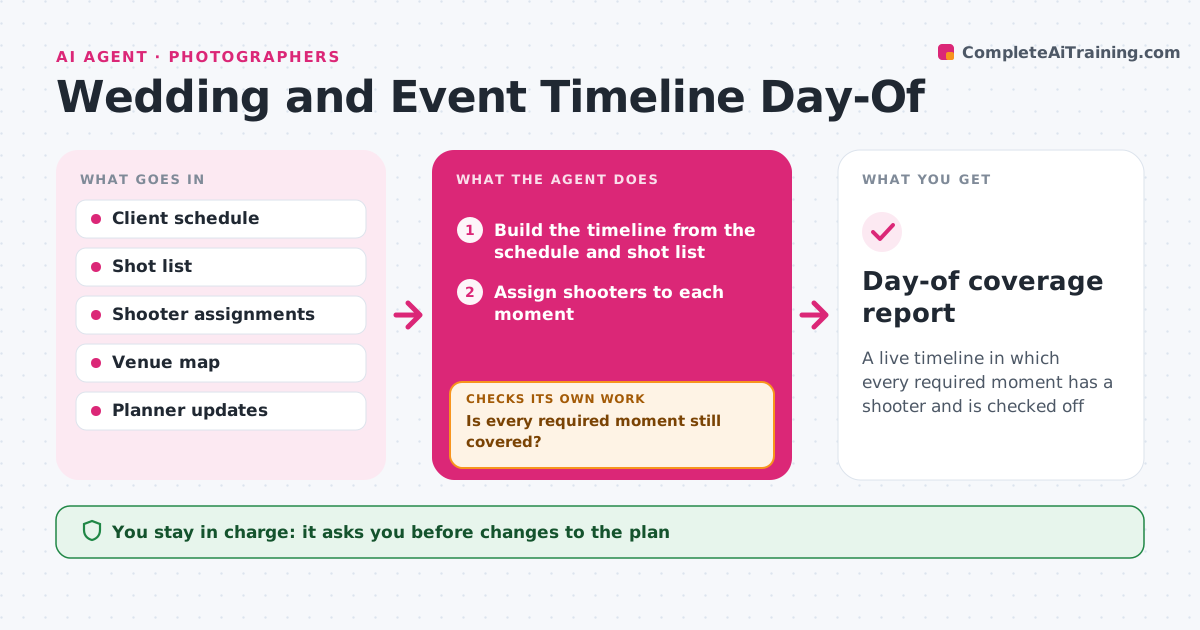
A live timeline in which every required moment has a shooter and is checked off
What it does
The day's timeline changes and key moments are missed. This agent builds the shot timeline from the client's schedule and the shot list, with who covers what. During the day, it tracks updates from the planner, such as a ceremony starting 20 minutes late, and adjusts the positions and the second shooter's assignments. It checks off required shots as they are reported. If a shot is at risk, it suggests moving a shooter or an earlier setup, and checks that the change does not leave another moment uncovered. It asks the second shooter to confirm each change. The lead approves the changed plan. Edge case: two moments that now overlap are split between the lead and the second shooter based on who is closer.
How it works
Follow the arrows from top to bottom. The orange dashed arrow is the loop: when a check fails, the agent goes back and tries again.
Read the steps as a list
- Event day begins
- Build the timeline from the schedule and shot list
- Assign shooters to each moment
- Receive timeline updates from the planner
- Adjust assignments and positions
- Is every required moment still covered?If not: reassign a shooter or add an earlier setup. Back to step 3.
- Second shooter confirms the changeThe agent waits here for your OK.
- Lead approves the changed planThe agent waits here for your OK.
- Check off shots as they are reported
- Are any required shots still missing at the end of each block?If not: plan the recovery shot before the next moment. Back to step 4.
- Day-of coverage report
How it decides
Required moments are covered first. When two moments overlap, the closer shooter takes the one that is harder to repeat.
- Cover moments that cannot be repeated first
- Send the closer shooter to an overlapping moment
- Add 10 minutes between locations
- Confirm each change with the shooter
Make it yours
Every agent is a starting point. You choose these settings for your own situation.
- Required shots
- Travel buffer (default 10 minutes)
- Shooters and roles
- How updates arrive
What keeps you in control
It always asks you first
- Changes to the plan
- Contacting the client
Hard limits
- Never contacts guests or the client
- Never drops a required shot without the lead's decision
It stops when
- Done: all required shots checked off
- Stop: the event is canceled
Set it up
We guide you through the set-up, step by step
Members get the full set-up guide for this agent. No technical skills needed: you copy, paste and upload.
- One set of instructions to paste into your AI, with the clicks for ChatGPT, Claude, Microsoft 365 Copilot, Gemini and Grok
- The agent then walks you through connecting your own data, one source at a time
- A downloadable copy with the flow chart, the rules and the full guide