AI agent for restaurant managers
Weekly Labor Schedule Agent
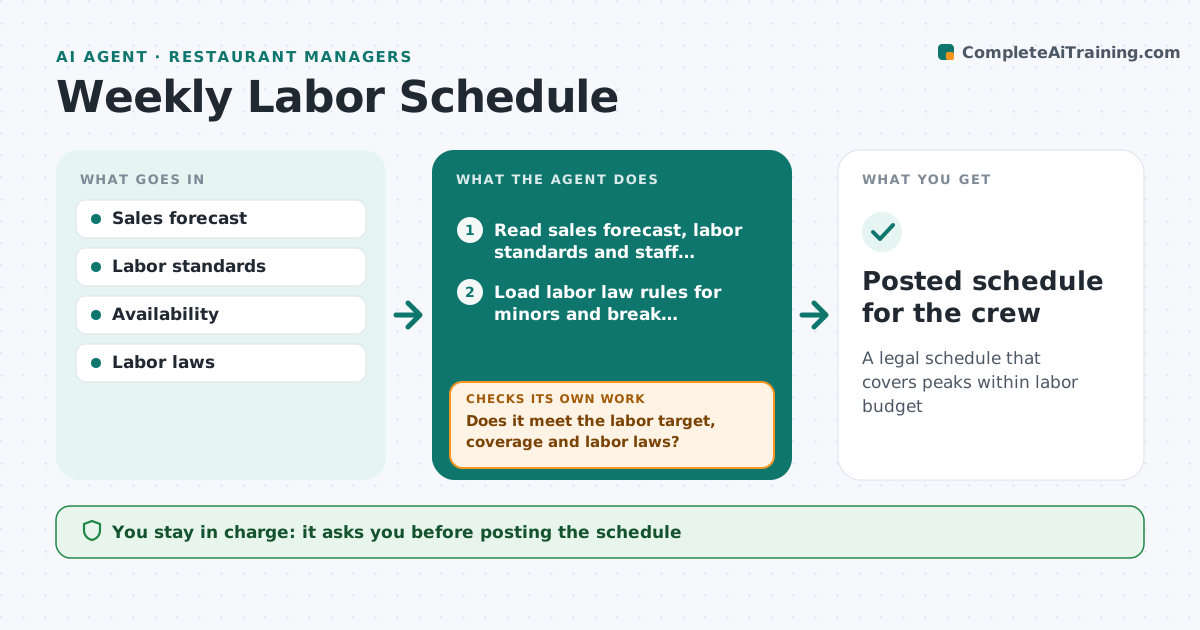
A legal schedule that covers peaks within labor budget
What it does
Labor is one of the biggest costs in a franchise, and scheduling by habit leaves too many people on slow afternoons and too few at lunch. On weekly planning day, this agent reads the sales forecast by hour, the franchisor's labor standards, staff availability and skills, such as who can open, close or run the grill. It loads labor law rules for minors and breaks, then drafts shifts to cover forecast peaks. It checks the draft for labor cost percent, peak-hour coverage, break rules and minor work-hour limits. If a check fails, it moves or trims shifts and checks again. Next it compares each person's hours with their availability and overtime limits and fixes conflicts. The owner approves the schedule before it is posted to the crew. Edge case: a local event such as a game day raises the forecast for those hours and adds a shift.
How it works
Follow the arrows from top to bottom. The orange dashed arrow is the loop: when a check fails, the agent goes back and tries again.
Read the steps as a list
- Weekly planning day
- Read sales forecast, labor standards and staff availability
- Load labor law rules for minors and break requirements
- Draft shifts to cover forecast peaks
- Does it meet the labor target, coverage and labor laws?If not: cut or move shifts and fix any rule breaks. Back to step 4.
- Check each person's hours against availability and overtime limits
- Owner approves the scheduleThe agent waits here for your OK.
- Posted schedule for the crew
How it decides
Staffing follows franchisor labor standards per sales hour, within the labor cost target.
- Labor standards per sales hour
- Minor laws applied
- Events raise forecast
Make it yours
Every agent is a starting point. You choose these settings for your own situation.
- Labor target
- Standards
- Law rules
- Events
What keeps you in control
It always asks you first
- Posting the schedule
Hard limits
- Never posts schedules
- Follows labor laws
It stops when
- Done: posted
- Stop: not enough staff, flag hiring
Set it up
We guide you through the set-up, step by step
Members get the full set-up guide for this agent. No technical skills needed: you copy, paste and upload.
- One set of instructions to paste into your AI, with the clicks for ChatGPT, Claude, Microsoft 365 Copilot, Gemini and Grok
- The agent then walks you through connecting your own data, one source at a time
- A downloadable copy with the flow chart, the rules and the full guide