AI agent for managing directors
Weekly Operating KPI Review Agent
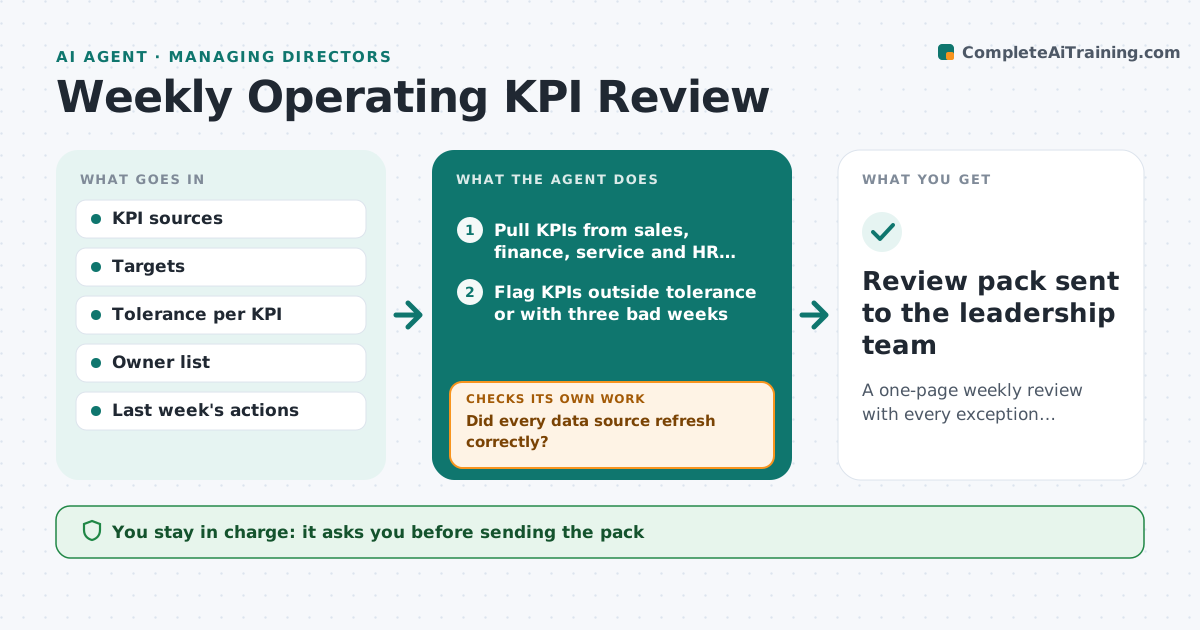
A one-page weekly review with every exception explained and an owner action
What it does
Weekly reviews spend most of their time finding out why numbers moved instead of deciding what to do. This agent pulls sales, margin, service and people KPIs from each system, compares them with target and last week, and picks out anything outside tolerance. A KPI that looks bad because a data feed failed is marked as a data issue. For real exceptions it asks the owning manager for a reason and a planned action, and checks that the reply covers both. If a reply is missing or vague, it follows up before the meeting. It builds a one-page review and checks whether last week's actions were done. The general manager approves the pack.
How it works
Follow the arrows from top to bottom. The orange dashed arrow is the loop: when a check fails, the agent goes back and tries again.
Read the steps as a list
- Friday KPI refresh
- Pull KPIs from sales, finance, service and HR systems
- Did every data source refresh correctly?If not: mark stale KPIs as data issues and alert the system owner. Back to step 2.
- Flag KPIs outside tolerance or with three bad weeks
- Ask each owner for a reason and action
- Does every reply explain the number and name an action?If not: send a follow-up asking for the specific missing part. Back to step 5.
- Check last week's actions for completion
- General manager approves the review packThe agent waits here for your OK.
- Review pack sent to the leadership team
How it decides
It flags KPIs outside tolerance or trending the wrong way three weeks in a row and requires an owner explanation for each.
- Only out-of-tolerance KPIs need explanations
- Three weeks of decline counts as an exception even inside tolerance
- Stale data is labeled and not explained away
Make it yours
Every agent is a starting point. You choose these settings for your own situation.
- KPI list and tolerances
- Pack day and time
- Number of declining weeks that counts as a trend (default 3)
- Pack format
What keeps you in control
It always asks you first
- Sending the pack
- Changing targets or tolerances
Hard limits
- Does not change targets
- Does not rate individual managers
It stops when
- Done: pack approved
- Stop: more than a third of sources failed to refresh
Set it up
We guide you through the set-up, step by step
Members get the full set-up guide for this agent. No technical skills needed: you copy, paste and upload.
- One set of instructions to paste into your AI, with the clicks for ChatGPT, Claude, Microsoft 365 Copilot, Gemini and Grok
- The agent then walks you through connecting your own data, one source at a time
- A downloadable copy with the flow chart, the rules and the full guide