AI agent for franchise owners
Weekly Prime Cost Review Agent
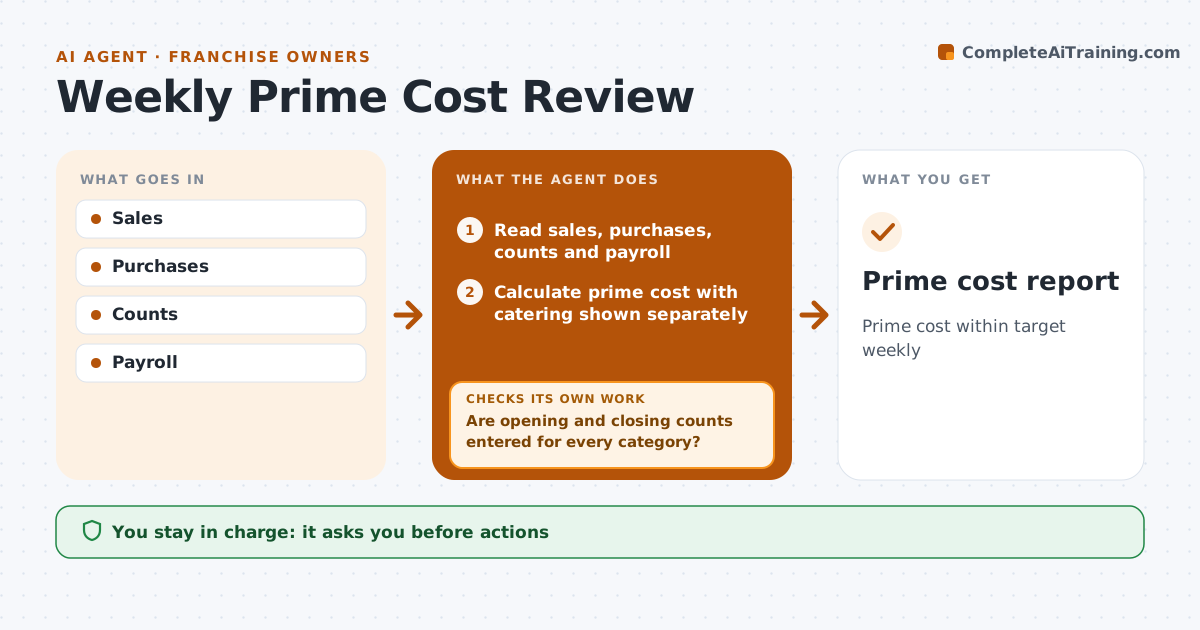
Prime cost within target weekly
What it does
Prime cost, food plus labor, decides whether a franchise location makes money, yet most owners only see it in the monthly profit and loss statement, too late to act. Each week this agent reads sales, food purchases, opening and closing inventory counts and payroll. Before calculating, it checks that purchases tie to invoices and labor ties to payroll, and fixes the data if they do not. It calculates prime cost as a percent of sales and compares it with the owner's target and the franchisor benchmark. When prime cost is more than one point over target, it finds the drivers, such as overtime, waste or a supplier price rise, and drafts actions. A large catering order is shown separately so it does not hide a problem. The owner approves any action. Edge case: a missing inventory count blocks the report until it is entered.
How it works
Follow the arrows from top to bottom. The orange dashed arrow is the loop: when a check fails, the agent goes back and tries again.
Read the steps as a list
- Weekly close
- Read sales, purchases, counts and payroll
- Are opening and closing counts entered for every category?If not: ask the manager to enter the missing counts. Back to step 2.
- Do figures tie to invoices and payroll?If not: find the missing invoice, credit or payroll line and fix the data. Back to step 2.
- Calculate prime cost with catering shown separately
- Find drivers when over target by more than one point
- Draft actions for each driver
- Owner approves actionsThe agent waits here for your OK.
- Prime cost report
How it decides
Prime cost above target by over one point triggers a driver analysis.
- One point over target
- Catering separate
- Overtime and waste
Make it yours
Every agent is a starting point. You choose these settings for your own situation.
- Prime cost target (default 60 percent)
- Franchisor benchmark source
- Report day
- Driver categories shown
What keeps you in control
It always asks you first
- Actions
Hard limits
- Never changes payroll
- Never places supplier orders
It stops when
- Done: report
- Stop: counts missing
Set it up
We guide you through the set-up, step by step
Members get the full set-up guide for this agent. No technical skills needed: you copy, paste and upload.
- One set of instructions to paste into your AI, with the clicks for ChatGPT, Claude, Microsoft 365 Copilot, Gemini and Grok
- The agent then walks you through connecting your own data, one source at a time
- A downloadable copy with the flow chart, the rules and the full guide