AI agent for recruitment coordinators
Weekly Recruitment Funnel Report Agent
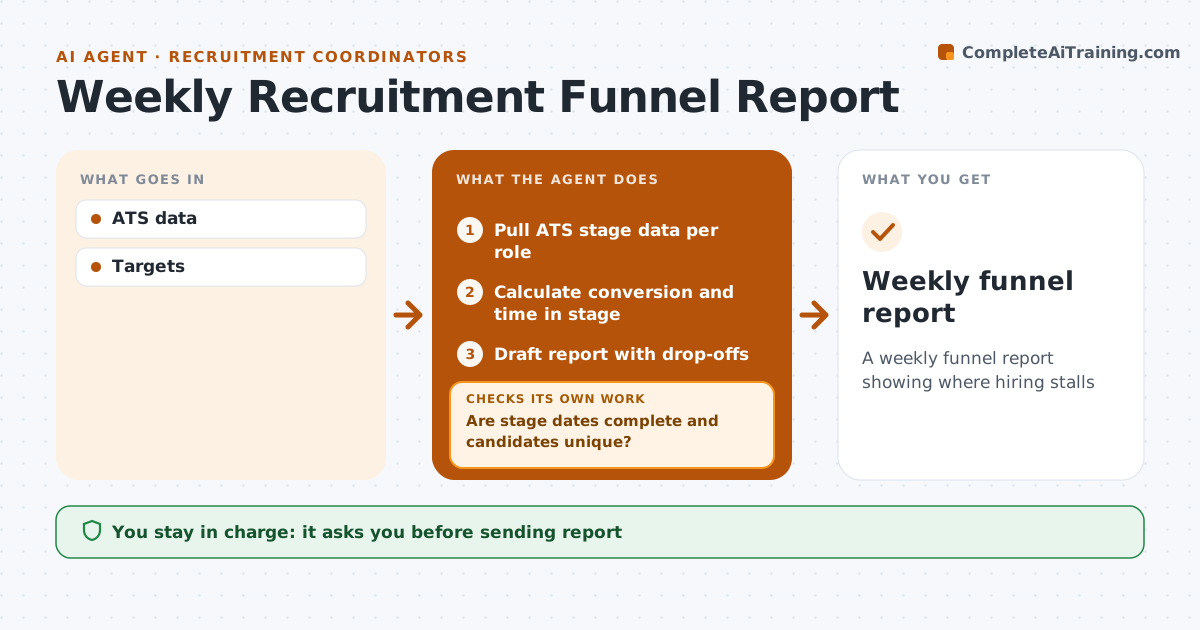
A weekly funnel report showing where hiring stalls
What it does
Hiring managers want to know how their open roles are going, and building the report by hand eats a coordinator's Monday. When the week closes, this agent pulls applicants, screens, interviews, offers and hires for each role from the applicant tracking system. Before calculating anything, it checks for missing stage dates and duplicate candidates. It fixes what it can, such as merging an obvious duplicate, and lists the rest for the coordinator. It then calculates conversion between stages and time spent in each stage, and compares them with targets and the past four weeks. It drafts a report that highlights the biggest drop-off points and suggests where to act, such as a slow interview stage. The coordinator approves the report before it goes to hiring managers. Edge case: a role reopened after a hire is counted as a new requisition, so its numbers start fresh.
How it works
Follow the arrows from top to bottom. The orange dashed arrow is the loop: when a check fails, the agent goes back and tries again.
Read the steps as a list
- Week closes
- Pull ATS stage data per role
- Are stage dates complete and candidates unique?If not: fix duplicates and list missing dates. Back to step 2.
- Calculate conversion and time in stage
- Draft report with drop-offs
- Coordinator approves reportThe agent waits here for your OK.
- Weekly funnel report
How it decides
It flags stages where conversion falls below target or time rises over target.
- Flag below-target conversion
- Reopened roles counted new
- Show trend over 4 weeks
Make it yours
Every agent is a starting point. You choose these settings for your own situation.
- Targets per stage
- Roles included
- Report format
What keeps you in control
It always asks you first
- Sending report
Hard limits
- Never edits ATS records
It stops when
- Done
- Stop: ATS down
Set it up
We guide you through the set-up, step by step
Members get the full set-up guide for this agent. No technical skills needed: you copy, paste and upload.
- One set of instructions to paste into your AI, with the clicks for ChatGPT, Claude, Microsoft 365 Copilot, Gemini and Grok
- The agent then walks you through connecting your own data, one source at a time
- A downloadable copy with the flow chart, the rules and the full guide