AI agent for job seekers
Weekly Search Plan Agent
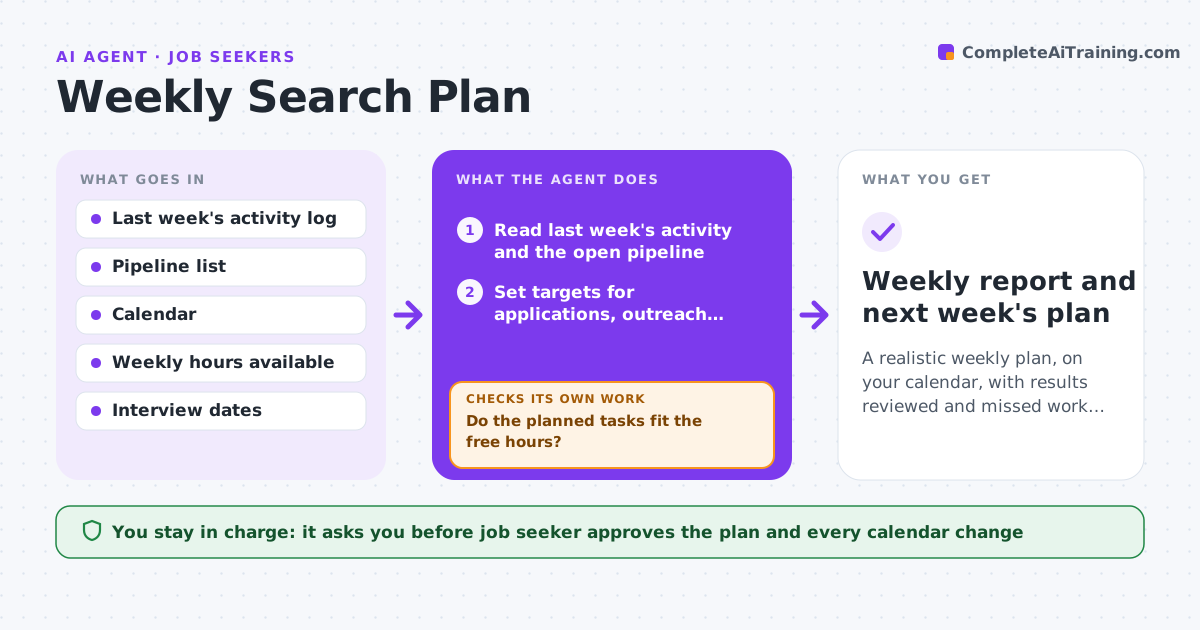
A realistic weekly plan, on your calendar, with results reviewed and missed work carried forward
What it does
Without weekly targets, a job search drifts and follow-ups slip. On Monday this agent reads last week's activity and sets targets for applications, outreach and practice that fit the hours you have. It places those tasks on your calendar in blocks. On Friday it compares what you did with the targets, moves missed items to next week and checks that next week is not overloaded. If it is, it trims the lowest value tasks. You approve the plan and any calendar change. Edge case: you have an interview Wednesday, so the agent clears Tuesday for preparation and lowers that week's application target.
How it works
Follow the arrows from top to bottom. The orange dashed arrow is the loop: when a check fails, the agent goes back and tries again.
Read the steps as a list
- Monday planning time
- Read last week's activity and the open pipeline
- Set targets for applications, outreach, practice and follow-ups
- Check the calendar for free blocks and interviews
- Do the planned tasks fit the free hours?If not: lower the targets and cut the lowest value tasks, then place again. Back to step 3.
- Job seeker approves the plan and calendar blocksThe agent waits here for your OK.
- Friday: compare results with targets
- Move missed items forward and note why they were missed
- Is next week's total still within the available hours?If not: trim and reorder tasks before it is shown. Back to step 3.
- Weekly report and next week's plan
How it decides
Targets are set from last week's real output, plus a small stretch. Overloaded weeks lose the lowest value tasks first.
- Set the target close to last week's output plus about 10%
- Protect interview preparation time first
- Place follow-ups ahead of new applications
- Cut the lowest value tasks when hours are short
Make it yours
Every agent is a starting point. You choose these settings for your own situation.
- Weekly hours for the search (default: 8)
- Planning and review days (default: Monday and Friday)
- Target categories
- Stretch above last week (default: 10%)
What keeps you in control
It always asks you first
- Job seeker approves the plan and every calendar change
Hard limits
- Never schedules over existing events
- Never plans more hours than the seeker set
It stops when
- Done: the plan is approved and the review is saved
- Stop: no hours are available that week
Set it up
We guide you through the set-up, step by step
Members get the full set-up guide for this agent. No technical skills needed: you copy, paste and upload.
- One set of instructions to paste into your AI, with the clicks for ChatGPT, Claude, Microsoft 365 Copilot, Gemini and Grok
- The agent then walks you through connecting your own data, one source at a time
- A downloadable copy with the flow chart, the rules and the full guide