
AI agent for email marketing specialists
Welcome Sequence Personalization Agent
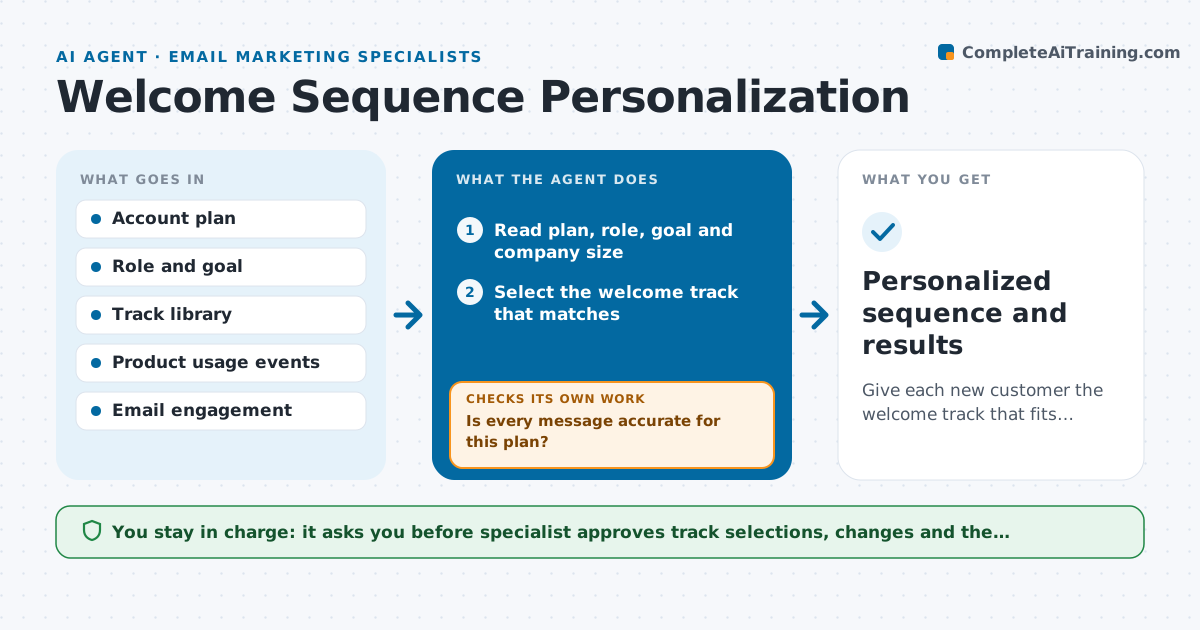
Give each new customer the welcome track that fits their plan and role and switch it when they stall.
What it does
Every new customer gets the same eight emails, and an administrator on an enterprise plan gets the same tips as a solo user on a trial. This agent reads each new account's plan, role, goal and company size, and selects the right welcome track from the options you set up. It checks the messages for accuracy against the plan, such as features the plan does not include and links that work. Then it tracks opens and actions in the product. If a customer stalls, for example, they do not complete the first key action in five days, it proposes switching them to a different track or sending a targeted help message. It checks after the next messages whether the customer moved. The specialist approves each track change and the messages. Edge case: a customer upgrades mid-sequence, so the agent moves them to the new plan's track.
How it works
Follow the arrows from top to bottom. The orange dashed arrow is the loop: when a check fails, the agent goes back and tries again.
Read the steps as a list
- New account created
- Read plan, role, goal and company size
- Select the welcome track that matches
- Check each message for plan accuracy and working links
- Is every message accurate for this plan?If not: choose another track or edit the incorrect message. Back to step 2.
- Specialist approves the track and messagesThe agent waits here for your OK.
- Start the sequence and track opens and key actions
- Detect a stall or an upgrade
- Has the customer done the first key action by day five?If not: propose a different track or a targeted help message. Back to step 3.
- Specialist approves the track changeThe agent waits here for your OK.
- Personalized sequence and results
How it decides
It picks the track by plan and role first, then goal. A customer stalls when the key action is not done within the set number of days.
- Choose the track by plan and role before goal
- Treat a missing first key action by day 5 as a stall
- Never send features the account's plan does not include
- Move to the new plan's track after an upgrade
Make it yours
Every agent is a starting point. You choose these settings for your own situation.
- Tracks and their rules
- Key action and the day limit (default day 5)
- Email tone
- Plans and roles list
- Reporting period
What keeps you in control
It always asks you first
- Specialist approves track selections, changes and the messages
Hard limits
- Never send an email without approval
- Never email a customer who unsubscribed
It stops when
- Done: the customer completes the key action and the sequence ends
- Stop: the customer unsubscribes
Set it up
We guide you through the set-up, step by step
Members get the full set-up guide for this agent. No technical skills needed: you copy, paste and upload.
- One set of instructions to paste into your AI, with the clicks for ChatGPT, Claude, Microsoft 365 Copilot, Gemini and Grok
- The agent then walks you through connecting your own data, one source at a time
- A downloadable copy with the flow chart, the rules and the full guide



