AI agent for benefits administrators
Wellness Incentive Tracking Agent
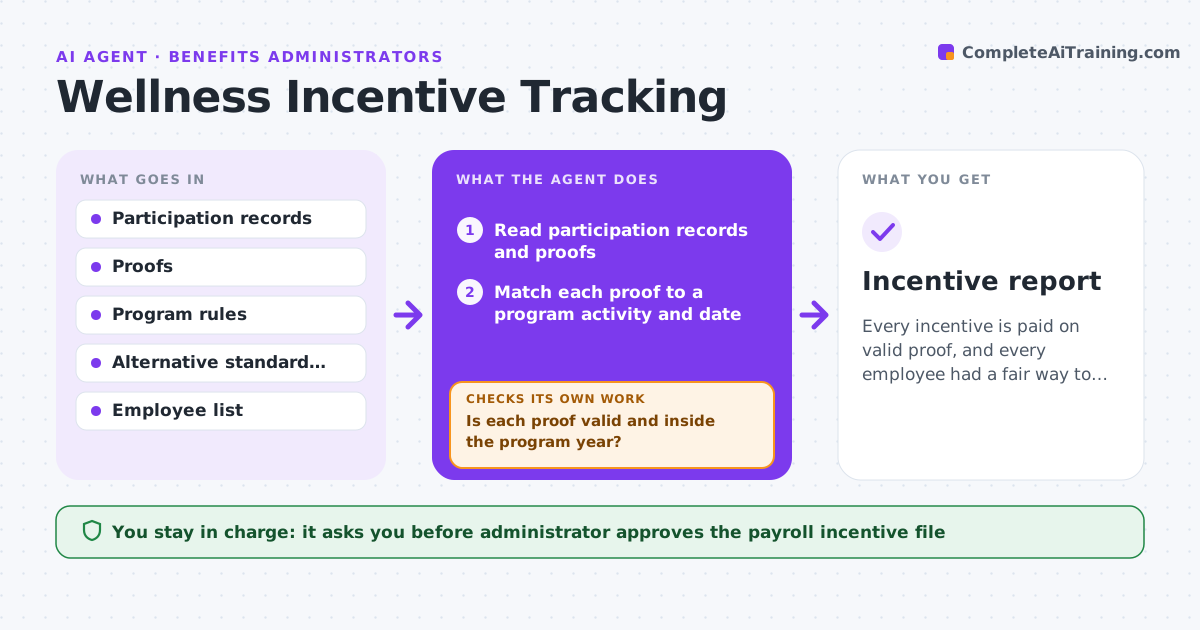
Every incentive is paid on valid proof, and every employee had a fair way to qualify.
What it does
Wellness incentives require proof of participation and fair treatment of every employee, including those who cannot take part for health reasons. The agent tracks participation by employee, checks each proof against the program rules, and checks that anyone who asked for the alternative standard has been offered it. It flags problems, such as a proof from outside the program year, and asks again when proof is missing. It rechecks the file after each reply and builds the payroll incentive list. It never decides who is eligible for an exception. The administrator approves the payroll incentive file. Edge case: an employee with a medical note who completes the alternative activity after the deadline.
How it works
Follow the arrows from top to bottom. The orange dashed arrow is the loop: when a check fails, the agent goes back and tries again.
Read the steps as a list
- Monthly program check
- Read participation records and proofs
- Match each proof to a program activity and date
- Is each proof valid and inside the program year?If not: Ask the employee for correct proof. Back to step 3.
- Check alternative standard requests
- Has everyone who asked been offered the alternative?If not: List them for the administrator and offer the alternative. Back to step 5.
- Rebuild the list of employees who qualify
- Draft the payroll incentive file
- Administrator approves the fileThe agent waits here for your OK.
- Send to payroll and log it
- Incentive report
How it decides
It pays an incentive only when the proof matches a program activity inside the program dates, and routes any exception request to the administrator.
- Proof must fall inside the program dates
- Offer the alternative to anyone who asks or has a note
- Send exception cases to the administrator
- Remind employees 14 days before the deadline
Make it yours
Every agent is a starting point. You choose these settings for your own situation.
- Program dates and activities
- Reminder timing (default 14 days)
- Alternative standards
- Payroll file format
What keeps you in control
It always asks you first
- Administrator approves the payroll incentive file
- Administrator decides on any exception
Hard limits
- Never decide on medical exceptions
- Do not share health information with managers
It stops when
- Done: file approved and sent to payroll
- Stop: a question about fair treatment is open and the administrator must review
Set it up
We guide you through the set-up, step by step
Members get the full set-up guide for this agent. No technical skills needed: you copy, paste and upload.
- One set of instructions to paste into your AI, with the clicks for ChatGPT, Claude, Microsoft 365 Copilot, Gemini and Grok
- The agent then walks you through connecting your own data, one source at a time
- A downloadable copy with the flow chart, the rules and the full guide