AI agent for compliance officers
Whistleblower Case Handling Agent
Every report acknowledged, routed without conflict and answered within deadlines
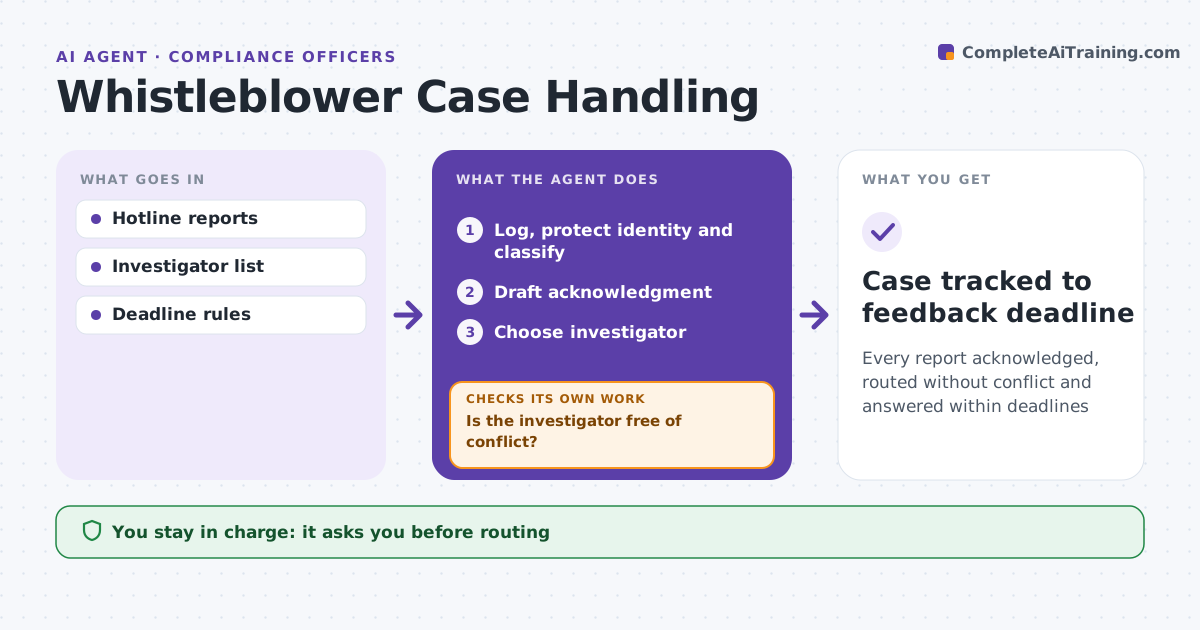
What it does
Whistleblower reports carry strict legal deadlines and real risk to the reporter if handled carelessly. When a report comes in through the hotline or mailbox, this agent logs it, removes identifying details from the working copy when the reporter asked for confidentiality, and classifies the topic and severity. It tracks deadlines, such as acknowledgment within seven days and feedback within three months. It drafts the acknowledgment and proposes an independent investigator. Before routing, it checks for conflicts, such as the investigator or their manager being named in the report; if there is a conflict, it picks another investigator and checks again. It reminds owners before deadlines and checks that feedback is sent. The compliance officer approves routing and every message to the reporter. Edge case: the report names the head of the department that would normally investigate, so the case is routed elsewhere.
How it works
Follow the arrows from top to bottom. The orange dashed arrow is the loop: when a check fails, the agent goes back and tries again.
Read the steps as a list
- Report received
- Log, protect identity and classify
- Draft acknowledgment
- Choose investigator
- Is the investigator free of conflict?If not: choose another investigator. Back to step 4.
- Compliance officer approves routing and messagesThe agent waits here for your OK.
- Case tracked to feedback deadline
How it decides
It classifies severity and picks an investigator with no conflict.
- Acknowledge within 7 days
- Feedback within 3 months
- Named person in chain: route elsewhere
Make it yours
Every agent is a starting point. You choose these settings for your own situation.
- Deadline rules
- Severity categories
- Investigator list
- Message templates
What keeps you in control
It always asks you first
- Routing
- Messages to the reporter
Hard limits
- Never reveals reporter identity
- Never investigates itself
It stops when
- Done: feedback sent
- Stop: report is not in scope, route to HR
Set it up
We guide you through the set-up, step by step
Members get the full set-up guide for this agent. No technical skills needed: you copy, paste and upload.
- One set of instructions to paste into your AI, with the clicks for ChatGPT, Claude, Microsoft 365 Copilot, Gemini and Grok
- The agent then walks you through connecting your own data, one source at a time
- A downloadable copy with the flow chart, the rules and the full guide