AI agent for meteorologists
Winter Road Weather Briefing Agent
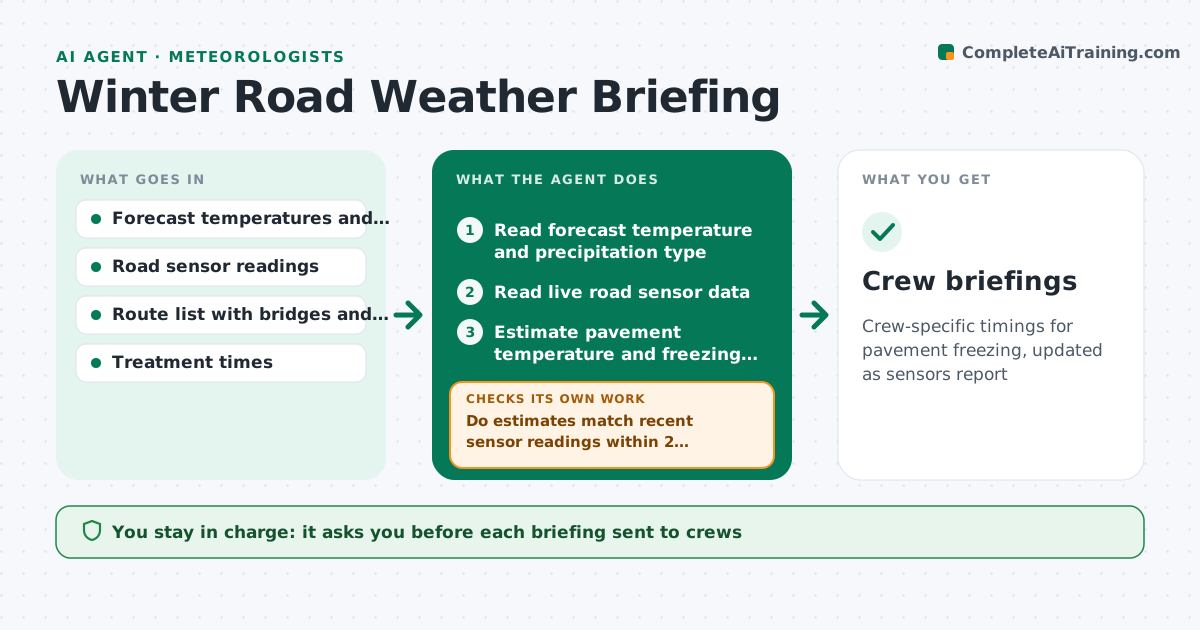
Crew-specific timings for pavement freezing, updated as sensors report
What it does
Road crews need to know when the pavement will freeze, not just the air temperature. This agent combines forecast temperatures, precipitation type and timing, and live road sensor readings to estimate when each route falls below freezing. It drafts timings for each crew's area and route. As sensors report, it compares actual pavement temperatures to its estimates and adjusts the timing. If the estimate misses by more than the tolerance, it reruns with the sensor data. The forecaster approves each briefing before it goes out. Edge case: a bridge deck reads 3 degrees colder than the road, so the agent gives the bridge an earlier treatment time.
How it works
Follow the arrows from top to bottom. The orange dashed arrow is the loop: when a check fails, the agent goes back and tries again.
Read the steps as a list
- Winter shift approaches
- Read forecast temperature and precipitation type
- Read live road sensor data
- Estimate pavement temperature and freezing time for each route
- Do estimates match recent sensor readings within 2 degrees?If not: recalibrate the estimate using sensor trends and rerun. Back to step 3.
- Draft briefings by crew area with timing and precipitation type
- Forecaster approves each briefingThe agent waits here for your OK.
- Read new sensor data and forecast updates
- Is the freezing time still within 1 hour of the briefing?If not: draft an updated briefing. Back to step 4.
- Log the outcome for later review
- Crew briefings
How it decides
Pavement temperature is estimated from air temperature, sky, wind and sensor trend. Treat before the estimated crossing of freezing minus lead time.
- Treat bridges and exposed ridges as earlier by the observed offset
- Require agreement within 2 degrees between estimate and sensor
- Update the briefing when timing moves by more than 1 hour
- Flag freezing rain as a separate high priority
Make it yours
Every agent is a starting point. You choose these settings for your own situation.
- Sensor tolerance (default 2 degrees)
- Treatment lead time
- Routes and crews
- Update frequency
What keeps you in control
It always asks you first
- Each briefing sent to crews
Hard limits
- Never sends briefings without approval
- Never directs crews on its own
It stops when
- Done: briefing sent and updated until the event ends
- Stop: sensor data is unavailable and forecast is uncertain
Set it up
We guide you through the set-up, step by step
Members get the full set-up guide for this agent. No technical skills needed: you copy, paste and upload.
- One set of instructions to paste into your AI, with the clicks for ChatGPT, Claude, Microsoft 365 Copilot, Gemini and Grok
- The agent then walks you through connecting your own data, one source at a time
- A downloadable copy with the flow chart, the rules and the full guide