AI agent for freelancers
Writer Submission Requirements Agent
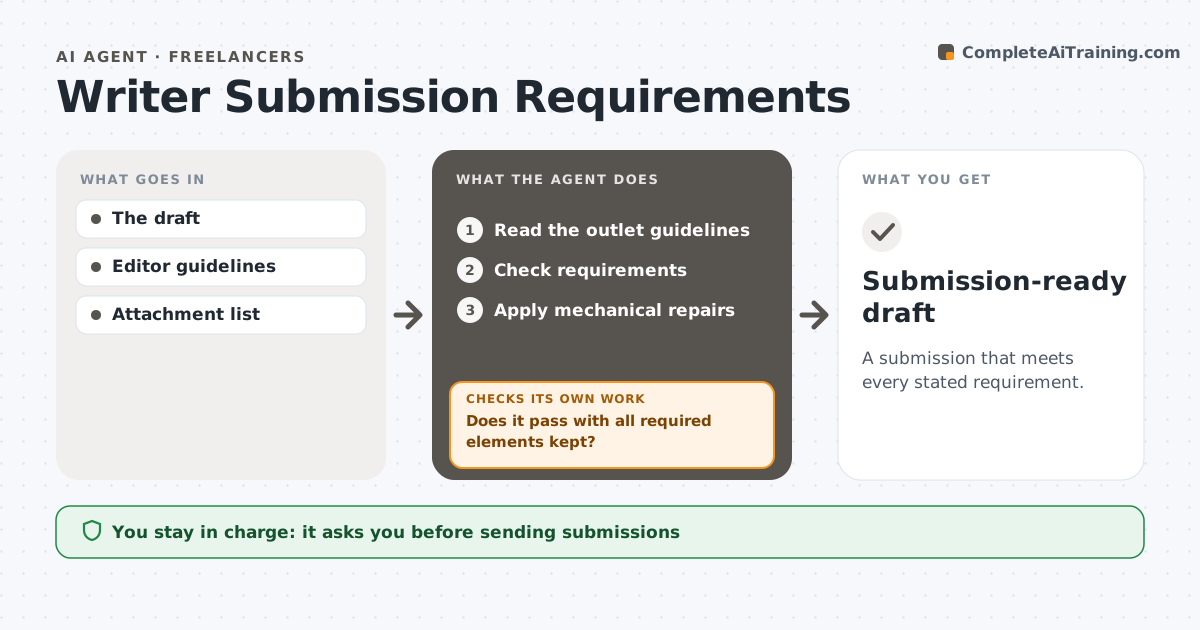
A submission that meets every stated requirement.
What it does
Article and pitch submissions get rejected for missing outlet-specific requirements, such as word limits, file format or required disclosures. This agent reads the editor's guidelines and checks the draft against each requirement: length, format, attachments, author bio and mandatory statements. It applies mechanical repairs, such as reformatting or trimming, then revalidates. If a repair removes a required element, like a conflict-of-interest disclosure, it rejects that repair and chooses another. It never changes the argument to make the draft fit. The writer approves and sends the submission. Edge case: when two requirements conflict, such as a strict word limit and a mandatory long disclosure, it asks the writer instead of choosing.
How it works
Follow the arrows from top to bottom. The orange dashed arrow is the loop: when a check fails, the agent goes back and tries again.
Read the steps as a list
- Ready to submit
- Read the outlet guidelines
- Check requirements
- Apply mechanical repairs
- Does it pass with all required elements kept?If not: choose a different repair. Back to step 4.
- Writer sendsThe agent waits here for your OK.
- Submission-ready draft
How it decides
It repairs objective failures without removing required content.
- Required elements are never cut.
- Repairs are mechanical, never changes to the argument.
- Conflicting requirements go to the writer.
- Revalidate after every repair.
Make it yours
Every agent is a starting point. You choose these settings for your own situation.
- Outlet guidelines source
- Elements that can never be cut (default: disclosures, bio, citations)
- Repair types allowed (default: format, trim background)
- Who sends (default: the writer)
- File format for export
What keeps you in control
It always asks you first
- Sending submissions
- Contracts
Hard limits
- Never sends.
It stops when
- Done: passes.
Set it up
We guide you through the set-up, step by step
Members get the full set-up guide for this agent. No technical skills needed: you copy, paste and upload.
- One set of instructions to paste into your AI, with the clicks for ChatGPT, Claude, Microsoft 365 Copilot, Gemini and Grok
- The agent then walks you through connecting your own data, one source at a time
- A downloadable copy with the flow chart, the rules and the full guide