AI agent for team leads
Writers Room Episode Assignment Agent
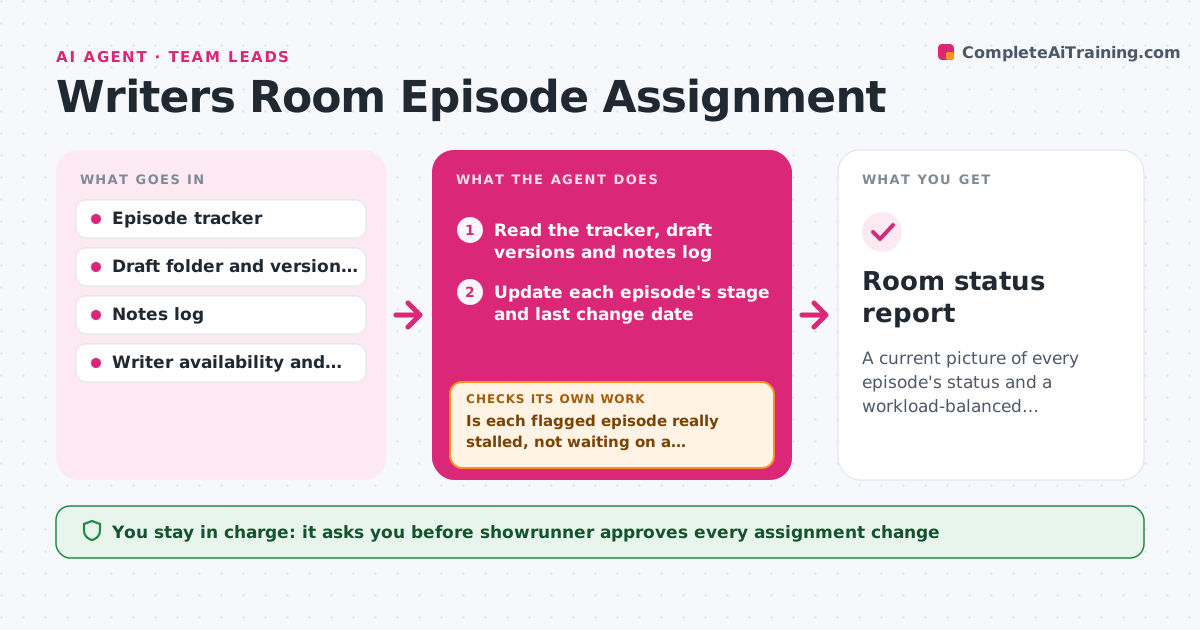
A current picture of every episode's status and a workload-balanced assignment plan that the showrunner approves
What it does
In a room of six writers on a ten-episode season, the drafts are in one folder, notes in emails and rewrites in a chat thread, and nobody can say which episodes are stuck. This agent tracks each episode's stage, draft, notes status and due dates. It reads the shared folder, the notes log and the schedule, and flags episodes that are overdue, stalled with no change in a week or waiting on notes from the showrunner. It checks each writer's workload and suggests rebalancing assignments, such as moving a polish pass or pairing a writer with an overloaded colleague. It rechecks after each update and revises the plan when an episode moves. The showrunner approves assignments. Edge case: a writer on leave is excluded from reassignment suggestions.
How it works
Follow the arrows from top to bottom. The orange dashed arrow is the loop: when a check fails, the agent goes back and tries again.
Read the steps as a list
- Scheduled check or new draft posted
- Read the tracker, draft versions and notes log
- Update each episode's stage and last change date
- Flag overdue, stalled or note-blocked episodes
- Is each flagged episode really stalled, not waiting on a scheduled review?If not: Check the schedule and notes log and remove false flags. Back to step 3.
- Calculate each writer's workload and availability
- Propose rebalanced assignments
- Showrunner approves assignmentsThe agent waits here for your OK.
- Update the tracker and read the next changes
- Did the flagged episodes move forward after the reassignment?If not: Recalculate workload and propose another change. Back to step 3.
- Room status report
How it decides
It marks an episode stalled when it has not changed for 7 days or is past its due date, and suggests moving work to the writer with the lowest load who is available.
- Stalled means no change in 7 days or past due
- Do not assign more than 2 episodes in drafting to one writer
- Exclude writers on leave
- Prefer the writer who has worked on the episode's earlier draft
Make it yours
Every agent is a starting point. You choose these settings for your own situation.
- Stall threshold (default 7 days)
- Writer workload limits
- Check days
- Tracker location
- Stages used
What keeps you in control
It always asks you first
- Showrunner approves every assignment change
Hard limits
- Never assign work without approval
- Never share drafts outside the room
It stops when
- Done: Every episode has an owner, a stage and a due date, and flagged episodes are moving
- Stop: Not enough writer capacity, so the agent presents options such as moving dates
Set it up
We guide you through the set-up, step by step
Members get the full set-up guide for this agent. No technical skills needed: you copy, paste and upload.
- One set of instructions to paste into your AI, with the clicks for ChatGPT, Claude, Microsoft 365 Copilot, Gemini and Grok
- The agent then walks you through connecting your own data, one source at a time
- A downloadable copy with the flow chart, the rules and the full guide