
All-in-one AI plugin for hr information system (hris) specialists
The All-in-One AI Plugin for HRIS Specialists
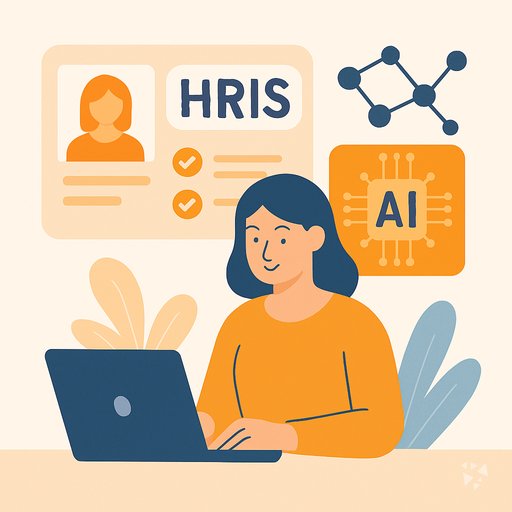
One download gives your AI 17 skills, 280 prompts, 8 apps and 8 Grok Bot agents for HRIS setup, data migration, reporting, security and support.
- 17skills
- 280prompts
- 8apps
- 8Grok bots
What's inside
Your week runs on requests. A manager wants headcount, payroll needs a field mapped, security wants access reviewed, and a new hire starts Monday. Each request means opening the HRIS, checking a spreadsheet, and writing the same explanation again. The work is real, but the time goes to hunting and rework.
17 HRIS skills
Cover implementation, customization, data migration, integrations, security, workflow automation, user experience, training, performance, vendor management, and workforce analytics. Each skill turns your stated requirement into a reviewable draft, not a blank page.
280 ready-made prompts
Sixteen topics cover reporting, implementation, migration, customization, training, security, performance, user experience, feedback, upgrades, vendors, automation, predictive analytics, integrations, and accessibility. Copy a prompt, add your system details, and get work started.
8 apps
Build a data migration prep sheet, a dashboard that shows its evidence, a feedback report workbench, a plain language query workspace, or an onboarding console by role. Every number stays traceable to its source.
8 Grok Bot agents
Agents cover BambooHR automation, Odoo HR payroll setup, permission management, Odoo security rules, systematic debugging, Linux troubleshooting, HRIS implementation, and HRIS customization. They handle the repeatable setup and troubleshooting steps for you.
Works in eight AIs
Use it in ChatGPT, Claude, Microsoft 365 Copilot, Gemini, Grok, Grok Bot, Cursor, and Kimi. Download once and add it to the assistant your team already approved, so you do not change tools.
Daily news and updates
Members get a live connection to Complete AI Training: AI news for HRIS work each day, one new idea with the prompt to run it, and automatic updates to every skill you downloaded.
A day with your plugin
This plugin puts 17 HRIS skills, 280 prompts, and 8 apps inside the AI you already use. Ask for a turnover forecast, an onboarding workflow, or a field mapping, and you get a draft you can review. It also brings 8 Grok Bot agents and a daily idea with the prompt to run it.
- Morning
A new hire starts Monday. You open the onboarding workflow skill, enter the role and start date, and get a checklist ready for approval covering accounts, benefits, training, and week one.
- Late morning
Payroll asks why a deduction field is blank. You use the data migration preparation app to compare the source file and the HRIS field, then send back the exact rows that need fixing.
- Afternoon
Your director wants turnover by team before a meeting. You run the workforce analytics skill on last year's leavers, check the numbers against the source, and hand over a summary with the top three drivers.
- End of day
An auditor asks who can see salary data. You open the security and compliance skill, pull the current access list, and draft the review notes with the changes you recommend for tomorrow.
Install it in your AI
Choose the AI you use. No technical knowledge needed: it's a few clicks and some copy and paste.
ChatGPT
Your own GPT on chatgpt.com, plus a plugin for Codex and ChatGPT workspaces. About 5 minutes.
- Download the ChatGPT version and unzip it (double-click the file).
- Go to chatgpt.com, click GPTs in the left menu, then Create, then the Configure tab.
- Name it HR Information System (HRIS) Specialist Assistant. Open
custom-gpt/instructions.txt, copy everything and paste it into Instructions. - Under Knowledge, upload all the files from the
custom-gpt/knowledgefolder. - Paste the lines from
conversation-starters.txtas conversation starters and click Create. - For the daily news, ideas and skill updates: in ChatGPT go to Settings → Apps & Connectors, add the Complete AI Training connector and sign in with your membership. The README shows each click.
Download for members
Members download the plugin for every job, with daily news, ideas and skill updates. Or buy this plugin alone for $49, once.
Claude
A Claude plugin for claude.ai, the desktop app, Cowork and Claude Code. About 2 minutes.
- Download the Claude version. Keep it zipped.
- Open Claude (claude.ai or the desktop app), click your name at the bottom left, then Settings → Capabilities.
- Click Upload plugin and choose the zip file. Turn the plugin on.
- Start a new chat and type /start. Your hr information system (hris) specialist assistant introduces itself.
- The first time it uses Complete AI Training, Claude asks you to connect: click Connect and sign in with your membership.
Download for members
Members download the plugin for every job, with daily news, ideas and skill updates. Or buy this plugin alone for $49, once.
Microsoft 365 Copilot
A Copilot agent: set it up yourself in Agent Builder, or give IT the ready app package. About 5 minutes.
- Download the Microsoft 365 Copilot version and unzip it.
- Open Microsoft 365 Copilot (m365.cloud.microsoft/chat) and click Create agent, then the Configure tab.
- Name it HR Information System (HRIS) Specialist Assistant. Paste everything from
agent-builder/instructions.txtinto Instructions. - Under Knowledge, upload the files from
agent-builder/knowledge. Add the starter prompts and click Create. - Working in a company? The
appPackagefolder is a ready app for your IT team, with the Complete AI Training connection built in. The README has a message you can forward to them.
Download for members
Members download the plugin for every job, with daily news, ideas and skill updates. Or buy this plugin alone for $49, once.
Gemini
Skills you upload to Gemini, a ready Gem, and a Gemini CLI extension. About 2 minutes.
- Download the Gemini version and unzip it.
- Go to gemini.google.com and open Settings → Skills → Upload.
- Upload the
SKILL.mdfiles from theskillsfolder, starting with the folder whose name ends in-assistant. Gemini now uses them by itself. - Prefer a Gem? Open Gems → New Gem, paste
gem/instructions.txtand upload the files ingem/knowledge. - Using Gemini CLI?
gemini extensions installon the folder also connects Complete AI Training for the daily news, ideas and skill updates.
Download for members
Members download the plugin for every job, with daily news, ideas and skill updates. Or buy this plugin alone for $49, once.
Grok
A Grok Project with all the instructions and files. About 5 minutes.
- Download the Grok version and unzip it.
- Go to grok.com, open Projects in the left menu and click New project. Name it HR Information System (HRIS) Specialist Assistant.
- Paste everything from
grok-project/instructions.txtinto the project's instructions. - Upload the files from
grok-project/knowledgeto the project. - Start your work chats inside this project. Try one of the lines in
conversation-starters.txt.
Download for members
Members download the plugin for every job, with daily news, ideas and skill updates. Or buy this plugin alone for $49, once.
Grok Bot
One message that sets up a whole team of Grok Bot agents for your job. About 5 minutes.
- Download the Grok Bot version and unzip it.
- Open Grok Bot and create a new bot. Name it HR Information System (HRIS) Specialist Team Lead.
- Open
SETUP-MESSAGE.md, copy everything and paste it as your first message. - The team lead sets up its own role and walks you through adding each specialist bot, one at a time.
- Add the Complete AI Training connector in Grok Bot so your team lead gets the daily news and ideas for hr information system (hris) specialists.
Download for members
Members download the plugin for every job, with daily news, ideas and skill updates. Or buy this plugin alone for $49, once.
Cursor
A Cursor plugin with the skills, rules and connection, or project files. About 3 minutes.
- Download the Cursor version and unzip it.
- In Cursor, open Settings → Plugins and add the unzipped folder.
- No plugins in your Cursor? Copy
skillsto.cursor/skillsandrulesto.cursor/rulesin your project, andmcp.jsonto.cursor/mcp.json. - Open the Agent chat and ask what it can do for you as a hr information system (hris) specialist.
Download for members
Members download the plugin for every job, with daily news, ideas and skill updates. Or buy this plugin alone for $49, once.
Kimi
A Kimi Code plugin, and instructions with files for Kimi chat. About 3 minutes.
- Download the Kimi version and unzip it.
- Kimi chat (kimi.com or the app): start a new chat, paste
kimi-chat/instructions.txtand attach the files inkimi-chat/files. - Keep using that chat for your work: Kimi now acts as your hr information system (hris) specialist assistant.
- Kimi Code: type
/plugins installwith the folder, then/reload. It connects Complete AI Training too.
Download for members
Members download the plugin for every job, with daily news, ideas and skill updates. Or buy this plugin alone for $49, once.
Everything in the plugin
Your AI picks the right part by itself. You can also ask for one by name.
Skills for hr information system (hris) specialists 17
- hris customization assistantConfigures HRIS fields, reports, workflows, and security from your requirements. Example: adds a shift-differential field and the report that uses it.
- hris implementation guideWalks you through rollout from system selection to migration, testing, training, and go-live. Example: a phased cutover plan for 900 employees.
- hr data insightsCleans HR records and builds turnover, engagement, and pay reports. Example: flags duplicate employee IDs before a headcount dashboard.
- hris workflow automation assistantDrafts approval-ready workflow specs for onboarding, offboarding, leave, payroll, and performance. Example: a 10-step offboarding checklist with owners and SLAs.
- hris security and compliance assistantHandles access reviews, encryption, privacy assessments, audit trails, and incident response. Example: a quarterly access recertification pack for managers.
- hris user experience enhancerImproves HRIS usability through interface design, feedback analysis, mobile, search, and accessibility. Example: simplifies a benefits enrollment page users abandon.
Show all 14 skills
- hris training and support creatorCreates manuals, e-learning, FAQs, webinars, and certification outlines. Example: a 20-minute new-manager HRIS basics module.
- hris upgrade and maintenance assistantPlans upgrades, patching, backup, and post-upgrade follow-up. Example: a regression test list for a twice-yearly Workday release.
- hris integration plannerMaps fields and plans syncs between HRIS and payroll, benefits, recruiting, and time systems. Example: a payroll field mapping with error handling.
- hris performance optimization assistantBuilds performance dashboards, goal and PIP trackers, and training plans. Example: a review-cycle completion dashboard by department.
- hris vendor lifecycle managerManages vendor onboarding, contracts, SLAs, costs, risk, and offboarding. Example: an SLA scorecard for your background-check vendor.
- workforce analytics insightsTurns employee data into workforce insights on engagement, diversity, pay equity, and succession. Example: a pay equity summary by job level.
- technology integration assessment assistantAssesses compatibility, cost-benefit, risk, and change impact before you integrate a new tool. Example: comparing two time-tracking systems.
- feedback collection and analysis assistantDesigns surveys and analyzes feedback into themes, trends, and action plans. Example: coding 800 open-text comments into five themes.
Plus a start-here assistant, the prompt library and the app builder, and for members the daily brief.
Ready-made prompts 280
- Reporting and Analytics22 prompts, like Absenteeism and Leave Management Reporting
- HRIS Implementation18 prompts, like Create HRIS User Training Materials
- HRIS Strategy Development20 prompts, like Analyze HRIS Data for Insights
- Data Migration and Integration17 prompts, like Automated Data Migration Workflow Design
- System Customization22 prompts, like Build Employee Self-Service Portal
- User Training and Support17 prompts, like Training Materials Creation Guide
- Security and Compliance5 prompts, like HRIS Access Control Management
Show all 16 topics
- Performance Optimization22 prompts
- Enhancing User Experience18 prompts
- Feedback Collection and Analysis19 prompts
- System Upgrade and Maintenance17 prompts
- Vendor Management16 prompts
- Workflow Automation13 prompts
- Predictive HR Analytics17 prompts
- Integration with Other Systems17 prompts
- Accessibility and Inclusivity Measures20 prompts
Apps you can build with AI 8
- Evidence-backed data analysis and reporting workspaceKeeps every HR figure traceable to source while you build reviewed reports, cutting question-to-report time. Demo included.
- Data migration preparationGives you reviewable field mappings and preflight reconciliation before any migration write happens. Demo included.
- Evidence-backed dashboard and anomaly reporting workspaceOne owned workspace for HR dashboards and anomaly evidence, replacing scattered spreadsheets and manual pulls. Demo included.
- Evidence-backed search and dashboard workspaceCuts tool switching for HR reporting while keeping every number traceable to its source. Demo included.
- Evidence-backed feedback report workbenchAssembles employee feedback reports faster while every summary stays tied to source comments. Demo included.
- Role-based onboarding learning and authoring consoleReduces repeated onboarding questions and manual chasing, with every answer tied to an approved source. Demo included.
- Multi-source data extraction and stewardship consoleReduces manual extraction and cleaning across HR systems while keeping a reviewable record of every change. Demo included.
- Natural-language database query and reporting workspaceClears your ad-hoc query queue while data access stays under the HRIS owner's control. Demo included.
Your Grok Bot team 8
- Bamboohr AutomationAutomate BambooHR HR operations: employees, time-off, benefits, dependents, and updates.
- Odoo Hr Payroll SetupConfigure Odoo salary structures, payslip rules, leave policies, and payroll journal entries.
- Permission ManagerAudit and configure opencode command and capability permissions safely.
- Odoo Security RulesGenerate Odoo access CSV and record rules for custom modules.
- Systematic DebuggingFinds root cause of bugs before proposing any fix, no guessing.
- Linux TroubleshootingDiagnose and resolve Linux system issues with structured troubleshooting phases.
- HRIS Implementation GuideGuides HRIS specialists through implementation, from selection to ongoing maintenance.
- HRIS Customization AssistantConfigures HRIS fields, reports, workflows, interfaces, and security to match your organization.
Get the plugin
Two ways to get it. Most people choose the membership: it includes every plugin and keeps them up to date.
Recommended
Membership
$9 a month, billed yearly
- The plugin for hr information system (hris) specialists, and for 500 other jobs
- Daily AI news and a new idea every day, inside your AI
- Skills update by themselves
- 900+ video courses and certificates
- Download up to 2 plugins a day
This plugin only
Standalone plugin
$49 once
- The plugin for hr information system (hris) specialists, for all eight AIs
- All 17 skills, 280 prompts and 8 apps
- Yours to keep, no subscription
- No daily news, ideas or skill updates
Secure payment by Stripe. Bought it already? Use the link in your email.
Questions
What is a plugin, and how do I install it without technical knowledge?
A plugin is a set of instructions and files that teach your AI assistant new tasks. You download it once, then add it in your AI's plugin or app menu. No coding, no server, no IT ticket.
Which AI assistants does it work with?
It works in ChatGPT, Claude, Microsoft 365 Copilot, Gemini, Grok, Grok Bot, Cursor, and Kimi. If your team already uses one of these, you can add the plugin there and keep your current tools.
What is the difference between the member download and the $49 one-time plugin?
The $49 one-time plugin gives you the skills, prompts, and apps as a standalone download. Members also get the live news feed, a new idea each day with its prompt, and automatic skill updates.
Is my HR data safe?
The plugin is instructions and files. It does not store your data or send it anywhere. Your AI provider handles your chats under its own privacy terms, the same as any other conversation you have there.
How many downloads do I get?
You can download 2 plugins a day. That covers this HRIS plugin and one more from the library, so you can add a second tool for reporting, feedback, or vendor work when you need it.
Learn to use AI as a hr information system (hris) specialist
The plugin does the work; the learning path shows you how to get the most out of it, step by step.
Plugins for related jobs
 AI plugin
Data Engineers
One download gives your AI 17 data engineering skills, 29 ready prompts and 3 apps, so pipelines, queries and data checks get done faster.
17 skills · 29 prompts · 3 apps AI plugin
Data Entry Specialists
One download gives your AI 15 skills, 282 prompts, 7 apps and 12 Grok Bot agents for cleaner, faster, more accurate data entry work.
15 skills · 282 prompts · 7 apps AI plugin
Data Scientists
One download gives your AI 17 data science skills, 244 prompts and 8 apps, from cleaning messy data to defending your model results.
17 skills · 244 prompts · 8 apps