
AI tool
Agent Activity
Agent Activity shows a live timeline of what coding agents do inside Xcode, including build errors, test runs, and simulator screenshots. It is for developers who run agents in Xcode and need to see their output without leaving the Mac.
About Agent Activity
Agent Activity is a macOS utility that reads the on-disk artifacts left behind by AI coding agents. It surfaces build logs, test summaries, screenshots, and session transcripts that Xcode 27 and Claude Code write to the filesystem, displaying them as a live timeline. The app runs locally, does not require an account, and sends no project content off the Mac.
Review
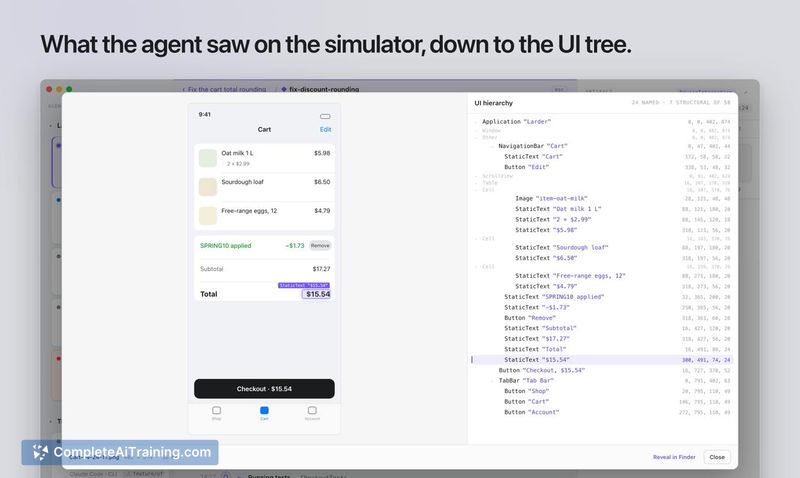
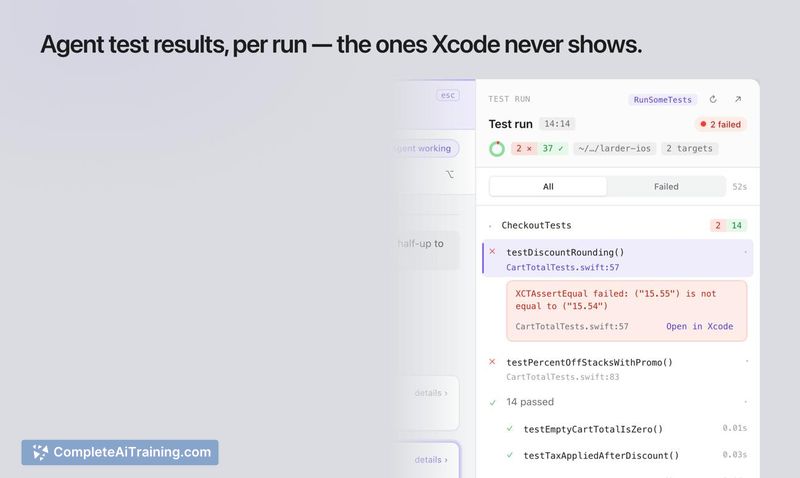
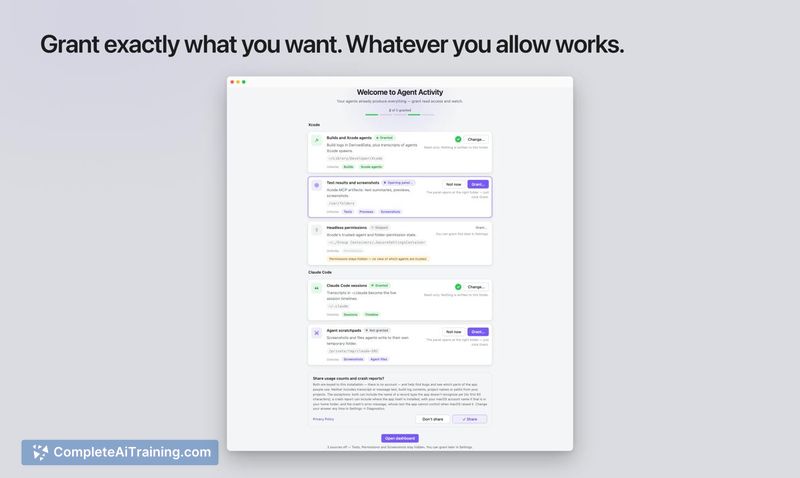
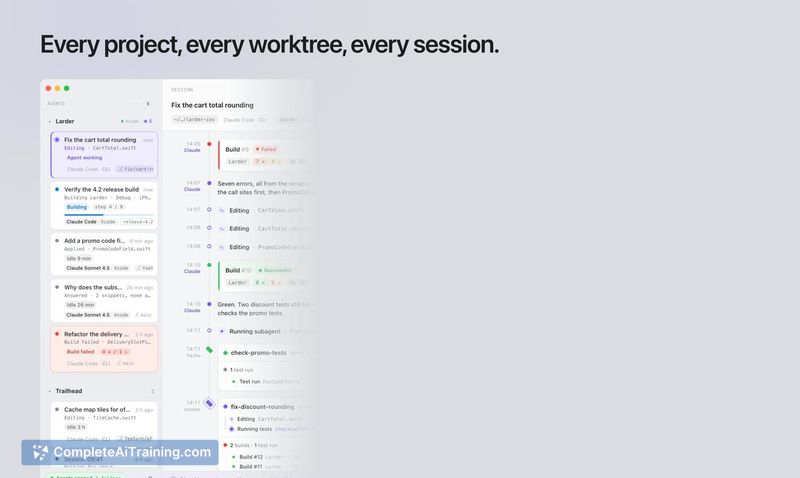
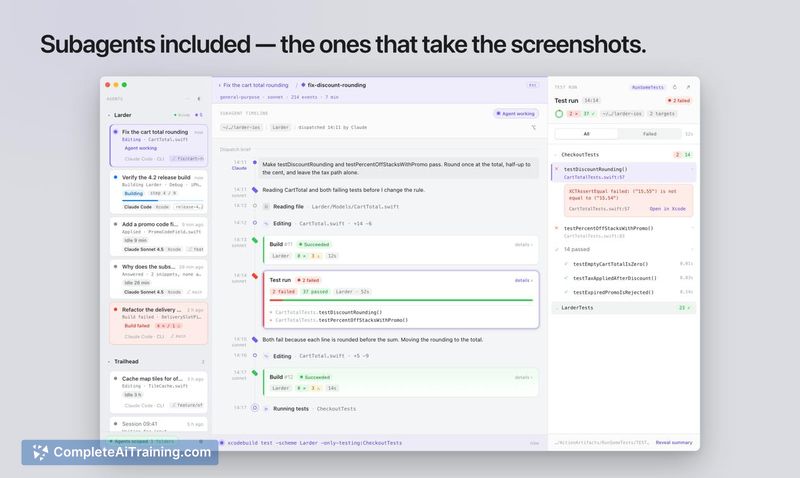
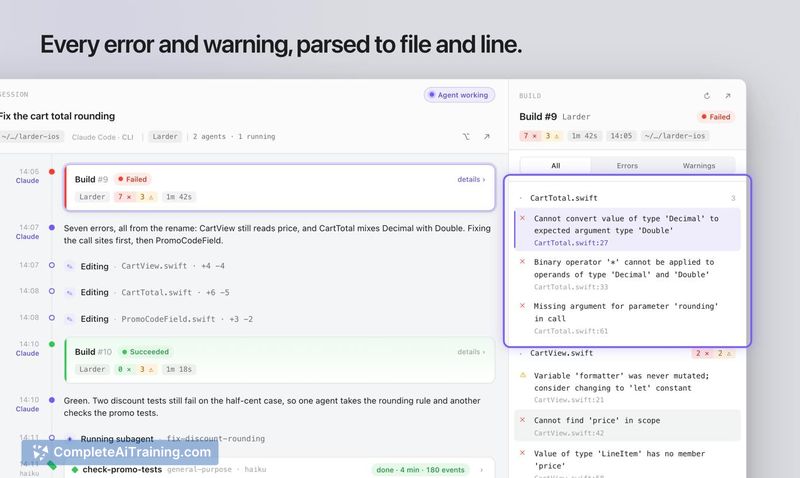
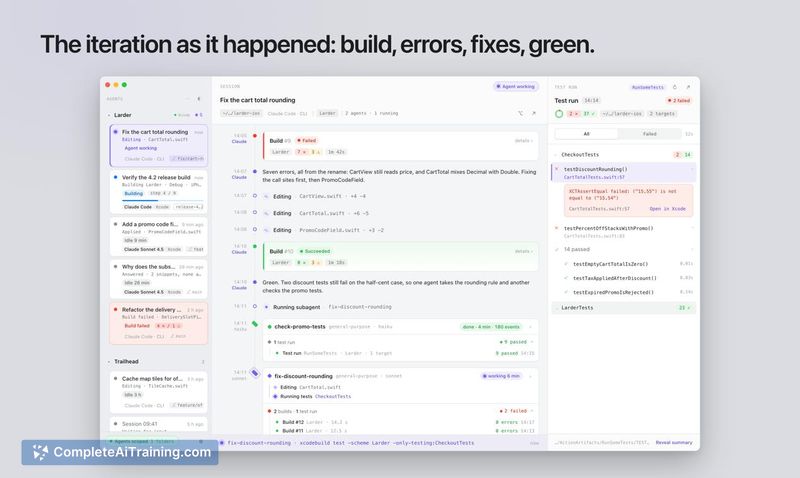
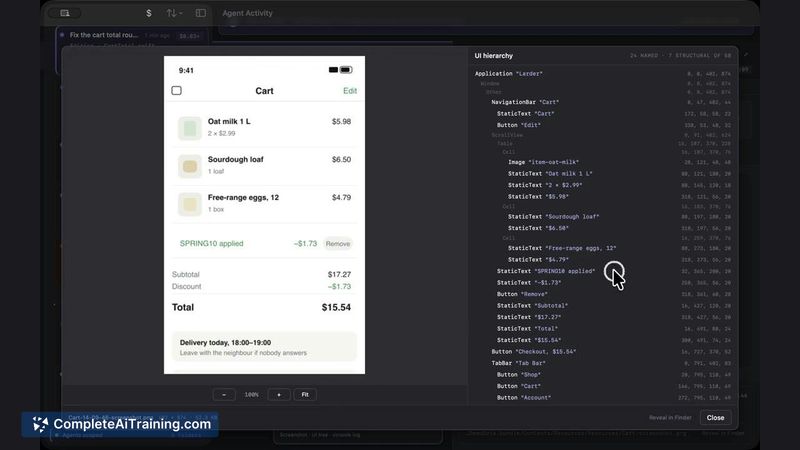
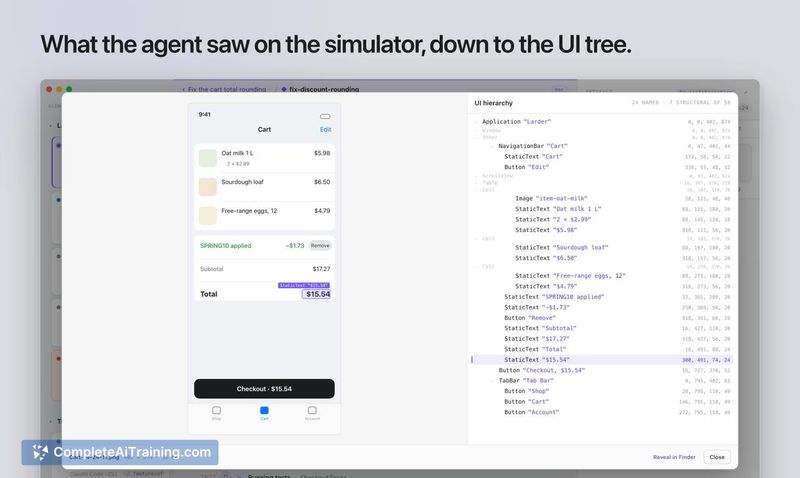
Xcode 27's built-in agent status shows a single word - "Idle" - regardless of what the agent actually does. Build failures, test runs, and simulator screenshots all land in temp folders with no native viewer. Agent Activity pulls that data into one window, giving developers a real-time log of everything their coding agents produced during a session.
Key Features
- Build timeline with errors parsed to file and line, pulled from the logs Xcode agents write to disk.
- Test run summaries grouped by target, read from the summary files that Xcode's agent test results leave in temp folders.
- Previews and simulator screenshots shown alongside the UI tree, as captured by the agent during its session.
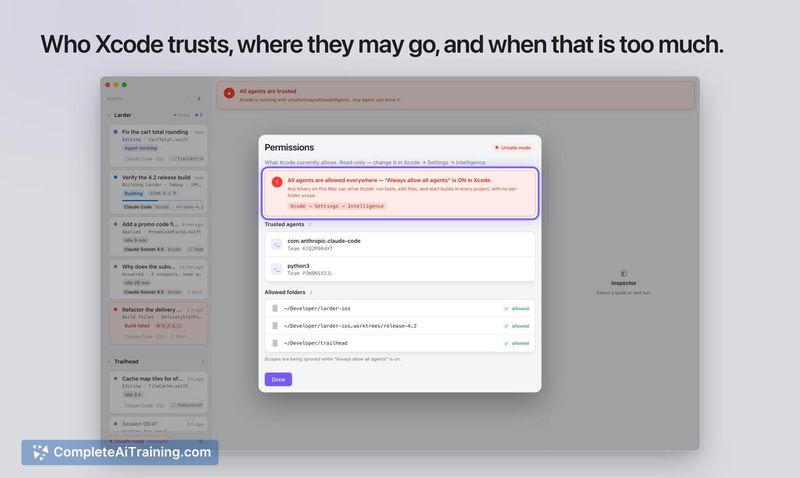
- Folder trust indicator that shows which agents Xcode has permitted to access specific directories.
- Local-only architecture - no account, no external server, and no project data leaves the Mac. Usage and crash reporting are opt-in, controlled by two independent switches in Settings.
Pricing and Value
Agent Activity is available on the Mac App Store. The maker has stated that a direct build with a trial period will follow. Pricing for that direct build is not yet defined. The App Store version does not require a subscription or account.
Pros
- Shows agent activity that Xcode's own interface hides - build errors, test results, and screenshots appear as they happen.
- Reads existing on-disk formats directly; no agent integration or API keys needed.
- Sandboxed app that requests specific folder access permissions and explains each grant.
- Keeps all project content, transcripts, paths, and logs strictly on the local machine.
- Works with Claude Code sessions run from the terminal and agents launched by Xcode 27.
Cons
- Limited agent support at launch - Claude Code in v1, with more agents planned through an adapter model.
- Requires macOS 26 and Xcode 27, which narrows the current audience to developers on the latest Apple betas.
- Not suited for teams that need remote observability or centralized agent monitoring - the tool is single-machine and intentionally sends no data off-device.
This tool fits a specific workflow: a developer running Claude Code or Xcode 27's own agents who wants a chronological view of what those agents built, tested, and captured. It doesn't launch agents or evaluate their output quality - it surfaces the artifacts that already exist on disk. For anyone on current macOS and Xcode releases who's tired of digging through temp folders to find out why a test failed, Agent Activity puts the answer in one place.
Jobs Agent Activity suits
We checked Agent Activity against 500+ jobs; these get the most out of it.



