
AI tool
Aloud
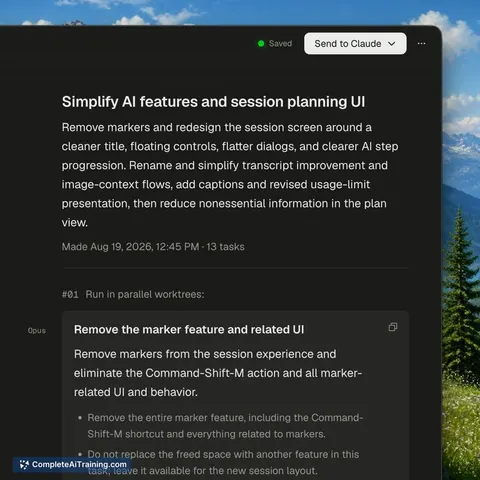
Aloud is a macOS app for developers who need to turn spoken feedback into actionable tasks for coding agents. It records your voice and screen, rewrites the messy transcript into clear instructions, and exports the session as a single HTML file th...
About Aloud
Aloud is a macOS application that records your voice, screen, and a live transcript together while you talk through an app or interface. It then rewrites the transcript into a cleaned-up brief and converts the session into tasks for coding agents like Claude Code, Cursor, or Codex. Transcription runs on-device via Whisper, so audio and video never leave your Mac.
Review
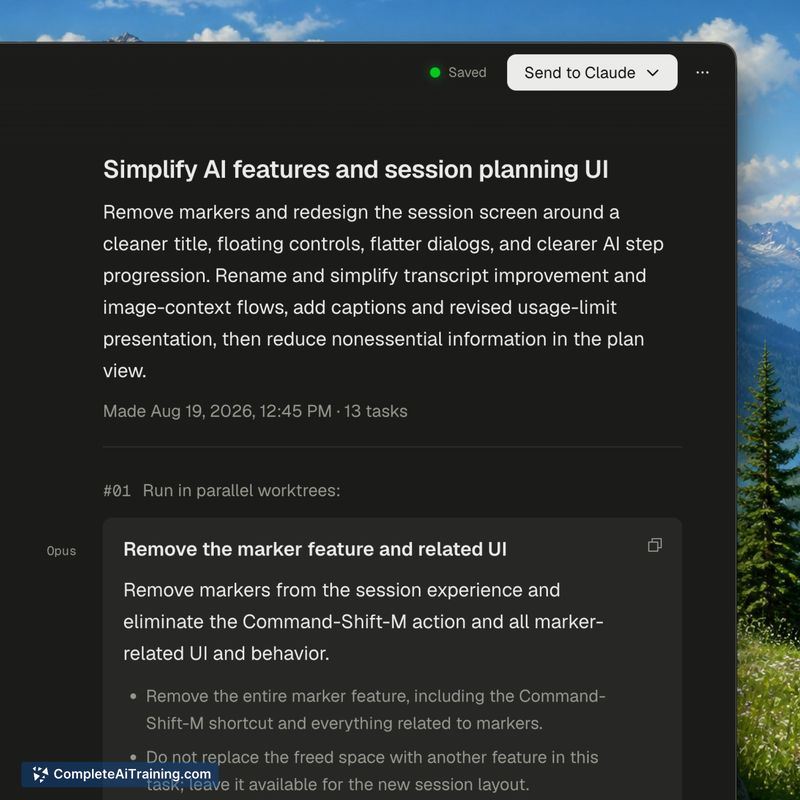
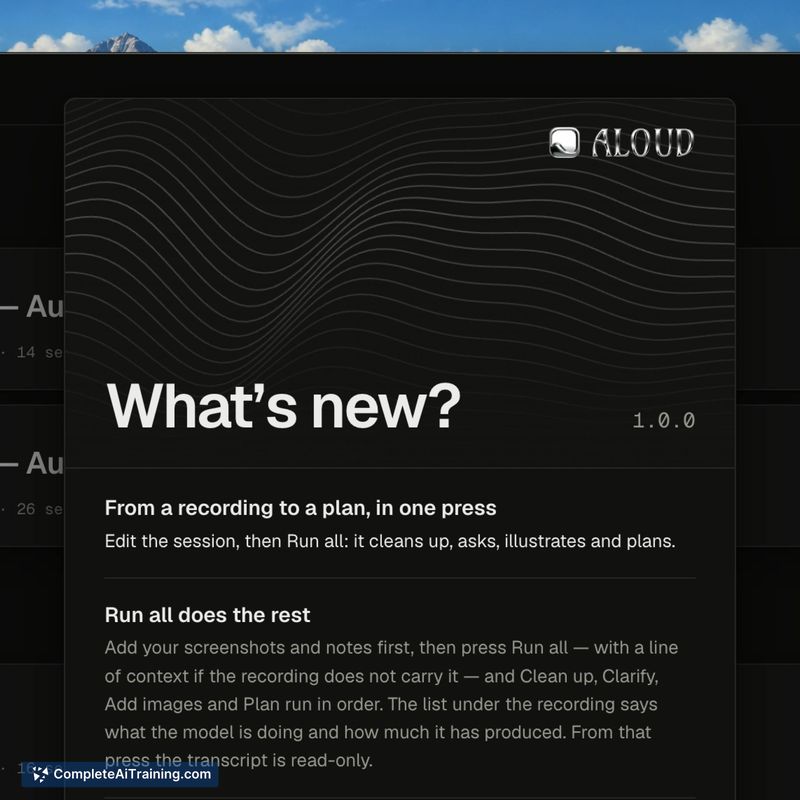
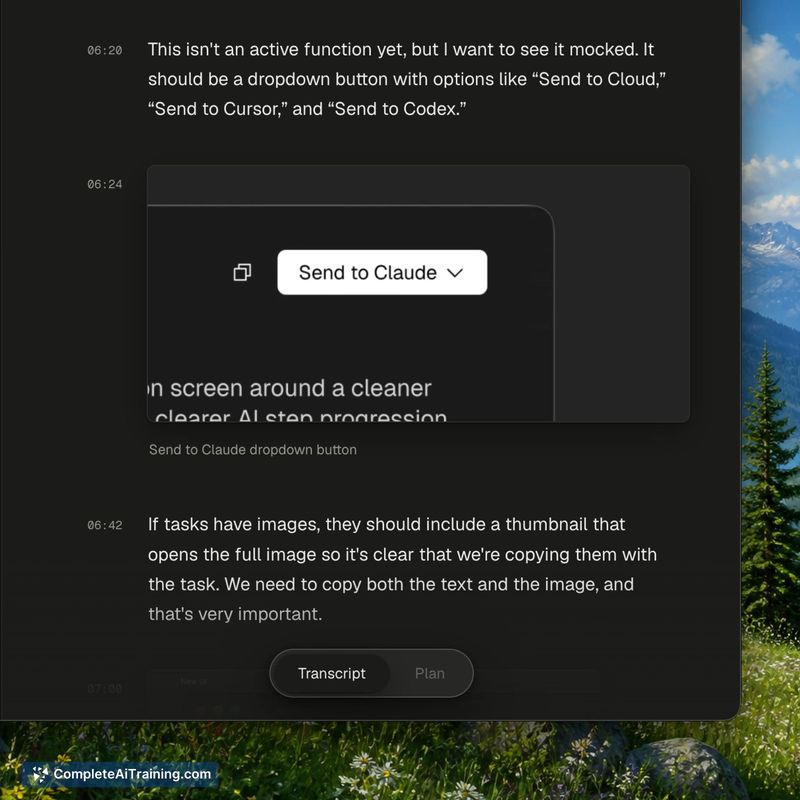
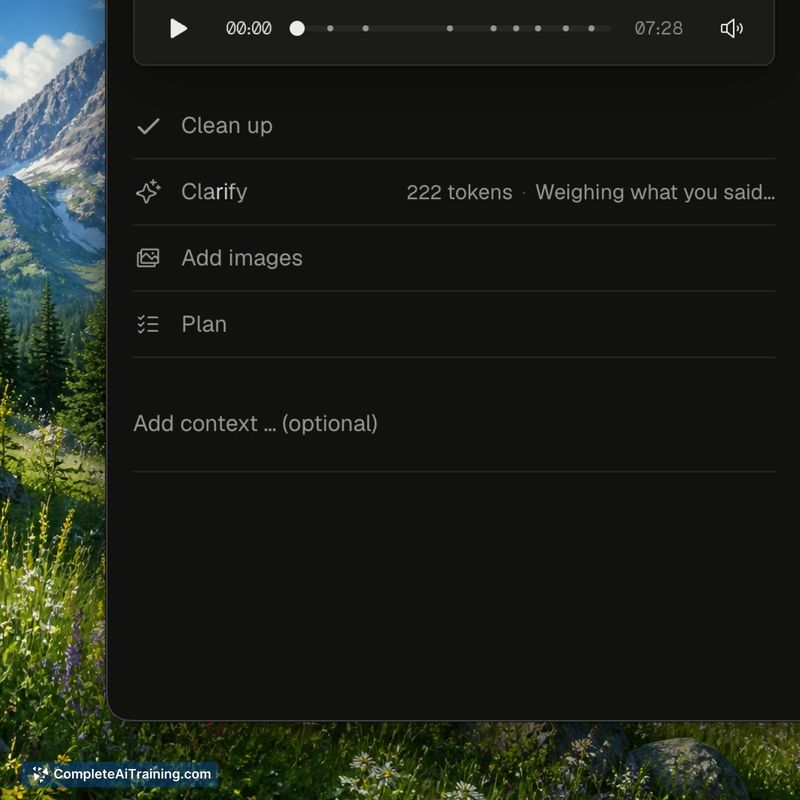
Aloud launched this week as a free macOS tool for Apple silicon. It targets the handoff problem between spoken feedback and what a coding agent can actually act on. The tool records continuously, attaches screenshots to specific spoken lines, and only sends transcript text to the cloud when you request the cleanup step.
Key Features
- Simultaneous recording of voice, screen, and a live transcript with the recorder hidden from the video capture
- Cleanup pass that rewrites raw speech into what you meant, removes abandoned statements, and preserves only the calls you stood by
- Clarify step that asks about ambiguous references one question at a time, with a recommended answer and one alternative for each
- Vision pass that reads the frame from the moment you said something and attempts to name the element you were pointing at
- Export options: copy a single task or export the session as a self-contained HTML file for Claude Code, Cursor, or Codex
Pricing and Value
Aloud is free and available now for macOS on Apple silicon. Pricing beyond the free tier is not defined. The maker described transcription as running on-device Whisper via transformers.js inside Electron on WebGPU, which is what allows the privacy claim that audio and video never leave the Mac.
Pros
- Records continuously, so the image attached to a sentence is the exact frame from when you said it
- Works outside browsers - it doesn't touch the DOM, so it functions on native apps, Figma, or other products equally well
- Clarify resolves ambiguous language before the agent makes a move; a wrong guess on the agent's part gets preempted by a tap
- Designed for long sessions, with dictation that doesn't run until you've reviewed and revised what the tool transcribed
- Exports tasks sized for one agent in one worktree, with waves intended to run in parallel
Cons
- Will not run on Intel Macs; a comment on the launch thread asks about open-sourcing the tool for that purpose with no commitment made
- The vision pass names elements from pixels, not the DOM, so locating a named element in source code remains the agent's problem when two instances look identical on screen
- Not well suited for developers who already run the whole loop - a workflow where your agent screenshots the dev server and you confirm the change afterward is functionally equivalent without the extra record-and-cleanup step
Aloud works best for people who give feedback on states an agent can't easily reproduce: hover states, loading animations, error dialogs, steps behind auth, or any application that isn't a web app. It's also useful for those who prefer the structured one-question-at-a-time clarification over watching an agent guess and fixing the diff. The tool ships with no password system and no pricing structure, which fits its intended audience of individual builders experimenting with their feedback loop.
Jobs Aloud suits
We checked Aloud against 500+ jobs; these get the most out of it.



