About Android CLI
Android CLI is an agent-first toolkit that lets developers build Android apps directly from the terminal. It combines command-line workflows, modular "skills," and a live knowledge base to guide AI agents, aiming to speed setup, project creation, testing, and deployment.
Review
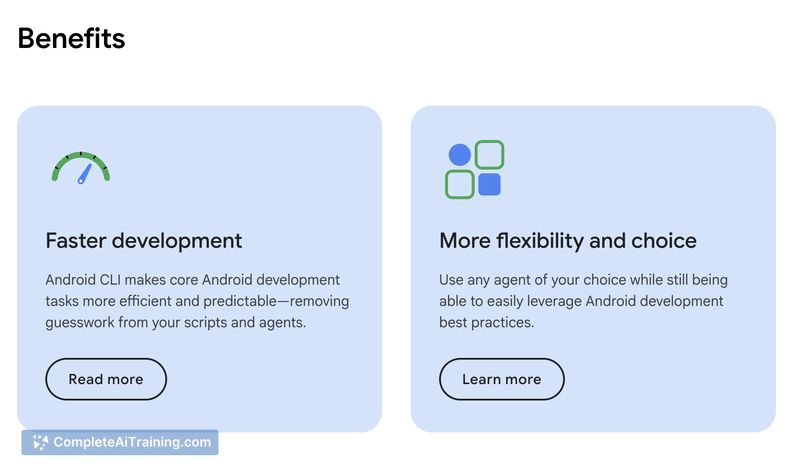
Android CLI offers a CLI-centric approach to Android development with explicit support for AI agents, which can reduce guesswork around build and configuration tasks. The product emphasizes faster workflows and lower token usage for agent-driven tasks, promising measurable time savings for routine setup and automation steps.
Key Features
- SDK and environment management to simplify local and CI configuration.
- Instant project creation from templates to get a working codebase quickly.
- Emulator control and deployment via the command line for end-to-end testing.
- Modular "skills" plus a live knowledge base to provide guided, context-aware agent behavior.
- Auto-updating and built-in best-practice guidance that help keep projects current.
Pricing and Value
The launch notes indicate there are free options available, but full pricing details and paid tier information are not listed on the summary page. Value comes from reducing manual setup time, lowering token usage for agent interactions, and speeding common workflows-claims include up to a 3x improvement in some tasks. Prospective users should check the project website for current pricing, enterprise plans, or usage limits before committing.
Pros
- Speeds up initial setup and repetitive tasks by centralizing CLI workflows and templates.
- Designed specifically for AI-assisted development, which can reduce agent hallucinations around Gradle and environment configuration.
- Integrated emulator and deployment tooling streamline testing and CI automation.
- Live knowledge base and modular skills help agents follow established Android practices.
- Free options lower the barrier to trying the tool in small projects or experiments.
Cons
- Newly launched, so documentation, integrations, and ecosystem maturity may be limited at first.
- Focus is on Android; teams needing broad cross-platform or iOS support will need additional tooling.
- Agent-driven workflows introduce a learning curve and dependency on how well agents are configured and maintained.
Android CLI is best suited for Android developers and teams who want to incorporate AI agents into their terminal-based workflows, particularly for rapid prototyping, CI automation, and reducing setup friction. Those who prefer GUI-centric IDE workflows or require multi-platform parity may find it less applicable until the ecosystem and integrations mature.
Open 'Android CLI' Website
Your membership also unlocks: