About Ask Bar: AI Answers on Every Page
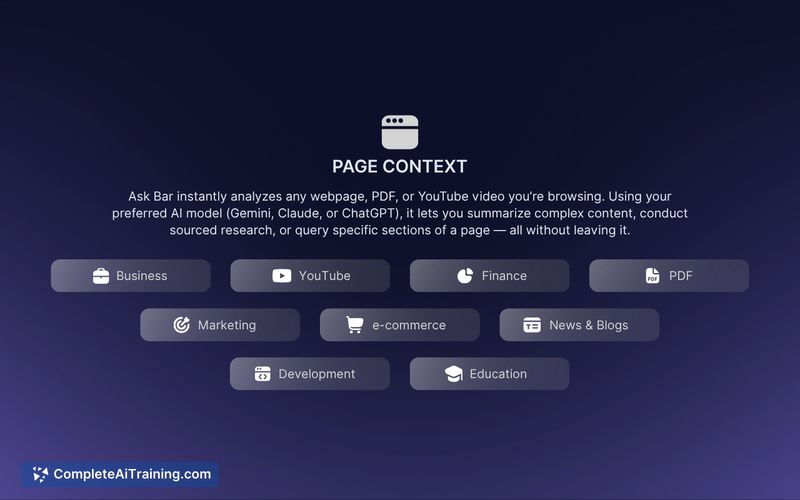
Ask Bar is a browser extension that provides an AI assistant directly on web pages, reading on-page content and visuals to deliver context-aware answers. It supports articles, code, PDFs, product pages and screenshots so you can get quick insights without switching tabs.
Review
Ask Bar aims to streamline information access by parsing page structure locally and sending only selected content to an AI provider via your own API key. Its combination of visual analysis and model choice is useful for users who frequently work inside the browser and want faster, in-place responses.
Key Features
- Local page parsing: reads headings, code snippets, tables and other page content in your browser to provide relevant answers without manual copy/paste.
- Visual intelligence: analyze screenshots, charts and graphs to extract insights from images embedded on pages.
- Model-agnostic selection: connect and switch between different LLM providers (examples listed include Gemini, Claude, ChatGPT, Grok and others) using your own API keys.
- Privacy-first BYOK approach: API keys are stored locally (e.g., chrome.storage.local) and the extension reports no server-side logging of your page content or chats.
- Works across content types: supports articles, code, PDFs and product pages so you can research or debug without leaving the active tab.
Pricing and Value
The product page notes free options and a launch discount; exact plans and pricing depend on current offerings. Because the extension uses your own AI provider keys, ongoing costs are tied to the external model provider you choose to use. Value comes from reducing tab switching and preserving context, though total cost to the user will depend on the API usage and plan selected at the provider level.
Pros
- Significantly reduces the need to copy text between tabs by answering from page context.
- Image and screenshot analysis adds usefulness for charts, diagrams and visual data.
- Model choice gives flexibility to try different providers or match preferences for accuracy, speed or cost.
- Local key storage and a stated no-logging policy give users more control over data flow.
- Convenient for developers, researchers and content workers who operate mainly in the browser.
Cons
- Requires that you supply and manage your own API keys, which may add complexity and cost depending on usage.
- As a browser extension, it requires page access to parse content; some users will need to be comfortable granting that access or disabling it on sensitive domains.
- Functionality is tied to the extension platform (Chrome), so users on other browsers or non-browser workflows may not benefit.
Overall, Ask Bar is a strong fit for people who spend most of their work inside a browser-developers debugging code, researchers summarizing PDFs, and product managers reviewing pages. It makes sense for users who want in-place answers and are willing to manage API keys and accept the browser-extension model for convenience and privacy control.
Open 'Ask Bar: AI Answers on Every Page' Website
Your membership also unlocks: