About Aye
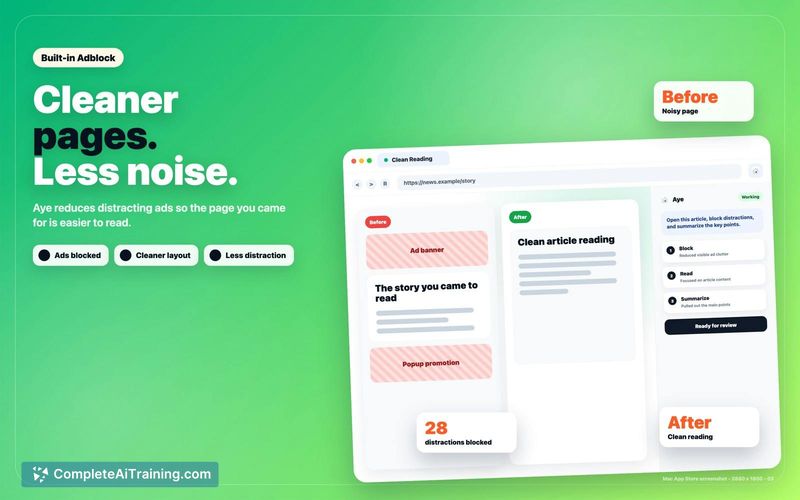
Aye is a Chromium-based AI browser for macOS and Windows that functions as a teachable AI intern for everyday browser work. It reads visible pages and executes standard browser actions like clicking, typing, and scrolling to automate repeatable workflows. Users can separate accounts using profiles.
Review
Browser automation often breaks when a website layout changes or an unexpected login prompt appears. Aye handles these interruptions by pausing and handing control back to the user for sensitive steps like CAPTCHAs or payments. It checks the current page state instead of blindly replaying fixed clicks.
Key Features
- Reusable Skills: Users can record workflows and save them as My Skills, which the browser can execute later.
- Profile Separation: The browser creates distinct Profile windows to keep tabs, cookies, sign-ins, and site data separate for different accounts.
- Checkpoint Resumption: If a task stops, the browser saves the current progress in a checkpoint so it can resume instead of restarting.
- Sensitive Step Approval: The tool pauses and requires explicit user approval for high-risk actions like form submissions and payments.
Pricing and Value
Aye is currently available for Free. The tool focuses on reducing repetitive clicking and typing for standard web tasks by turning them into reusable skills.
Pros
- The browser reads the visible page and checks results, which helps it adjust when the next step is clear rather than just replaying a fixed path.
- Corrections made during a task apply to that specific run and its checkpoint, preventing accidental changes to other workflows.
- Work Records track whether each run finished, stopped, or failed, giving users a clear log of task outcomes.
Cons
- Aye is not well suited for users who need fully autonomous background automation that runs without human intervention during login walls or CAPTCHAs.
- In-session corrections do not automatically rewrite the underlying skill for future runs, requiring manual updates to the saved instructions.
- The Skills page currently relies on manual organization into Ready, My, and Recorded categories without automatic recommendations based on page context.
This browser serves professionals who spend significant time on repetitive web research, data entry, or cross-tab comparisons. It fits workflows where users want to teach the browser a specific sequence but still need to oversee sensitive actions.
Open 'Aye' Website
Your membership also unlocks: