About BearDrive
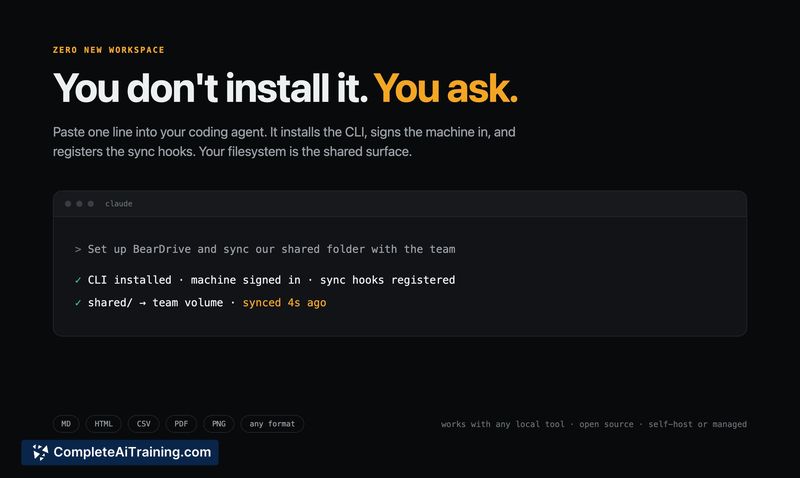
BearDrive is an open-source shared folder built for teams that use AI agents. It syncs a local folder across a team, making files versioned and attributed to the specific agent session that created them. It was launched on Product Hunt this week by the Runbear team.
Review
BearDrive solves a narrow problem: agent-generated artifacts that live on one person's laptop and never get shared. The tool syncs the folder your agents already work in, so a teammate's agent can read your agent's output at a real local file path seconds later.
Key Features
- Sync is real-time. BearDrive syncs files to your team in seconds with attribution per change: who, when, from which device.
- Every file gets a link you can share in Slack. Teammates can also view files in a web view without installing the tool.
- A `.bdriveignore` file, which syncs with the folder itself, defines team-wide exclusion rules for sensitive files.
- Works with Claude Code, Cowork, Codex, Gemini CLI, and any local tool that reads and writes a filesystem.
- Open source and self-hostable. A managed service is free during its beta period.
Pricing and Value
BearDrive is open source and can be self-hosted. The managed version is free during beta. No pricing for the managed service beyond beta has been published yet. Because it replaces manual sharing of agent-generated files in Slack and avoids the friction of moving artifacts into Notion or Git, users save the time spent on re-finding and re-explaining work.
Pros
- Files sync immediately when an agent writes them, eliminating the manual step of uploading or pasting output into another tool.
- Every file has full change history with attribution down to the agent session, so you know who made what and when.
- Teammate agents can read files at a real local path using their normal tools, without API calls or format conversion.
- Exclusion rules via `.bdriveignore` are team-wide and sync with the folder, not just a local discipline.
- The tool supports any file format agents already output, such as CSVs, HTML reports, PDFs, and deck files.
Cons
- There is no review-before-sync gate today. If an agent writes something sensitive, it propagates to the team before a human inspects it. The team is working on adding more gates here.
- Large files that change very frequently can produce storage and bandwidth costs, as history is kept per change.
- Not well suited for teams whose agents mostly produce prose pages. The maker noted that if your output ends up in a wiki like Notion anyway, your current setup is likely fine.
BearDrive fits teams with multiple people running agents daily who need files to move between humans and agents without manual steps. It is less useful if your agents create text documents that already live well in a docs tool, or if you need a review step before any file syncs. The tool handles the working artifacts underneath, while most teams keep Notion for human-facing documentation.
Open 'BearDrive' Website
Your membership also unlocks: