AI tool
Blueberry
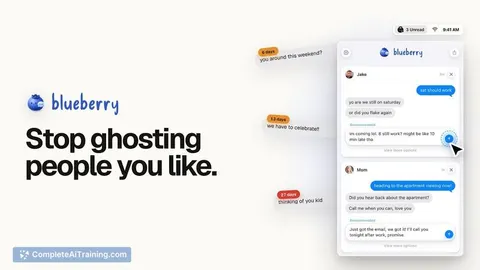
Blueberry is a Mac menu bar app that finds messages needing replies and drafts responses in your voice. Users can send with one click or edit the draft. It targets people who frequently miss texts or struggle to respond.
About Blueberry
Blueberry is a macOS menu bar app that drafts responses to your iMessages. It scans your inbox for messages that need a reply and generates suggested text in your voice. The app launched this week, and you review and approve every draft before anything is sent.
Review
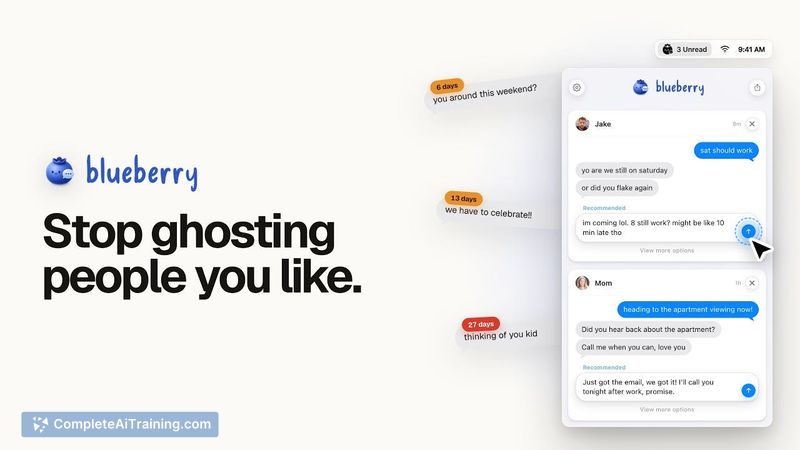
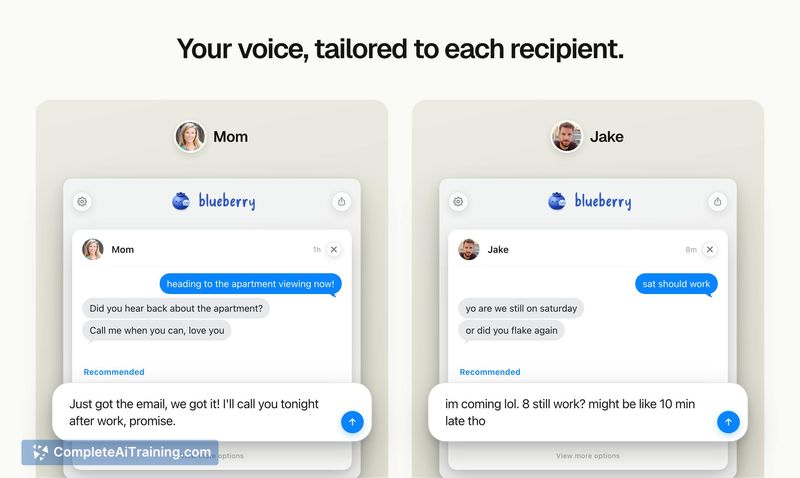
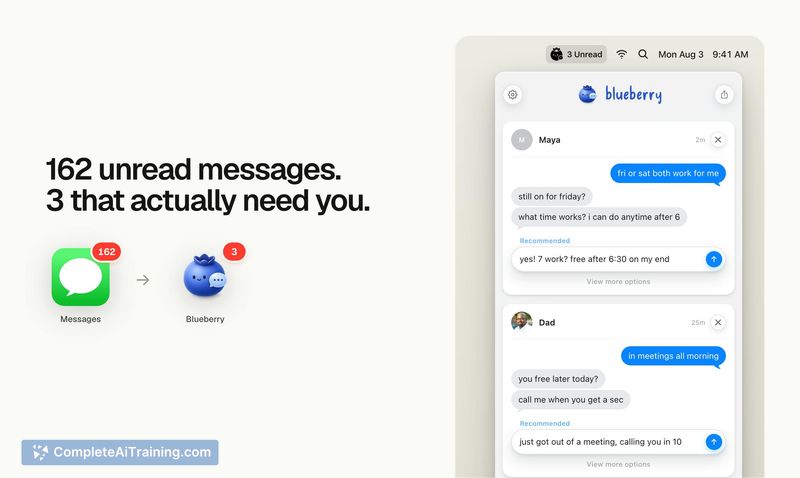
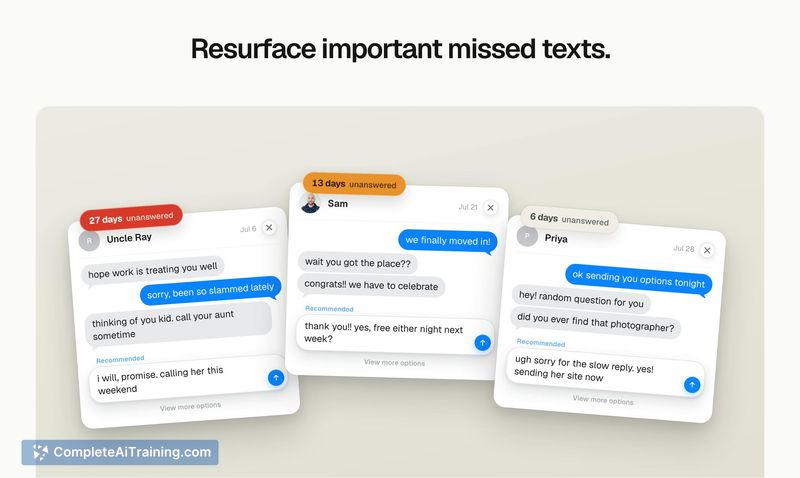
Blueberry is positioned as a tool for people who read texts but don't reply, or who routinely let messages get buried. The core workflow is: the app finds the messages, drafts a response in your style, and you either send it, edit it, or pick an alternative. It works with both individual and group messages.
I tested the concept against the maker's stated goal: remove the friction that turns "I'll answer this later" into accidental ghosting. The app does not automate sending, and it does not replace your iMessage app. Those are intentional boundaries set by the developers.
Key Features
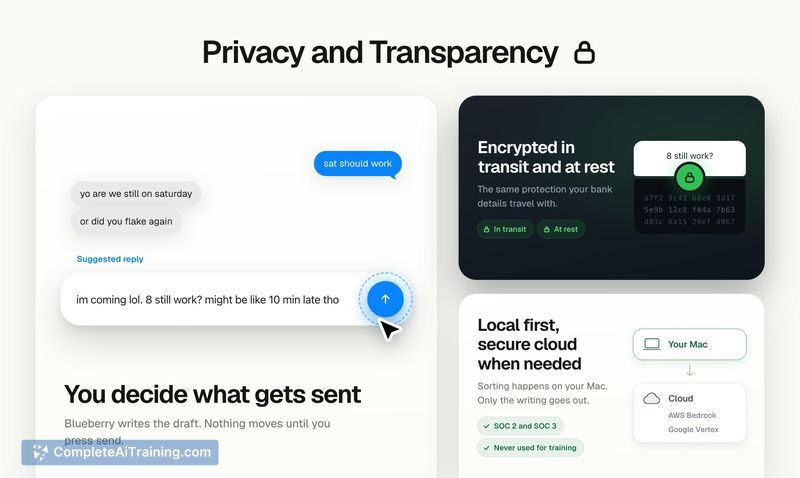
- Drafts iMessage replies in your voice using recent thread context sent to cloud models hosted on AWS Bedrock or Google Vertex.
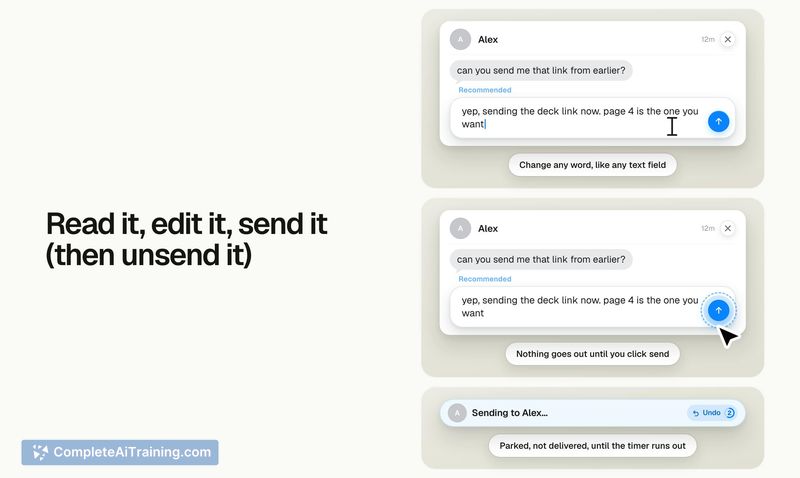
- Requires explicit approval per message - nothing sends until you click send, plus a 5-second unsend window.
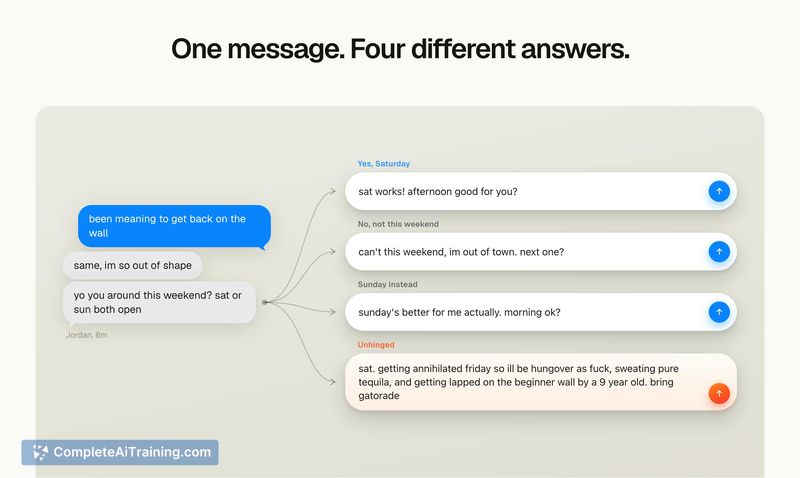
- Offers alternative response variations and inline editing before sending.
- Includes two optional modes: an "unhinged mode" for intentionally deranged responses and a "flirt mode" for drafting romantic texts.
- Needs Full Disk Access to read your iMessages and Automation permission to send replies you approve.
Pricing and Value
Blueberry is currently free. The launch page lists a promotional code for 30 days of free pro access, but pricing beyond that trial period is not defined on the public page. The maker's comment indicates the pro tier exists, but no price point is disclosed yet.
Pros
- Keeps a human in the loop - no automatic sending, which directly addresses the trust question for personal messaging.
- Privacy stance is explicit: model providers on AWS Bedrock and Google Vertex cannot see or train on your data.
- Two draft modes give users a quick way to adjust tone without rewriting from scratch.
- One-click send flow reduces the steps between reading a message and replying.
- Works with group chats, which is a common source of overwhelmed inboxes.
Cons
- Requires Full Disk Access, which is a significant privacy trade-off that some Mac users will not accept, regardless of the stated server-side protections.
- Limited to iMessage on macOS - no support for other messaging platforms or mobile devices as a current feature.
- Not well suited for people who prefer to craft their own replies or who text about sensitive topics where a cloud-hosted draft is undesirable.
Blueberry serves a narrow but real need: chronic ghosters who use iMessage on a Mac and want a nudge in the direction of replying. It is practical for people who struggle with reply latency but are comfortable granting substantial system permissions. If you are privacy-averse or rely on quick, spontaneous texting from your phone, this app does not yet cover that territory.
Alternatives to Blueberry
Other tools that do the same main job. Our AI compared Blueberry with similar tools and kept the ones you could use instead.