About ClawMote
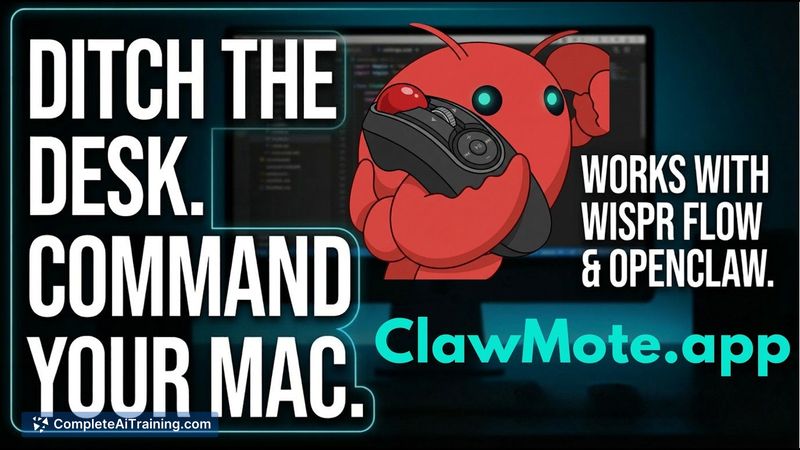
ClawMote is a compact Mac menu bar utility that maps Wispr Flow, OpenClaw, and custom keyboard shortcuts to a handheld device, enabling one-hand voice-driven control. It aims to remove the need to reach for the keyboard during dictation or AI sessions, offering a lightweight, set-and-forget approach.
Review
ClawMote focuses on practical convenience: mapping buttons on a handheld device to Mac keystrokes so you can control OpenClaw, Wispr Flow, and other apps without touching the keyboard. The app runs from the menu bar, works system-wide, and emphasizes simplicity for users who prefer a remote, one-handed workflow.
Key Features
- One-hand control for OpenClaw and Wispr Flow using a handheld device and voice input.
- System-wide remapping of device buttons to keyboard shortcuts, including custom keystroke combos.
- Lightweight menu bar utility with a set-and-forget setup.
- Integration-friendly: works with any Mac app that accepts keyboard shortcuts (including terminal commands via mapped shortcuts).
- Free 7-day trial, then a one-time purchase option (no subscription required).
Pricing and Value
ClawMote offers a 7-day free trial so you can test the mappings and device workflow. After the trial it is available for a one-time payment of $20, which makes it an economical choice for users who prefer a single purchase over a recurring fee. For people who rely on voice dictation or remote shortcut control, the price is modest for the convenience it provides.
Pros
- Removes the need to reach for the keyboard during dictation or AI sessions, improving comfort and mobility.
- Runs from the menu bar and stays out of the way while remaining easily accessible.
- One-time $20 purchase after a trial-no ongoing subscription required.
- System-wide support makes it useful beyond just the highlighted apps (Wispr Flow and OpenClaw).
- Supports custom keystroke mappings, including combinations used in developer workflows.
Cons
- Currently supports only one active profile per device; switching profiles requires manual changes until the planned update adds multiple profiles.
- Mac-only utility, so it won't help users on other desktop platforms.
- Initial mapping and setup may feel technical to users unfamiliar with keyboard shortcuts.
ClawMote is best suited for Mac users who run Wispr Flow or OpenClaw frequently and want a simple way to control sessions from a handheld device without subscriptions. It's a practical fit for power users and anyone who values a one-time purchase and a compact menu bar tool; less appropriate for multi-platform users or those who need multiple device profiles immediately. For those who want to move common shortcuts off the desk and onto a handheld controller, ClawMote is worth trying during its free trial.
Open 'ClawMote' Website
Your membership also unlocks: