
AI tool
Click
Click is an MCP that provides research connectors to access context from professional platforms, social media, marketplaces, and financial sources. It installs in one minute within ChatGPT or Claude, expanding what users can do inside chat.
About Click
Click is an MCP (Model Context Protocol) that connects ChatGPT and Claude to external data sources. It pulls in live context from professional networks, social platforms, marketplaces, and financial data services. The tool aims to fill gaps that built-in web search leaves open when an AI assistant needs specific external information.
Review
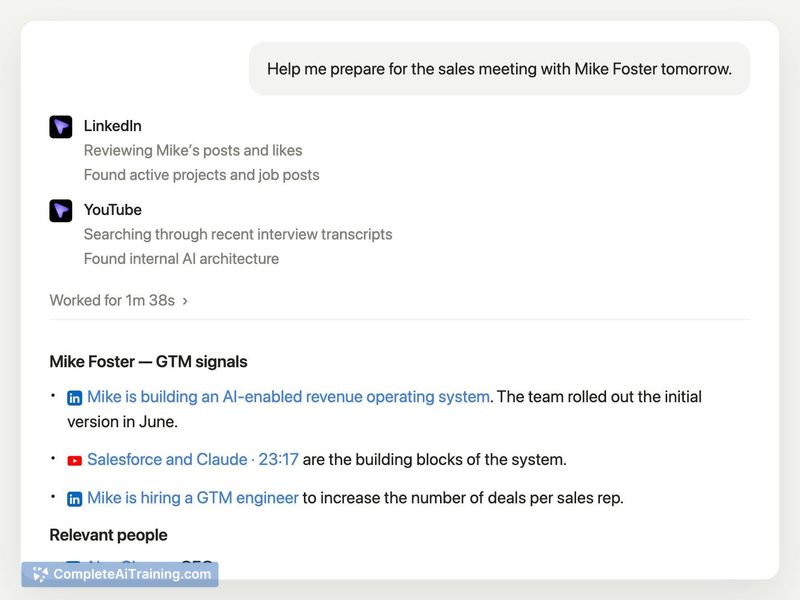
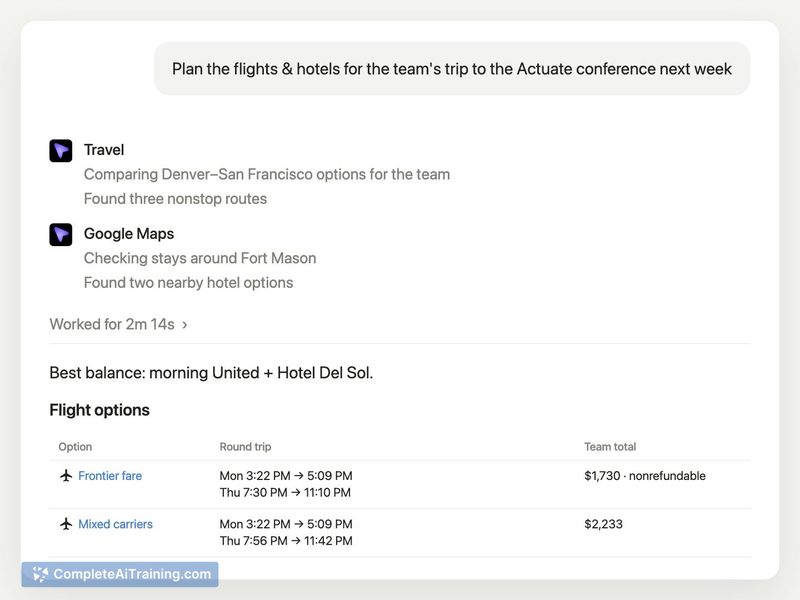
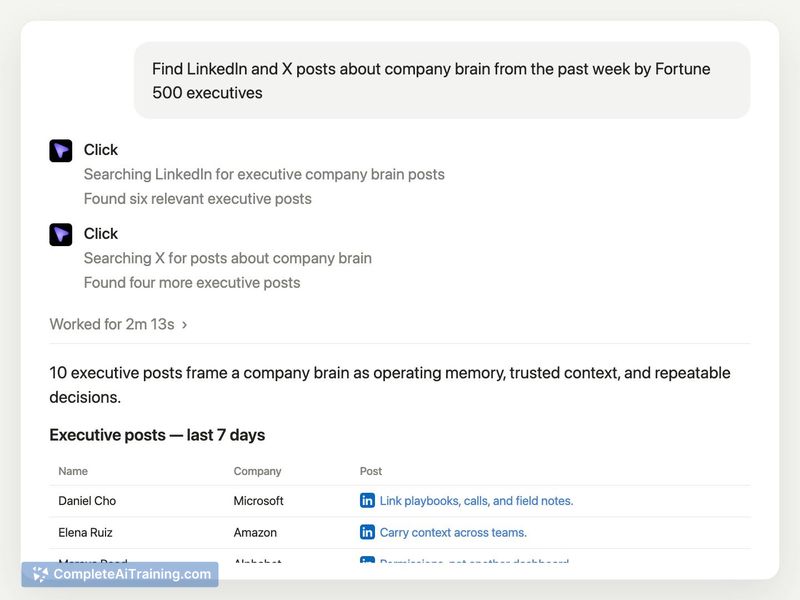
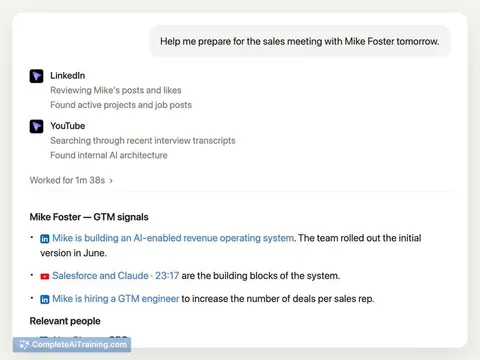
Click targets a real pain point for users who work inside AI chat interfaces all day. The maker, Aditya Asgaonkar, built it because he found himself leaving Claude and ChatGPT constantly to research leads on LinkedIn or compare flight options. Click installs in about one minute and adds research connectors directly into the chat environment.
Key Features
- Research connectors pull live context from professional platforms, social media, marketplaces, and financial sources
- One-minute MCP installation in ChatGPT or Claude connects the tool without leaving the chat interface
- External data access beyond what built-in web search can reach, including logged-in session data the agent normally cannot access
- Multi-connector architecture built on integrations with Crustdata (people/company data), Exa (agent-friendly web search), Context.dev (web scraping), and Apify (prebuilt scrapers)
- Free tier available as of launch
Pricing and Value
Click launched with a free option available to users. No other pricing tiers or subscription models are mentioned in the launch materials. The tool itself requires no additional billing relationship, though users need their own ChatGPT or Claude subscriptions to access the chat environments where Click operates.
Pros
- Installation takes around one minute in ChatGPT or Claude
- Connectors access research data that built-in web search does not reach
- Users avoid sharing browser sessions or logged-in credentials with AI assistants
- Live context pulls from professional and social platforms, marketplaces, and financial databases
- Infrastructure backed by multiple established API and scraping services
Cons
- The tool currently requires ChatGPT or Claude to function, so it won't work for users of other AI assistants
- No long-term pricing model has been defined, which creates uncertainty for professional users who need predictable costs
- Not suitable for users who want a standalone research tool outside of a chat interface
Click fits best for people who already spend most of their workday inside ChatGPT or Claude and need live data from platforms like LinkedIn or financial sources. If you rarely leave your browser for research but find that AI web search misses too much, this connector may solve that problem. Users who expect a separate research dashboard or those using other AI assistants should look elsewhere.
Jobs Click suits
We checked Click against 500+ jobs; these get the most out of it.



