About CogniMemo Extension
CogniMemo Extension is a browser extension that adds persistent memory to AI chat tools, letting you save and recall your own notes and past conversations. It integrates with multiple models and surfaces your saved context inside chats and on webpages via a floating assistant and an in-chat trigger.
Review
CogniMemo Extension focuses on keeping context available across chats, tools, and tabs so you don't have to repeat important details. It supports ChatGPT, Claude, Gemini, and other models, and lets you search your saved content by typing @cogni in any chat.
Key Features
- Long-term memory layer that stitches context across different AI models and chat sessions.
- In-chat retrieval using the @cogni trigger to search saved notes, past chats, and other content.
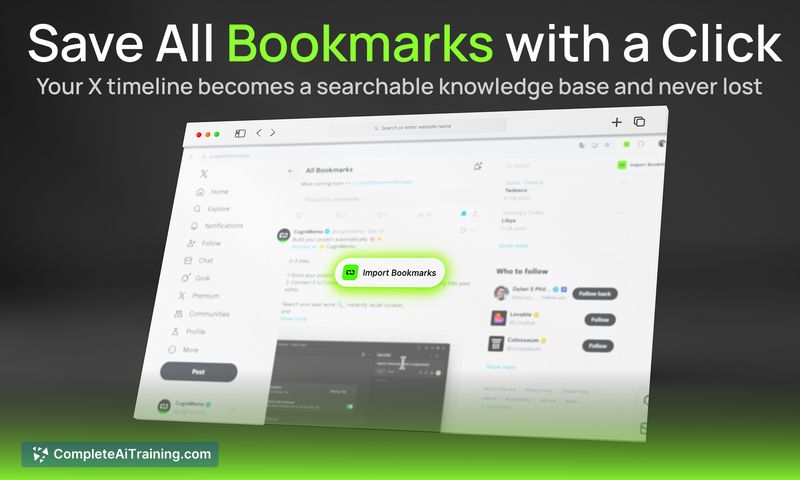
- Sync and archive capabilities for social posts (e.g., X/Twitter) and AI conversations into a single searchable store.
- Floating assistant that can explain or write using your stored knowledge on any website.
- Memory hygiene controls with scoped retrieval, decay and versioning metadata, and edit/delete/audit options for entries.
Pricing and Value
The launch lists a free option, making it easy to try core features without upfront cost. Detailed pricing for advanced or enterprise plans is not fully published at launch; the primary value is reducing repeated context entry and keeping your project knowledge searchable and under your control.
Pros
- Works across multiple LLMs and chat tools, so saved context is reusable wherever you work.
- Quick retrieval with an in-chat shortcut and a floating assistant for on-page use.
- Thoughtful controls for memory quality-scoping, decay/versioning, and explicit edit/delete options increase trustworthiness.
- Centralizes social posts and archived chats so context lives in one searchable place.
Cons
- Primarily distributed as a browser extension (Chrome listed), so native desktop or mobile app support may be limited initially.
- Some advanced features and the full pricing structure are not detailed at launch, which can make long-term planning harder for teams.
- Maintaining useful memories requires occasional user review and cleanup; there is an initial setup and curation cost.
Ideal users are builders, researchers, writers, and anyone who frequently switches between AI tools and web workflows and wants to avoid repeating context. It is a practical fit for individuals and small teams that need a single, searchable memory layer tied to their own data and workflows.
Open 'CogniMemo Extension' Website
Your membership also unlocks: