About: Craft
Craft is an innovative platform designed to streamline document creation, project management, and team collaboration. It empowers users—whether individuals or teams—to organize their thoughts and tasks in a cohesive manner. With its intuitive interface, Craft supports various applications, from goal setting and travel planning to engineering projects, recipe compilation, and employee handbook development.
Key features include built-in AI assistance that enhances content creation, collaborative documents that facilitate real-time teamwork, and structured documents that provide clarity and organization. Craft also offers a variety of templates and smart shortcuts to accelerate workflows. Its ability to integrate seamlessly with other tools further enhances productivity, making it an indispensable resource for both personal and professional use.
What sets Craft apart is its versatility and user-centric design, allowing users to efficiently transform their ideas into actionable plans while fostering collaboration across diverse projects. With Craft, users gain a centralized hub for creativity and productivity, making it easier to achieve their objectives.

Review: Craft
Introduction
Craft is a versatile platform designed for document creation, project management, and team collaboration. It caters to both individuals and teams who need a centralized workspace to organize ideas, manage projects, and collaborate seamlessly. In today’s fast-paced environment, having an efficient tool that integrates note-taking, planning, and creative project management is more relevant than ever, making Craft an attractive option for both personal organization and professional team workflows.
Key Features
Craft offers a range of innovative and user-friendly functionalities, including:
- Document Creation & Editing: Craft provides a seamless writing experience with support for Markdown, and it is acclaimed for its intuitive and fast interface. Users can create structured documents that are both visually appealing and functionally robust.
- Project Management: The platform integrates notes, tasks, and to-dos within a single workspace, making it easy to plan and track project progress. Daily notes and reminders help keep users on top of their schedules and goals.
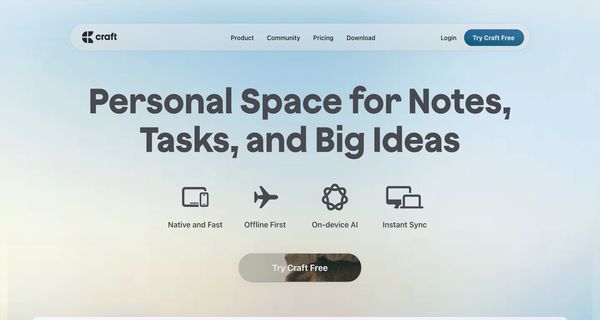
- Collaboration & Integration: With features that support team collaboration, instant sync across devices, and offline-first functionality, Craft ensures that your work remains accessible and up-to-date wherever you are. It also smoothly integrates with other tools, enhancing overall productivity.
- Built-in AI Assistance: The on-device AI is designed to boost writing and organize content, turning raw ideas into clear, structured insights without compromising privacy.
- Customization: With over 100 premade styles and various personalization options, users can tailor the appearance of their documents and project pages to suit their style and branding needs.
Pricing and Value
Craft offers a free plan called Craft Free, which provides full access suitable for users who operate on a light-to-moderate basis each week, at $0 per month. For those seeking a more comprehensive experience, there is the Craft Plus subscription available at $7.99 per month. This tier is designed for users who require seamless integration into their daily workflow and benefit from additional advanced features. Overall, the pricing structure is competitive, offering a valuable proposition when compared with similar document and project management tools available in the market.
Pros and Cons
- Pros:
- Versatile tool capable of handling document creation, project management, and team collaboration.
- User-friendly interface with an emphasis on design and personalization.
- Robust offline first functionality with instant sync across all devices.
- Integrated on-device AI to boost writing and organize insights, ensuring privacy.
- Competitive pricing with a strong free offering and affordable premium tier.
- Cons:
- The rich feature set may present a learning curve for users new to integrated project management platforms.
- Advanced integrations or workflows might not be as extensive as those found in highly specialized project management tools.
Final Verdict
Overall, Craft stands out as a comprehensive solution for anyone looking to merge creative document creation with effective project management and team collaboration. Its robust features such as on-device AI, seamless syncing, and extensive personalization make it an excellent choice for creative professionals, teams, and individuals alike. If you need a tool that adapts to both day-to-day note-taking and large-scale project planning, Craft is highly recommended. However, users who require extremely specialized integrations may need to evaluate if Craft fully aligns with their specific workflow requirements.
Open 'Craft' Website
Your membership also unlocks: