About CraftBot
CraftBot is a self-hosted, proactive AI assistant that runs locally on your machine and can operate continuously to help with routine tasks. It interprets requests, plans actions, and executes workflows using configurable skills and integrations, and is released under an MIT license.
Review
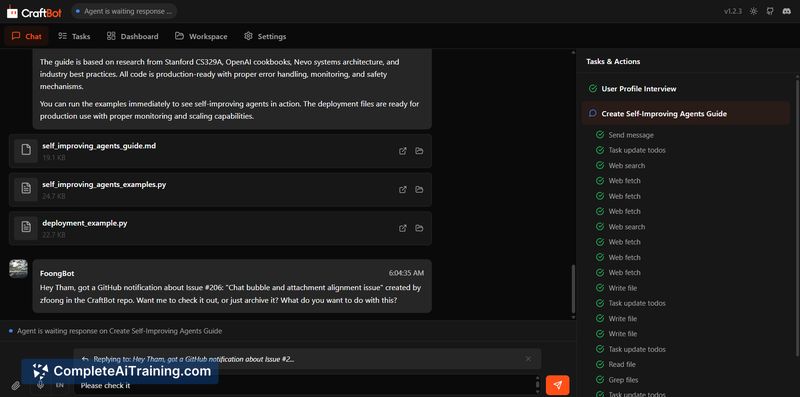
CraftBot aims to provide a local, always-on agent for automation, project work, and background monitoring. It emphasizes easy setup, model-agnostic operation (cloud or local LLMs), and features such as a nightly memory consolidation process and a built-in planner that proposes recurring or one-off tasks.
Key Features
- Self-hosted agent with a browser-based UI that can be launched with a single command (requires Python and Node.js).
- Proactive planner that schedules and proposes tasks on daily, weekly, or monthly cycles with user approval.
- Nightly "dream" memory consolidation that converts events into retrievable memory snippets for future use.
- Wide app integrations (Slack, Discord, Telegram, WhatsApp, Notion, Gmail, Outlook and more) plus support for custom actions and MCPs/skills.
- Model-agnostic setup supporting cloud providers and local LLM options, and an MIT-licensed codebase available on GitHub: github.com/CraftOS-dev/CraftBot.
Pricing and Value
CraftBot is distributed as open-source software under the MIT license and is available for free to install and run. Costs come from hosting and the models you choose to connect: using hosted models or managed services will incur external model fees, while running local LLMs or vector stores may require hardware resources (CPU/GPU, storage). For users who want local automation and lower per-call costs, CraftBot can be a cost-effective option compared with cloud-only agents, especially for frequent tool calls and background monitoring.
Pros
- Local-first operation improves privacy and reduces per-action latency compared with cloud-only tool calls.
- Simple installation flow and browser UI make initial setup approachable for technically-minded users.
- Proactive planning and nightly memory consolidation help keep recurring workflows and follow-ups organized.
- Extensive integrations and a large set of default skills enable a wide range of automations out of the box.
- Model-agnostic design lets you choose cloud providers or self-hosted LLMs depending on needs and budget.
Cons
- Early-stage project: some features and provider support are still on the roadmap and documentation can be uneven in places.
- Requires technical prerequisites (Python and Node.js) and occasional configuration; advanced automations need custom skills or proper recurring task setup for nuanced behavior.
- Balancing proactive interruptions with usefulness is an ongoing UX challenge, and users may need to tune notification and task settings.
Overall, CraftBot is best suited for users or small teams comfortable with self-hosting and willing to configure skills and integrations for specific workflows. It works well for desktop automation, project management tasks, report generation, and outreach workflows where local control, cost efficiency, and continuous background automation are priorities.
Open 'CraftBot' Website
Your membership also unlocks: