About EditWithAva
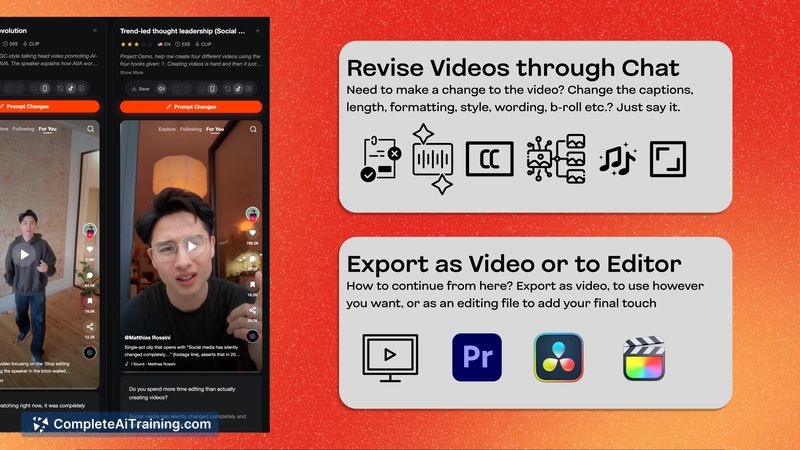
EditWithAva is an AI assistant video editor that works with your own footage to generate publish-ready short-form edits. It analyzes raw clips to auto-select scenes, remove retakes, and assemble edits with b-roll, captions, and voiceovers based on a simple brief.
Review
EditWithAva focuses on accelerating the tedious assembly work that often precedes creative editing. The interface centers on a conversational brief model: point the tool at your footage, describe the edit you want, and it returns a polished short clip ready for distribution.
Key Features
- Semantic footage analysis to identify usable takes and auto-cut retakes.
- Automated assembly with b-roll selection, captions, audio clean-up, and basic mixing.
- Conversational briefing: describe the edit or provide a script/brief to guide the output.
- Integration with cloud storage (currently Google Drive) and support for linked video libraries.
- Capabilities to draft scripts or generate narration if no voiceover file is provided.
Pricing and Value
EditWithAva launches with a free tier and an introductory offer that includes five free videos. Early adopters can also access discount promotions for initial billing periods when they book onboarding. Current limits include up to 3 hours of linked raw footage and a maximum generated output of around 2 minutes per video; these constraints keep the free and entry plans approachable for creators who focus on short-form content. For teams and frequent creators, the value proposition is time saved converting raw recordings into first-pass edits, which can reduce the manual assembly workload typically required before finer creative tweaks.
Pros
- Significantly speeds up the initial edit pass by handling selection and assembly tasks.
- Works directly with your footage and supports common short-form needs like captions and b-roll.
- Conversational workflow lowers the barrier for non-technical users who want fast results.
- Can assist with creative inputs such as script drafts or autogenerated narration.
Cons
- Output length is currently limited (short-form only, roughly 2 minutes at launch).
- Uploads require Google Drive integration for now; direct or other cloud uploads are planned but not yet available.
- Advanced timeline controls and certain production features (VFX/SFX, brand templates) are still coming in future updates.
Overall, EditWithAva is best suited for solo editors, social creators, and brand teams producing talking-head, educational, or promo content who want to move quickly from footage to a first-pass edit. It delivers the most value when your priority is fast assembly and iteration rather than fine-grained timeline control; feature roadmaps indicate broader capabilities are planned for future releases.
Open 'EditWithAva' Website
Your membership also unlocks: