About: Excel Whisper
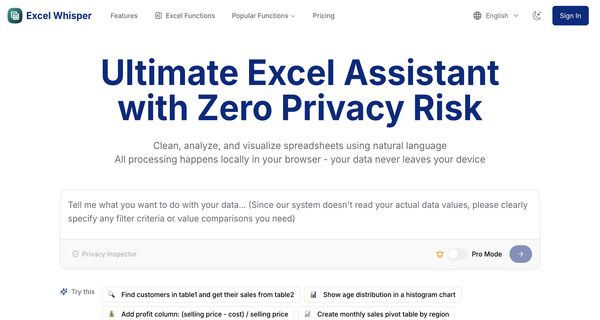
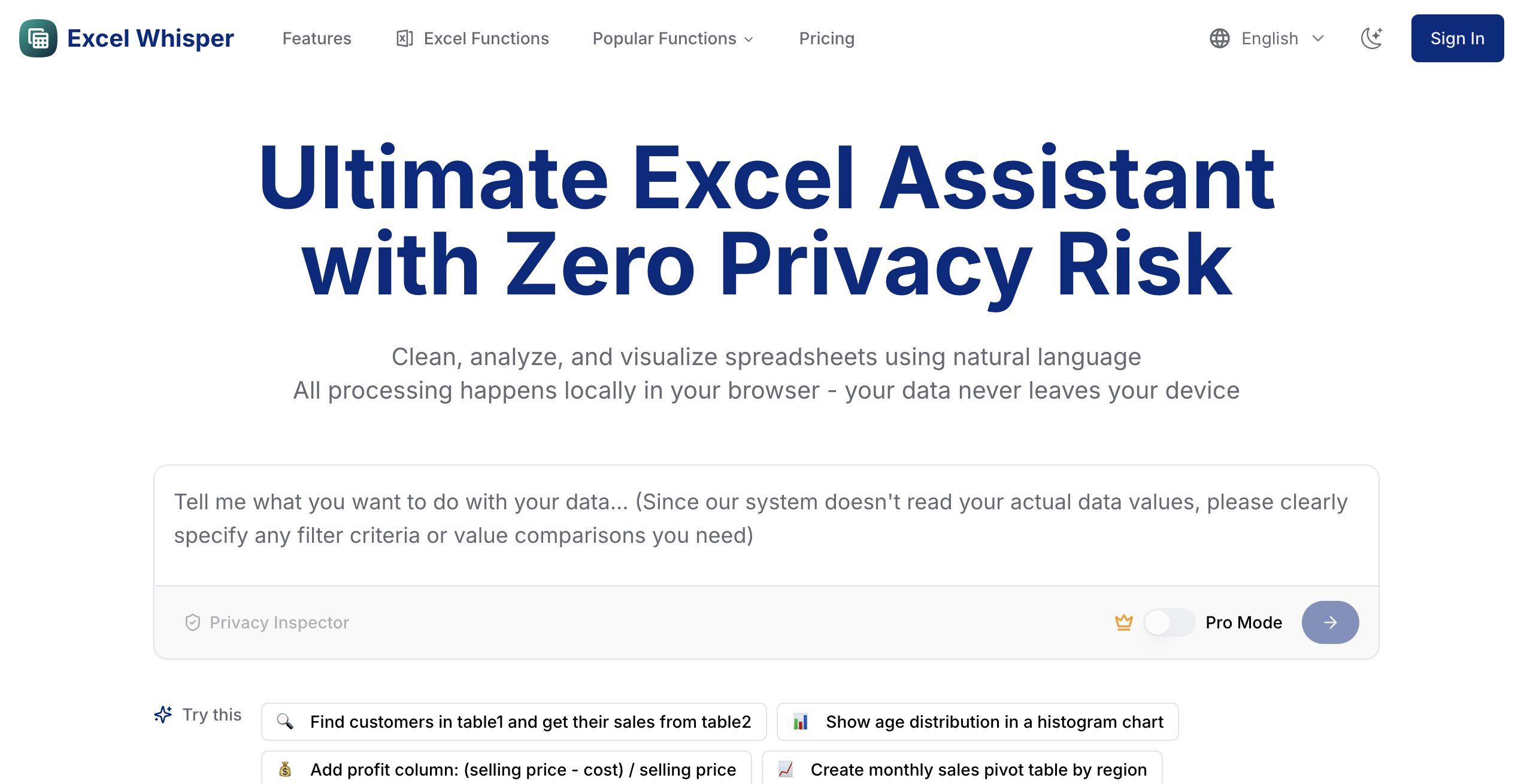
Excel Whisper is an innovative AI-driven tool designed to function as a comprehensive mentor for Excel users at all proficiency levels. This tool offers personalized guidance, enabling users to tackle a wide array of Excel tasks efficiently. It features interactive examples and tailored solutions that cater to individual learning needs, helping users enhance their Excel skills and streamline their workflow.
Excel Whisper is ideal for professionals, students, and educators seeking to improve their data analysis and reporting capabilities. With its advanced functionalities, users can quickly learn complex formulas, automate repetitive tasks, and gain insights into best practices for spreadsheet management.
What distinguishes Excel Whisper is its focus on personalized learning; it adapts to each user's unique requirements, ensuring effective mastery of Excel. By leveraging this tool, users not only save valuable time on intricate tasks but also unlock the full potential of Excel, ultimately enhancing their productivity and efficiency in handling data-driven projects.
Review: Excel Whisper
Introduction
Excel Whisper is an AI-powered tool designed to serve as an advanced Excel mentor, offering personalized assistance, interactive examples, and custom solutions for a wide range of Excel tasks. Targeted at professionals, students, and educators alike, Excel Whisper is especially valuable for those who regularly work with spreadsheets and are looking to streamline workflows, improve their Excel skills, and boost overall productivity. Given the growing need for efficient data handling and analysis, this review explores how Excel Whisper aims to simplify complex tasks while keeping data privacy intact.
Key Features
Excel Whisper packs a host of features that set it apart as a smart assistant for Excel enthusiasts:
- Natural Language Processing: Ask questions about your data in plain language without memorizing complex formulas.
- Smart Data Cleaning: Automatically handle missing values, duplicates, and formatting issues to keep data consistent.
- Quick Visualization: Instantly generate charts and graphs that help visualize trends and patterns.
- Local Processing: All computations occur directly in your browser, ensuring that your data never leaves your device for enhanced privacy.
- Multi-File Support: Analyze multiple Excel and CSV files simultaneously, facilitating easy data comparison and consolidation.
- Export & Share: Download processed data and generated charts for easy sharing of your analysis results.
Pricing and Value
Excel Whisper offers a clear and flexible pricing structure to cater to different levels of usage:
- Free Plan: Ideal for those looking to try out the tool. It includes 10 analyses per month, supports up to 2 files per analysis with a 10MB total file size limit, and covers basic charts and operations without requiring a login.
- Standard Plan: Priced at approximately $9.9 USD/month, this plan is suited for regular Excel users. It increases the limit to 300 analyses per month, allows up to 5 files per analysis with a 100MB total file size limit, and delivers faster response times.
- Pro Plan: Targeted towards power users and professionals, the Pro plan costs around $19.9 USD/month. In addition to everything offered in the Standard Plan, it provides up to 1000 analyses per month, supports up to 10 files per analysis with essentially unlimited file size (subject to device performance), and offers advanced charts and complex Excel operations with the fastest response times.
The pricing tiers are structured to provide excellent value based on a user’s specific needs, allowing newcomers to explore the tool at no cost while offering robust options for more intensive users.
Pros and Cons
- Pros:
- Personalized, AI-powered Excel assistance that simplifies even complex tasks.
- Natural language processing minimizes the need for memorizing complicated formulas.
- Robust data cleaning and visualization features enhance productivity.
- Local processing ensures your data remains private and secure.
- Flexible pricing plans cater to both casual and power users.
- Cons:
- Local processing might be limited by your device’s performance, especially with very large files.
- The tool focuses on automating basic to moderately complex tasks and does not claim to provide deep business insights.
- Users with extremely large or complex datasets may occasionally encounter performance constraints.
Final Verdict
Excel Whisper is a comprehensive and user-friendly tool that is highly recommended for professionals, students, and educators who regularly work with Excel. Its emphasis on natural language processing, robust data cleaning, and effective visualization tools makes it a valuable asset for streamlining spreadsheet tasks. The transparent pricing plans offer flexibility, ensuring that users can choose a plan that matches their requirements. However, those who require deep, contextual business intelligence or who work with exceptionally large datasets might need to consider the tool’s device-dependent limitations. Overall, Excel Whisper stands out as an excellent option for anyone looking to enhance their Excel proficiency and improve workflow efficiency while maintaining data privacy.
Open 'Excel Whisper' Website
Your membership also unlocks: