About Goldfish
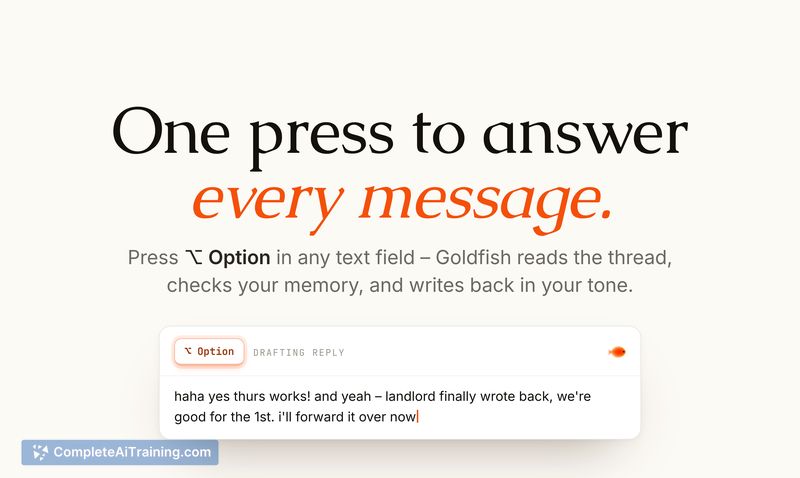
Goldfish is a local AI memory layer for Mac and Windows that captures what you're working on across apps and makes that context available whenever you write. Pressing the Option key in any text field brings up functions to draft replies, summarize threads, recall past details, or rewrite highlighted text. All captured data stays on your device, with no cloud sync and zero data retention on AI calls.
Review
Goldfish addresses the familiar problem of starting every AI interaction from a blank slate. It indexes visible text from open apps using accessibility APIs, stores that data in a local database and vector database, and uses it to provide context-aware suggestions when you invoke it. The tool's early beta focuses on reducing the copy-paste-and-explain loop that many professionals encounter dozens of times a day.
Key Features
- Option-key trigger: Press Option in any text field to access writing, summarizing, recalling, and rewriting tools without leaving the current app.
- Context-aware replies: The tool uses recent screen content and longer-term memory to draft responses in your own tone, factoring in the ongoing thread and your relationship with the recipient.
- Recall: Search stored text to retrieve details from past work, with results grounded in the source app or document so you can verify accuracy.
- Local privacy controls: Data remains on your machine. You can exclude specific apps or domains, pause capture, and delete stored history. AI API calls have zero data retention.
- Claude Desktop integration: A local MCP server lets you bring your full computer context into Claude Desktop sessions.
Pricing and Value
Goldfish is currently in closed beta. The makers are offering 3 months of free access to Product Hunt community members who sign up during this launch period. No pricing model has been announced for after the beta. The tool's value depends on how often you re-explain context to AI assistants; if that's a daily friction point, having a local memory layer could cut down on manual copying and pasting.
Pros
- Works in-place via the Option key, so you don't need to switch to a separate chat window.
- Privacy-first design stores all data locally and keeps AI calls free of retention.
- Adapts to your tone across different apps and contacts, according to early user reports.
- Gives you control over what gets captured by letting you exclude apps/domains and pause capture.
- Runs on both Mac and Windows (the Windows version can be downloaded from the website).
Cons
- Undo behavior is inconsistent across text editors; sometimes you're left with "Goldfishing…" text that needs manual removal, adding a small friction point the team acknowledges.
- Recall can surface a similar but incorrect detail from an adjacent thread or document, so you often need to check the provided source.
- Not well suited for users who need cloud sync across multiple devices or centralized administrative controls over data access.
Goldfish fits professionals who spend a lot of time crafting replies or pulling together information from different apps and who prefer to keep work data local. It's less useful for people who rarely need context-aware writing help or who work primarily on mobile. The current beta shows a clear direction, and improvements to undo handling and recall precision will likely determine how smoothly it fits into daily workflows.
Open 'Goldfish' Website
Your membership also unlocks: