About Harker 2.0
Harker 2.0 is a compact speech-to-text widget that runs locally on Mac and converts spoken words into editable text in any text field. The core transcription engine is free and works without an internet connection; optional cloud-based AI transformations are available as a paid upgrade.
Review
Harker 2.0 focuses on fast, private transcription by performing model inference on-device so audio never leaves your Mac. In practice it offers near-instant text capture via a shortcut, with a simple workflow for optional post-processing (rewrite, summarize, translate) through a Premium subscription.
Key Features
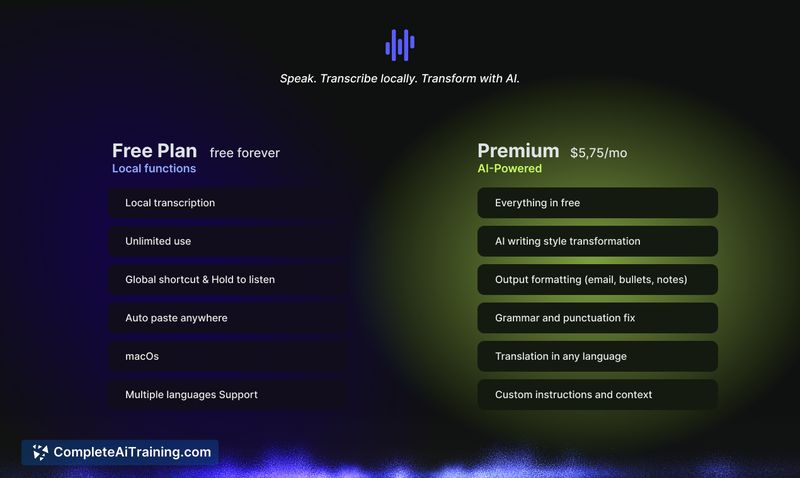
- Fully on-device transcription for macOS - audio remains on your machine and works offline.
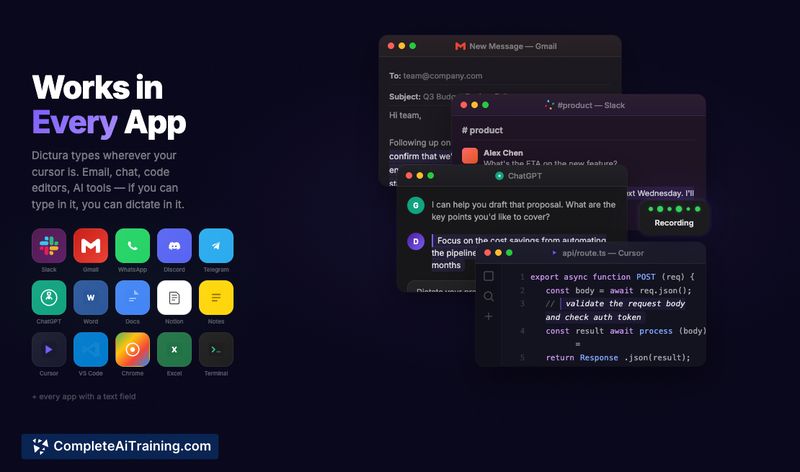
- Quick activation via keyboard shortcut and immediate insertion into any active text field or app.
- Free core offering: the local transcription engine is available without trial limits or feature gates.
- Optional Premium transformations (cloud-based) for rewriting, summarizing, translating and converting speech into emails or tickets.
- Lightweight widget approach that stays out of the way of existing workflows.
Pricing and Value
The base transcription features are provided for free and run 100% on-device. Premium is a subscription tier (listed at around $5.75/month) that sends transcribed text (not audio) to cloud AI for additional transformations; this is opt-in for each use. For users who need private, offline transcription most of the time, the free tier delivers strong value; the Premium tier is useful when you want automated rewriting or translation and are comfortable with text-based cloud processing. Limited-time launch discounts for annual plans have been offered.
Pros
- Privacy-first: transcription runs locally so audio and biometric data stay on your Mac.
- Fast, low-latency text output that integrates with any text field or app via a shortcut.
- Generous free tier that includes the full local engine with no account required.
- Clean, minimal interface that is easy to add to daily writing tasks or prompt workflows.
Cons
- macOS-only at present; other platforms are not yet available.
- Premium transformations require sending text to the cloud and incur an extra cost.
- Advanced integrations and mobile clients are still limited compared with some cloud-first alternatives.
Harker 2.0 is a good fit for writers, professionals handling sensitive conversations, or anyone who needs quick, private transcription on a Mac. If you rely on native offline privacy and occasional AI-driven text polishing, the free core plus opt-in Premium workflow offers a practical balance. For teams or cross-platform needs, wait for broader platform support or compare with alternatives that target those environments.
Open 'Harker 2.0' Website
Your membership also unlocks: