About Haystack
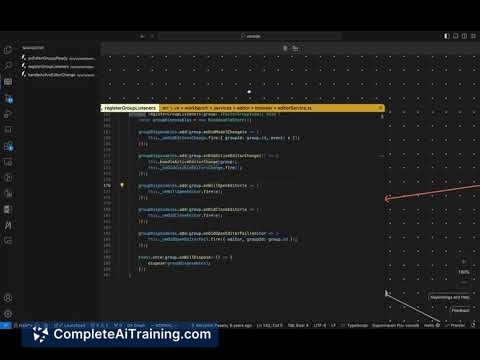
Haystack is an AI-augmented integrated development environment (IDE) that visualizes and edits codebases on an infinite 2D canvas. It automatically draws connections between code components, helping developers see how different parts of their code interact in a clear, graphical format.
Review
Haystack offers a fresh approach to coding by moving beyond the traditional split-panel interface, instead presenting code as interconnected components on a limitless whiteboard. This method enables faster navigation and a better grasp of complex code flows, making it especially useful for developers working with large or unfamiliar codebases.
Key Features
- Infinite Canvas Visualization: View and organize functions, classes, and other code elements freely on a 2D workspace.
- Automatic Code Connections: The tool automatically draws relationships between related functions and logic components as you navigate through the code.
- AI-Powered Code Search: Search for code segments using natural language queries to quickly find relevant flows or snippets.
- Save and Load Workspaces: Preserve your current context by saving the layout of open editors and reload them later to continue work seamlessly.
- Git Integration: Built as a fork of a popular code editor, it supports version control workflows including Git.
Pricing and Value
Haystack is currently available as a free source-available tool, allowing developers to download and explore its capabilities without upfront costs. This open approach offers significant value, especially for engineers looking to improve code navigation and understanding without subscription fees. The availability of the source code also encourages customization and community contributions.
Pros
- Innovative visual representation of code improves comprehension of complex interactions.
- Supports natural language queries for locating specific code flows efficiently.
- Ability to isolate and focus on individual functions or classes within files enhances precision.
- Workspace saving feature helps maintain continuity across tasks.
- Lightweight editors and efficient memory use even when multiple files are open.
Cons
- May require an adjustment period for users accustomed to traditional IDE layouts.
- AI search accuracy, while strong, occasionally returns less relevant results among candidate options.
- Feature set is still evolving and may lack some advanced tools found in mature IDEs.
Overall, Haystack is well-suited for software engineers dealing with dense, interconnected codebases or those exploring unfamiliar projects. Its unique canvas-based approach makes it ideal for developers who prefer visual context and wish to streamline code navigation. While it may not replace all traditional IDE features yet, it offers an engaging alternative for improving code comprehension and workflow efficiency.
Open 'Haystack' Website
Your membership also unlocks: