
About Masko Code
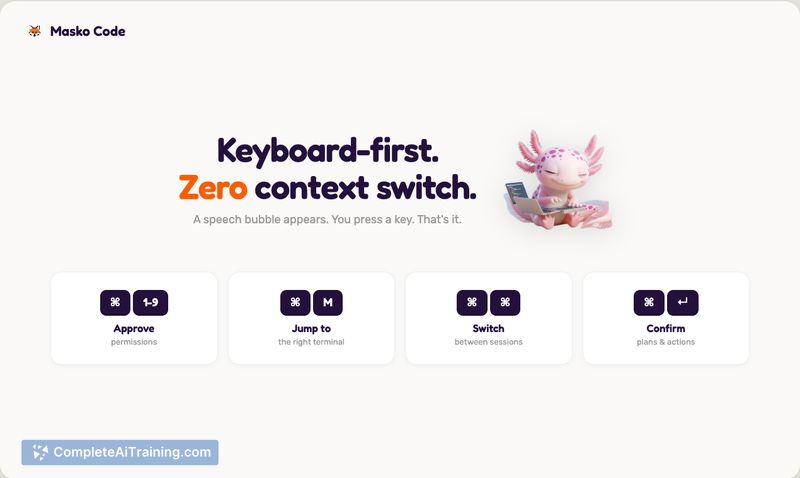
Masko Code is a desktop mascot that watches your AI coding agents in real time and surfaces their events as an on-screen overlay. It turns permission prompts into a simple speech-bubble notification and offers keyboard shortcuts to approve requests and jump between sessions without leaving your editor.
Review
Masko Code addresses the common interruption of alt-tabbing between terminals and agent consoles by keeping a lightweight mascot on screen that notifies you when an agent needs attention. The result is a smoother coding session for anyone running multiple agent instances in parallel, with a strong emphasis on local execution and privacy.
Key Features
- On-screen mascot overlay that shows agent states and permission requests in real time.
- Quick approval and navigation shortcuts (for example: ⌘1 to approve, ⌘M to jump to the correct terminal, double-tap ⌘ to switch sessions).
- Tracks multiple agent sessions simultaneously and provides a notification feed with a trace of tool usage and events.
- Includes a gallery of mascots with community-contributed options and the ability to generate custom characters locally.
- Free, open source under an MIT license and runs fully on-device.
Pricing and Value
Masko Code is free to use and distributed under an MIT open source license. Its value comes from reducing context switching and approval friction when working with multiple AI agents, while keeping all processing and telemetry local for developers who prioritize privacy. For teams and individual contributors who frequently interact with agent prompts, it offers time savings with no subscription cost.
Pros
- Minimizes alt-tab interruptions by surfacing agent prompts directly on the desktop.
- Local-first, open source approach means no external telemetry and easy self-hosting or auditing.
- Convenient keyboard shortcuts speed up approvals and session switching.
- Customizable mascots and community additions let users personalize notifications.
- Shows a timeline of agent actions so you can inspect what happened at a glance.
Cons
- Initial integration support is focused on a single agent platform, so other agent systems may need adapters or community work to integrate.
- macOS 14+ requirement limits use to recent macOS versions for now.
- It can display when an agent is "thinking," but it cannot always distinguish normal processing from a silent retry loop without deeper hook support from the agent platform.
Masko Code is best for developers who run multiple AI coding agents and want to reduce context switching, speed up approvals, and keep interactions local. It's particularly well suited to macOS users who value open source tooling and a lightweight, customizable notification layer for agent supervision.
Open 'Masko Code' Website
Your membership also unlocks:























