About Multitui
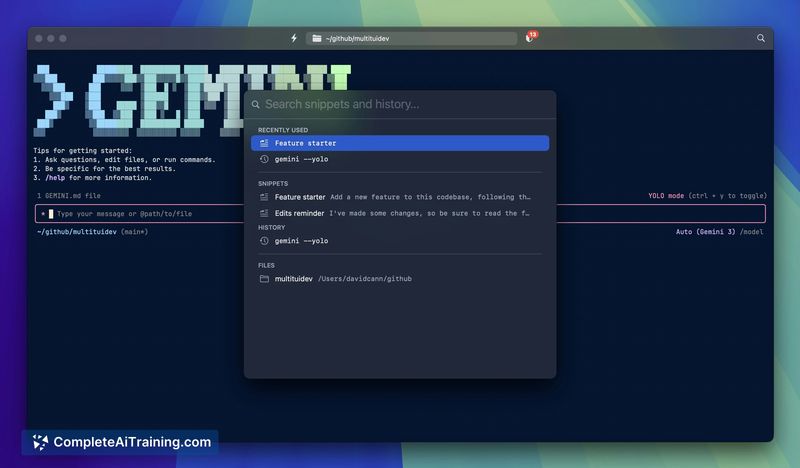
Multitui is a macOS app factory that generates standalone native terminal apps for TUI programs, with optional sandboxing and live rule management. It simplifies running coding agents and other terminal-based tools as dedicated macOS apps without changing a local development environment or relying on containers or VMs.
Review
Multitui provides a focused way to turn terminal UIs into single-purpose macOS apps while adding per-app sandbox controls and log visibility. Built with native APIs, it emphasizes quick setup and tight integration with macOS workflows, making it straightforward to audit and adjust file access as you use a tool.
Key Features
- Creates single-purpose macOS apps for any terminal/TUI program, letting each tool run as a dedicated native app.
- Optional sandboxing using the built-in macOS sandbox-exec with log monitoring and the ability to add rules on the fly.
- Granular per-app file access rules, including repo-only write defaults and support for complex patterns or regex.
- Native macOS integrations such as document-based app behavior, Finder integration, and global shortcuts.
- Lightweight Swift implementation that avoids the need for containers or virtual machines and requires minimal local configuration.
Pricing and Value
Multitui is free while in beta and is stated to remain free for personal use indefinitely. That makes it a low-cost option for individual developers who want per-agent isolation and visibility without the overhead of container solutions. Commercial or team pricing is not detailed, so organizations should verify licensing for non-personal use.
Pros
- Very easy to set up-launch a dedicated app instead of reconfiguring the terminal environment.
- Clear sandbox logs and an interface to add exceptions as needed, which helps with auditing and troubleshooting.
- Useful default safety model (repo-only writes) that reduces accidental broad file access.
- Good macOS-native integrations make the apps feel like first-class system applications.
- Lightweight implementation avoids the overhead of containers or VMs.
Cons
- macOS-only, so teams or users on Linux and Windows cannot use it natively.
- Network sandboxing is not implemented yet; planned features may be required for stronger protection against data exfiltration.
- Beta status means occasional rough edges and limited documentation for advanced enterprise use cases.
Multitui is a good fit for macOS developers who run coding agents or other terminal-based tools and want clearer isolation and easier rule management without adopting containers. It is less suitable for cross-platform teams or organizations that need mature, network-level sandboxing and formal commercial licensing details before deployment.
Open 'Multitui' Website
Your membership also unlocks: