About MyNextBrowser
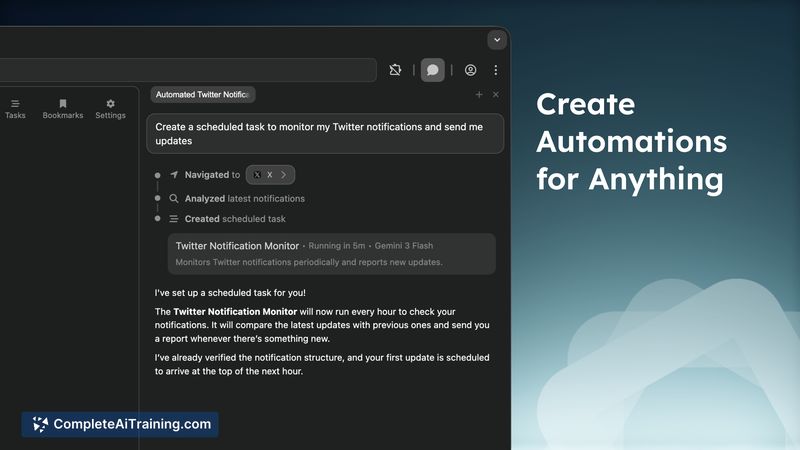
MyNextBrowser is a Chrome extension that turns a regular browser into an AI-driven assistant for research, content work, and automation. It focuses on reducing repetitive typing and context switching by enabling tasks like summarizing tabs, rewriting text, creating slides and dashboards, and filling forms via plain-language prompts.
Review
MyNextBrowser combines browser automation and AI features into a single extension that runs primarily on the local device while calling external services when needed. It aims to streamline workflows for users who juggle many tabs and tools, offering features that support research, content polishing, and lightweight automation directly inside the browser.
Key Features
- Deep research across open tabs and the web using plain-language prompts
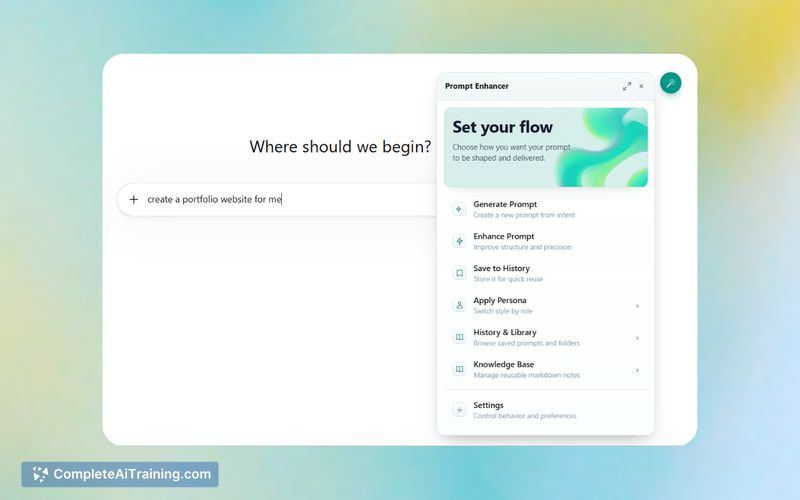
- Prompt Enhancer that refines queries based on target platforms and objectives
- Text Enhancer for rewriting, summarizing, and improving copy quickly
- Automatic dashboard and presentation generation from simple prompts
- Smart form fill and workflow automation with a local-first privacy approach
Pricing and Value
There is a free tier to try core features, plus a limited-time early access offer priced at $4 (originally about $20) for a small number of seats, and a promoted 75% lifetime discount. The value proposition centers on consolidating multiple web tasks into one extension-reducing copy-paste, speeding repetitive tasks, and keeping generated content on the device whenever possible. For users who frequently switch between research, note-taking, presentation tools, and AI chats, the extension can cut friction and save time.
Pros
- Local-first privacy stance and a stated policy of not training on user data
- Combines research, content editing, and automation to reduce tab overload
- Prompt and text enhancement tools that can improve outputs from other AI models
- Built-in generation of dashboards and presentations from prompts, which can speed reporting and sharing
Cons
- Early-access pricing is limited in quantity and may change after launch
- Extension requires broad browser permissions, which some people may be hesitant to grant despite local-first claims
- Certain advanced automations may require additional setup or external API keys for full functionality
MyNextBrowser is best suited for founders, developers, researchers, and advanced users who regularly handle multi-tab research, reporting, or repetitive web tasks and who value keeping data local. Try the free tier to evaluate core features before committing to an early-access plan if you rely on browser automation and prompt refinement in your daily work.
Open 'MyNextBrowser' Website
Your membership also unlocks: