About OpenOwl
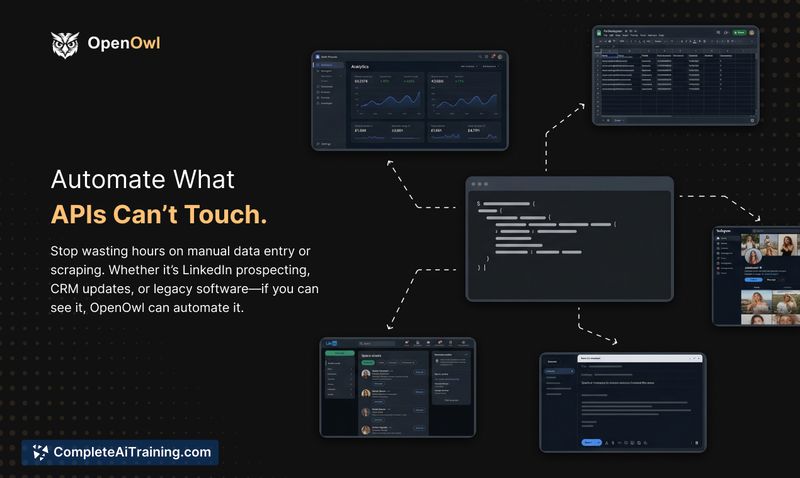
OpenOwl is a desktop automation agent for macOS that gives AI assistants the ability to see your screen, click buttons, type into fields, and move between apps and browsers. You describe a task in plain English and the agent performs UI actions for workflows that lack API access, such as LinkedIn prospecting, Shopify admin updates, legacy CRM data entry, and form filling.
Review
OpenOwl fills a practical gap: AI can plan steps but historically could not interact with arbitrary user interfaces. It runs locally on a Mac, integrates with Claude, Codex, and any MCP-compatible AI, and aims to reduce the manual clicking that many repetitive workflows still require.
Key Features
- UI-level automation: captures the screen, moves the cursor, clicks, and types to interact with any app or web interface.
- MCP compatibility: works with Claude, Codex, and other MCP-compatible AI agents to provide "eyes and hands" to a model.
- Local-first operation: runs 100% on your Mac so screenshots and data do not leave the machine.
- Step verification and error handling: the agent checks results after actions and flags anomalies rather than blindly continuing.
- Quick setup and templates: installable via npm (npm i openowl) with community templates to speed configuration.
Pricing and Value
OpenOwl offers a free tier that includes 50 tool calls per day and requires no credit card to start; there are indications of paid tiers for higher-volume use and occasional promotions such as launch discounts. The core value is time saved on manual UI work that APIs do not cover-tasks like bulk Shopify edits, outreach workflows, or legacy-system data entry can move from hours of clicking to automated runs, provided you accept the local setup and oversight trade-offs.
Pros
- Automates tasks at the UI level that lack API access, reducing repetitive manual work.
- Runs locally on macOS, which helps keep screenshots and data private on your machine.
- Integrates with multiple AI assistants via the MCP interface, making it flexible for different agents.
- Built-in step verification reduces silent failures by flagging problems when the UI doesn't respond as expected.
- Easy to get started with a single npm command and available templates for common workflows.
Cons
- macOS only for now (supports Apple Silicon and Intel), so Windows and Linux users are excluded.
- Sites with aggressive bot detection or highly flaky interfaces may require additional tuning or manual oversight.
- Not foolproof: some edge cases still need human review and occasional troubleshooting.
OpenOwl is best suited for marketers, operations teams, and developers who run repeat UI tasks on macOS and want to hand those clicks to an AI agent. If you need to automate admin panels, legacy tools, or high-volume browser outreach and can commit to local setup and monitoring, it can deliver meaningful time savings. For users on other platforms or those expecting fully hands-off automation with zero supervision, the current limitations may be a deciding factor.
Open 'OpenOwl' Website
Your membership also unlocks: